


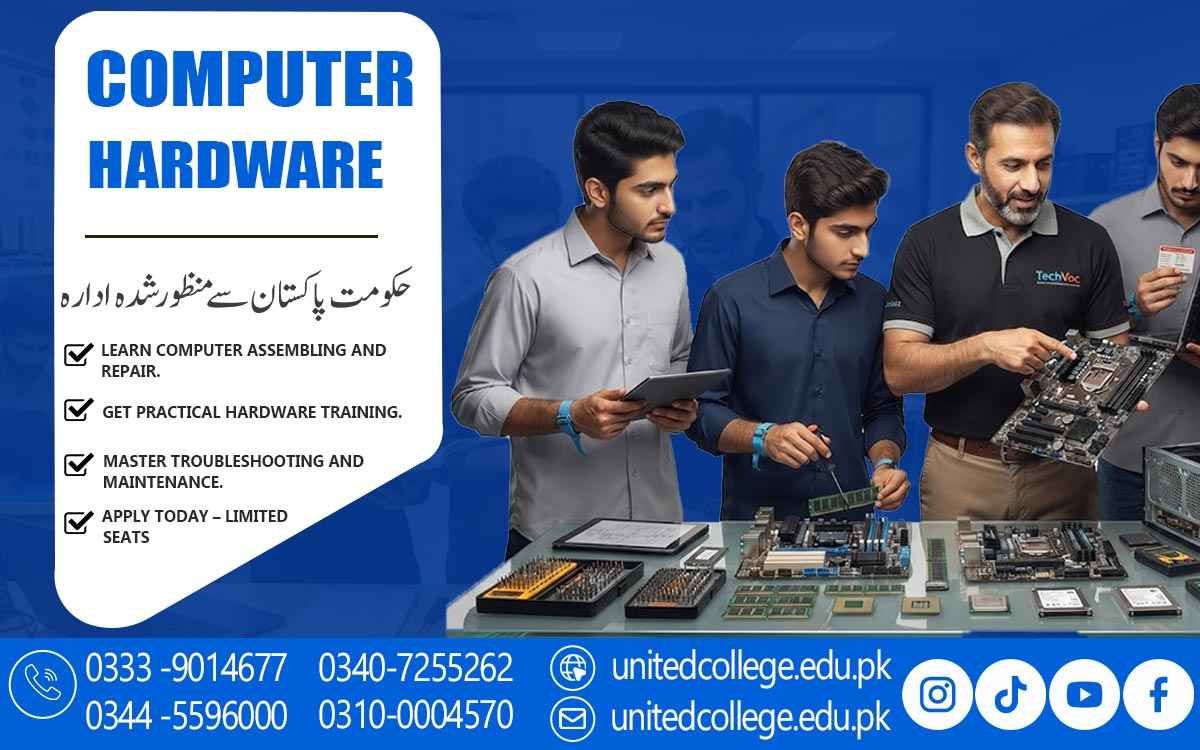

Computer Hardware Course in Bhakkar for Computer Setup and Repair
Learning and Exploring Computer Hardware Essentials
A Computer Hardware Course in Bhakkar helps students understand the basic parts that make a computer system work. Learners become familiar with important components such as the processor, motherboard, RAM, storage devices, power supply, cooling fans, and input and output devices. This foundation makes it easier to understand how different hardware parts work together.
Students also learn about the purpose and importance of each component. They can identify common hardware devices and understand their basic functions inside a computer system. This knowledge is useful for anyone who wants to develop practical computer hardware knowledge.
The course focuses on simple explanations and practical learning so that beginners can understand technical concepts more easily. By studying computer hardware essentials, learners can build confidence before moving toward installation, troubleshooting, and maintenance tasks.
Understanding Different PC Parts and Functions
A computer contains many different components, and each part performs a specific function. During the Computer Hardware Course in Bhakkar, students learn about common PC parts and understand how they contribute to overall system operation. This includes motherboards, processors, memory, storage devices, power supplies, and cooling systems.
Learners also explore external hardware such as keyboards, mice, monitors, printers, and other peripheral devices. Understanding these components helps students identify hardware requirements for different computer setups and recognize basic connection problems.
Practical knowledge of PC components can also make routine computer maintenance easier. Students become more familiar with hardware terminology and learn how to handle different parts carefully during installation, inspection, and basic servicing.
Learning Processor and Motherboard Basics
The processor is an important component responsible for handling instructions and performing computing tasks. Students learn about the basic role of CPUs and understand how processor specifications can affect computer performance. They also become familiar with different processor features and their relationship with other hardware.
The motherboard provides the main platform where many computer components are connected. In the course, learners study motherboard slots, ports, connectors, and other important areas. This helps them understand how different hardware devices communicate through the motherboard.
Students can also learn basic procedures for handling and fitting processors and motherboard components safely. These practical lessons help reduce mistakes during computer assembly and provide useful knowledge for future hardware maintenance work.
Studying RAM and Storage Technologies
RAM plays an important role in allowing a computer to handle active tasks efficiently. Students learn the basic purpose of memory and understand how RAM differs from permanent storage. They can also study common memory types and learn how memory capacity can influence computer usage.
The Computer Hardware course also introduces different storage technologies, including hard disk drives and solid-state drives. Learners understand their basic functions, differences, and uses in modern computer systems. This knowledge helps them recognize suitable storage options for different requirements.
Students can practice identifying RAM and storage devices and learn basic installation procedures. They also develop an understanding of how incorrect connections, insufficient storage, or faulty components can affect computer operation.
Practicing Hardware Fitting and Installation
Practical hardware installation is an important part of learning computer maintenance. Students learn how to handle computer components carefully and understand the basic process of fitting hardware into the appropriate slots and connections.
The Computer Hardware Course in Bhakkar can provide learners with practical exposure to installing components such as RAM, storage drives, power supplies, and other hardware devices. They learn to follow proper procedures instead of connecting components without checking compatibility and placement.
Learners also understand the importance of working in an organized and safe manner. Proper installation techniques can help prevent physical damage to components and ensure that a computer system is assembled correctly.
Learning Methods for Hardware Troubleshooting
Computer hardware can sometimes develop problems due to loose connections, damaged components, overheating, power issues, or other technical reasons. Students learn basic troubleshooting methods that help them identify possible causes of common hardware faults.
During practical learning, students can inspect connections, check hardware components, and observe system symptoms. They learn to approach problems step by step instead of replacing components without first identifying the possible cause.
Troubleshooting knowledge is useful for basic technical support work. It helps learners understand how to investigate computer problems and apply suitable solutions while knowing when a more advanced technical inspection may be required.
Maintaining Computers for Better Performance
Regular maintenance can help keep computer systems in good working condition. Students learn basic maintenance practices such as cleaning hardware, checking connections, managing cooling components, and inspecting the condition of different computer parts.
The course also explains why overheating, dust accumulation, poor ventilation, and loose connections can create hardware problems. Learners become familiar with simple preventive practices that can reduce avoidable hardware issues.
Good maintenance habits are useful for both personal and professional computer environments. Students can apply these practices when maintaining their own systems or assisting others with basic computer hardware care.
Developing Skills for Hardware Repair Services
The final part of the Computer Hardware Course in Bhakkar helps learners bring together the knowledge gained throughout the course. Students can use their understanding of components, installation, troubleshooting, and maintenance to handle basic hardware-related tasks more confidently.
Learners also develop practical habits such as careful component handling, systematic fault checking, and proper use of basic hardware tools. These abilities can provide a foundation for further technical education and more advanced computer hardware learning.
With consistent practice, students can build a strong foundation for entry-level hardware support and maintenance responsibilities. The knowledge gained through the course can also help learners explore further opportunities in computer servicing and technical support.
Frequently Asked Questions (FAQs)
The course covers computer components, processors, motherboards, RAM, storage devices, hardware installation, troubleshooting, maintenance, and basic repair practices.
Students, beginners, computer users, and individuals interested in learning practical computer hardware can join this course.
Yes, students learn how to fit and install different computer components while following proper handling and safety procedures.
Students learn about processors, motherboards, RAM, hard drives, SSDs, power supplies, cooling systems, ports, and other common PC components.
Yes, students learn basic methods for identifying hardware faults, checking connections, and understanding common computer hardware problems.
Admission Open: Start Your Professional Journey Today!
Join United College of Technology and build a career with practical training, recognized certifications, and Gulf job support. Seats are limited.
Apply Now via WhatsAppContact Information
- Address: Rawalpindi: F-272 Main New Katarian Stop, Old IJP Road | Lahore Campus: Lahore, Pakistan
- Phone/WhatsApp: 0340-7255262 / 0333-9014677 / 0301-5044340 / 0310-0004570 / 051-8770756
- Website: unitedcollege.edu.pk
















Leave a Comment