


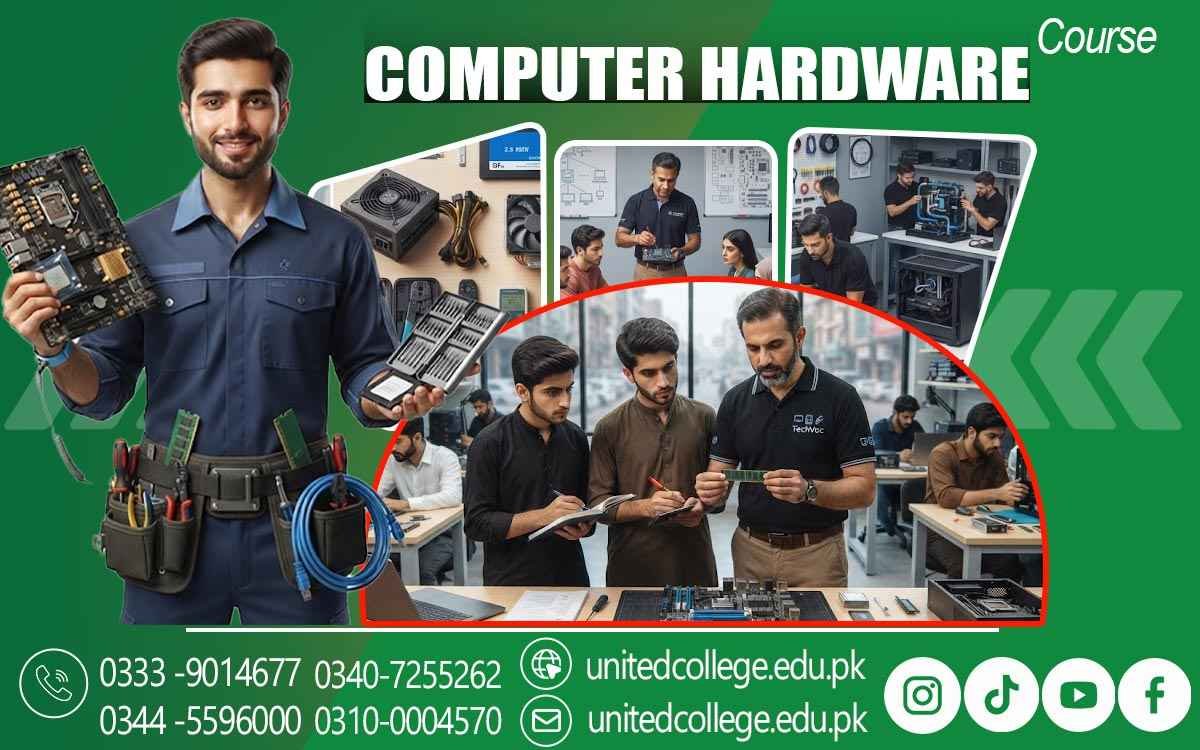

Computer Hardware Course in Toba Tek Singh: Learn PC Maintenance
Handling Computer Components With Proper Safety
When a computer suddenly becomes slow, refuses to turn on, makes unusual noises, overheats, or starts showing storage and display problems, many people immediately think the entire system needs to be replaced. In reality, the issue may come from a single component, a loose connection, overheating, insufficient RAM, a damaged storage drive, an aging power supply, or another hardware-related fault. Without basic hardware knowledge, it can be difficult to understand where the problem is actually coming from.
Learning what happens inside a computer can make these situations much easier to understand and troubleshoot. A Computer Hardware Course in Toba Tek Singh can help beginners develop this understanding by introducing them to computer components, assembly, hardware installation, maintenance, diagnostics, and practical troubleshooting. Learners can gradually become familiar with parts such as the motherboard, processor, RAM, storage devices, power supply, and cooling system while understanding the role each component plays in keeping a computer working properly.
Understanding What Happens Inside a Computer
A computer may look like one complete machine from the outside, but inside it contains several components working together to perform different tasks. Learning computer hardware starts with understanding how these parts communicate and why each one matters to the system. A computer hardware course can help learners explore these components simply and practically, making it easier for beginners to understand what happens inside a PC. The processor handles instructions and calculations, RAM provides temporary working space for active programs, storage keeps files and software for longer-term use, and the motherboard connects many of these components so they can communicate with each other.
Through computer hardware training, learners can gradually understand how these parts work together rather than memorizing their names separately. For example, if a computer takes a long time to open programs, a learner can begin thinking about possible causes such as limited RAM, slow storage, unnecessary software, or another system issue. This type of thinking is important because computer repair is not simply about replacing parts; it involves observing symptoms, checking possible causes, and selecting an appropriate solution.
Getting Familiar With the Main Computer Components
A strong computer repair course gives learners opportunities to become familiar with the physical parts they may encounter during installation, maintenance, or troubleshooting. The motherboard is one of the most important components because it provides connections for the processor, RAM, storage devices, expansion cards, and other hardware. The processor, often called the CPU, performs instructions and helps the computer run applications. RAM allows the system to temporarily hold information that is being actively used, which is why insufficient or faulty RAM can affect system operation.
Storage devices such as hard disk drives and SSDs are used to keep the operating system, applications, documents, pictures, and other files. An SSD generally uses flash memory and has no moving disk mechanism, while a traditional hard drive uses spinning disks to store information. Learners can also study the role of the power supply, cooling fans, heat sinks, graphics hardware, cables, and connectors. Understanding these computer components gives beginners a useful foundation for hardware technician training because it helps them recognize what they are looking at when they open a desktop computer and begin examining its internal structure.
Learning Computer Assembly Without Guesswork
Building or assembling a computer requires more than placing components inside a case. Each part needs to be installed correctly, and connections must be made carefully. During practical computer training, learners can become familiar with preparing a case, installing the motherboard, fitting the processor and cooling arrangement, inserting RAM, connecting storage devices, installing a power supply, and attaching the required cables. They can also learn why correct placement matters. For instance, RAM must be inserted into the appropriate slots with the correct orientation, while storage and power cables need secure connections.
A loose cable can sometimes create a problem that looks more serious than it actually is. Similarly, forcing a component into the wrong position can damage the component or its connection point. A computer hardware course can therefore teach learners to work patiently, check the motherboard layout, follow component instructions, and verify connections before powering on a newly assembled system. This step-by-step approach is useful whether someone is building a computer for personal use or learning PC repair as a technical skill.
Turning Common Computer Problems Into Troubleshooting Practice
One of the most useful parts of developing computer hardware skills is learning how to investigate a problem instead of immediately replacing components. A computer hardware course can introduce learners to basic troubleshooting methods that help them understand how to identify possible causes and check a system step by step. Imagine a desktop computer that does not start when the power button is pressed. A technician may need to check the power connection, power supply, cables, motherboard connections, and other possible causes before deciding what has failed. In another situation, the computer may turn on but fail to display anything on the monitor.
If a computer repeatedly freezes or restarts, the cause may require a different type of investigation. Through hardware troubleshooting, learners can practice observing symptoms, asking what changed, checking simple possibilities first, and testing components in a logical sequence. They can also study common issues such as loose connections, faulty RAM, damaged storage, overheating, power problems, and hardware compatibility. This problem-solving approach is central to troubleshooting computer problems because the visible symptom does not always identify the actual cause.
Connecting Hardware Skills With Operating System and Driver Setup
Computer technician work does not always end after a physical component has been installed. A newly assembled or repaired computer may also need an operating system and suitable device drivers before all hardware functions properly. Learners can study operating system installation and understand the general process of preparing a system, selecting installation options, configuring basic settings, and checking whether the computer starts correctly afterward. Drivers are software components that allow the operating system to communicate properly with hardware such as graphics devices, network adapters, printers, and other peripherals.
If a driver is missing or incorrect, a device may not work as expected even though the physical hardware is connected correctly. A practical computer hardware course can introduce learners to these situations so they understand the connection between physical hardware and system software. This knowledge can be especially useful when setting up computers for homes, offices, schools, or small businesses, where a technician may need to install or configure a system after replacing or upgrading its hardware.
Testing Components Before Blaming the Whole System
Good computer diagnostics involves checking evidence rather than making assumptions. When a computer behaves strangely, a technician may need to test different components and connections to narrow down the possible cause. Learners can become familiar with hardware testing methods, basic diagnostic procedures, system information, and performance observations. For example, if a computer is unusually slow, checking storage condition, available space, RAM usage, temperatures, and other system information can provide useful clues.
If the computer shuts down during demanding tasks, heat or power-related problems may need attention. If a storage drive is showing errors or behaving unpredictably, testing the drive can help determine whether the problem is related to storage rather than another component. The purpose of this process is not simply to find a faulty part but to understand why the system is behaving differently. Developing this habit can make hardware maintenance more organized and can help learners approach technical problems with patience and careful observation.
Protecting Components From Electricity, Heat, and Static
Computer components are delicate, and safe handling is an important part of hardware maintenance. Static electricity, for example, can potentially damage sensitive electronic components if proper precautions are ignored. Learners can study safe handling practices such as working in a suitable environment, handling components carefully, avoiding unnecessary contact with sensitive contacts, and using appropriate anti-static precautions. Electrical safety is equally important because power supplies and connected equipment involve electricity.
A technician should not casually open or interfere with electrical components that are designed to remain closed, and power should be disconnected before performing appropriate internal maintenance. Heat is another concern. Dust buildup, blocked airflow, failed fans, or poorly maintained cooling systems can increase temperatures and affect system stability. A computer hardware course can help learners understand why cooling matters and how regular cleaning and airflow checks can support reliable operation. These habits are valuable because successful computer repair is not only about fixing faults; it is also about preventing avoidable damage while working safely.
Building Practical Skills Through Hands-On Hardware Training
Reading about a motherboard or watching someone install RAM can provide useful information, but practical experience gives learners a different level of understanding. A hands-on learning environment allows beginners to see components directly, handle tools, identify connectors, and practice procedures under guidance. At United College of Technology, learners studying computer hardware can be introduced to relevant concepts while developing practical skills related to identifying components, assembling systems, installing hardware, checking connections, troubleshooting faults, and maintaining computers.
The learning process can begin with simple tasks and gradually move toward more detailed technical work, helping students become comfortable with the equipment they are studying. Practical exercises can also make mistakes more educational because learners can see what happens when a connection is incomplete, a component is installed incorrectly, or a system requires further testing. For someone starting from scratch, this kind of practice can make computer hardware skills easier to understand and apply in real situations.
Applying Computer Hardware Skills in Everyday Life in Toba Tek Singh
Computer hardware knowledge can be useful in many places where computers are regularly used, including homes, offices, educational institutions, businesses, computer shops, and service environments in and around Toba Tek Singh. A computer hardware course can help learners develop practical knowledge that they can apply when dealing with common computer setup, maintenance, and troubleshooting situations. A small office may need someone to identify a faulty cable or replace a storage drive, while a school may need basic computer maintenance when systems develop hardware or setup problems.
Computer shops and service centers can involve more frequent exposure to repairs, upgrades, installations, and customer hardware problems, making practical computer technician skills relevant to this type of environment. These examples do not mean that completing a course automatically leads to employment; rather, they show why technical knowledge can have practical value. By learning how computer components work, how systems are assembled, and how faults are investigated, students in Toba Tek Singh can develop a useful foundation for further learning and hands-on experience in the computer hardware field.
Frequently Asked Questions (FAQs)
A Computer Hardware Course in Toba Tek Singh teaches learners how computer components work, how systems are assembled, and how common hardware problems can be identified and handled.
You can learn about computer components such as the motherboard, processor, RAM, storage drives, power supply, cooling system, cables, and connectors. The course may also cover assembly, installation, maintenance, diagnostics, and troubleshooting.
Yes. A computer hardware course can be suitable for beginners who have limited technical knowledge. Learners can start with component identification and gradually move toward practical hardware installation and troubleshooting.
Yes. Computer assembly is an important practical skill. Learners can understand how different components are installed inside a computer and how cables and connections are checked before starting the system.
Yes. Learners can study common hardware problems such as startup failures, overheating, faulty RAM, storage issues, loose connections, and power-related problems, along with basic diagnostic approaches.
Admission Open: Start Your Professional Journey Today!
Join United College of Technology and build a career with practical training, recognized certifications, and Gulf job support. Seats are limited.
Apply Now via WhatsAppContact Information
- Address: Rawalpindi: F-272 Main New Katarian Stop, Old IJP Road | Lahore Campus: Lahore, Pakistan
- Phone/WhatsApp: 0340-7255262 / 0333-9014677 / 0301-5044340 / 0310-0004570 / 051-8770756
- Website: unitedcollege.edu.pk
















Leave a Comment