


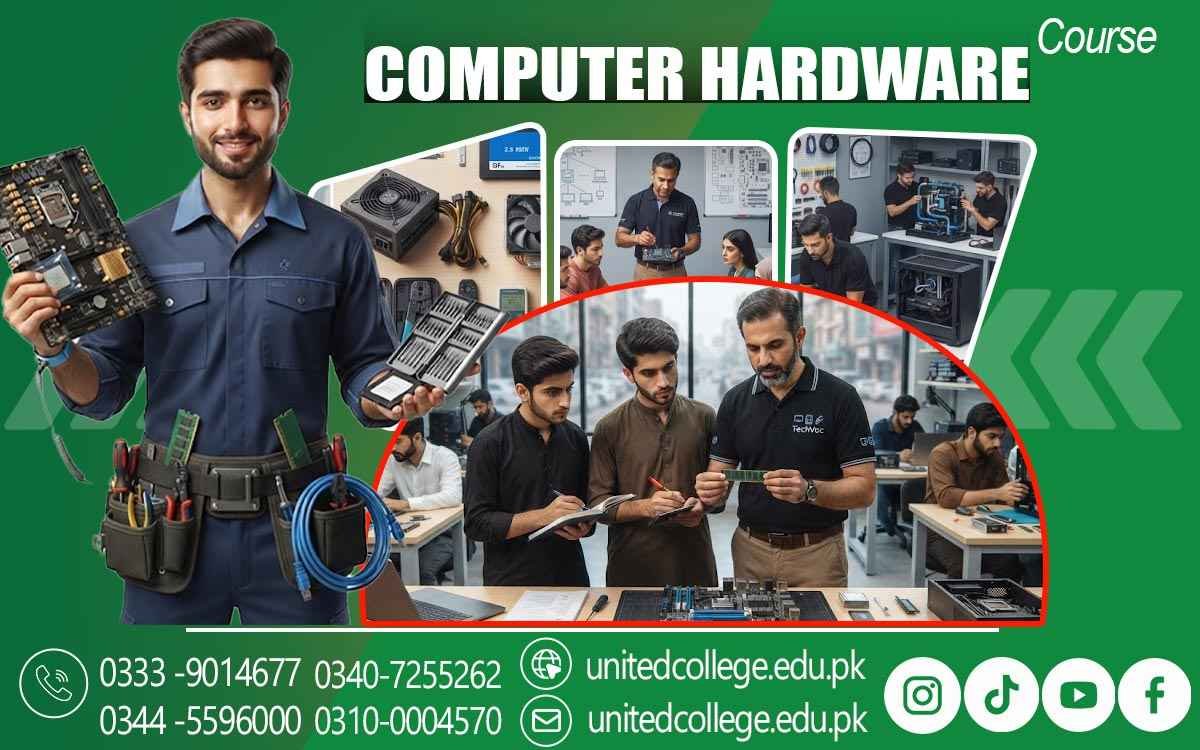

Computer Hardware Course in Jhelum – Build Your IT Career
Computer Hardware Course in Jhelum – Build Practical IT Skills
The Computer Hardware Course in Jhelum is a practical training option for students, beginners, and individuals who want to develop technical skills in computer hardware and IT support. Computers are used in offices, educational institutions, businesses, shops, and many other workplaces, creating a need for people who understand how computer systems work and how common hardware problems can be identified and fixed.
During training, learners can become familiar with computer components, system assembly, installation, maintenance, troubleshooting, and basic networking. Instead of learning only through theory, students can improve their understanding through practical activities and hands-on experience. This makes the course useful for anyone who wants to build a foundation for a career in computer hardware, technical support, or IT-related work.
Understand Computer Components and Their Functions
A strong understanding of computer components is important for anyone planning to work in hardware support. Through a Computer Hardware Course in Jhelum, students can learn about important components such as motherboards, processors, RAM, hard drives, SSDs, power supplies, graphics cards, cooling systems, and peripheral devices. They can understand the purpose of each component and how different parts work together to form a complete computer system.
Learners can also become familiar with different hardware specifications and learn how to identify components based on their functions. Practical activities can help students recognize hardware parts more easily and understand their role in overall system performance. This knowledge provides a useful foundation for computer assembly, maintenance, upgrading, and troubleshooting.
Learn Computer Assembly and Installation Skills
Computer assembly is an important practical skill for hardware technicians and IT support professionals. During the Computer Hardware Course in Jhelum, learners can understand how different components are installed and connected correctly inside a computer system. Students can practice installing RAM, storage devices, power supplies, processors, cooling components, and other hardware while learning the importance of proper handling and safe installation.
The training can also introduce learners to operating system installation, drivers, basic configuration, and system setup. Understanding these procedures helps students become more confident when preparing computers for personal or professional use. Practical assembly experience can also help learners understand how hardware compatibility and proper connections affect system performance and reliability.
Develop Troubleshooting and Repair Skills
Computer problems can occur for many reasons, including faulty components, software conflicts, overheating, damaged connections, storage issues, or power-related problems. A Computer Hardware Course in Jhelum can help learners develop a systematic approach to identifying and troubleshooting common computer issues. Students can learn how to inspect a system, identify possible causes, test components, and apply suitable solutions.
They can practice diagnosing problems related to RAM, storage devices, power supplies, display issues, overheating, and other common hardware faults. Learning troubleshooting methods can improve logical thinking and technical confidence. Instead of replacing components without understanding the problem, learners can develop the ability to investigate issues carefully and make informed decisions when repairing or maintaining computer systems.
Gain Practical Experience in Hardware Maintenance
Regular computer hardware maintenance is important for keeping computer systems reliable and reducing the chances of unexpected problems. During practical training, students can learn basic computer hardware maintenance procedures such as cleaning internal components, checking connections, managing cooling systems, inspecting hardware, and keeping devices in good working condition. They can also learn how to handle computer hardware components carefully to reduce the risk of physical damage.
Practical maintenance activities allow learners to become comfortable working with tools and hardware in a controlled environment. With repeated practice, students can improve their accuracy and develop professional habits that are useful for technical support roles. These skills can help them handle routine maintenance tasks in offices, computer shops, educational institutions, and other workplaces.
Learn Basic Networking and Connectivity
Modern computer hardware support often involves basic networking and device connectivity, making networking knowledge useful for aspiring technicians. A Computer Hardware Course in Jhelum can introduce learners to basic networking concepts such as network devices, cables, connectors, IP addressing, and computer-to-computer communication. Students can learn how computers and other devices connect within a local network and understand common connectivity problems.
Practical exercises can help learners become familiar with network cables, routers, switches, and basic network configurations. This knowledge can be helpful when providing technical support in offices, schools, computer labs, and small businesses. Understanding both hardware and basic networking can give learners a broader foundation for IT support work.
Explore Career Opportunities in Computer Hardware
Completing a Computer Hardware Course in Jhelum can help learners explore different career opportunities in the technical and IT support sector. Skilled individuals may find work in computer shops, repair centers, offices, schools, colleges, software companies, businesses, and organizations that require technical support.
Depending on their skills and experience, learners can work as Computer Hardware Technicians, IT Support Assistants, Computer Repair Technicians, Hardware Support Staff, or Technical Support Assistants. Some professionals may also provide independent computer repair and maintenance services to local customers. As experience increases, technicians can improve their troubleshooting abilities, learn advanced technologies, and take on more complex technical responsibilities.
Build Freelance and Independent Technical Services
Computer hardware skills can also provide opportunities for freelance and independent work. After gaining sufficient practical experience, trained technicians can offer computer repair, system installation, maintenance, upgrades, virus-related troubleshooting, hardware replacement, and basic networking services to individuals and small businesses.
Freelance technicians can work on individual service requests or develop long-term relationships with customers who need regular technical support. Good communication, fair service, punctuality, and professional behavior can help build customer trust. Over time, an experienced technician can develop a strong local reputation and expand their services. This makes computer hardware training useful not only for traditional employment but also for individuals interested in creating their own technical service business.
Build a Strong Future with Computer Hardware Skills
A Computer Hardware Course in Jhelum can provide learners with practical knowledge and technical skills needed to work with modern computer systems. By learning computer components, assembly, installation, troubleshooting, maintenance, basic networking, and technical support, students can prepare themselves for different career paths in the IT sector.
Hands-on practice can help learners become more confident when working with hardware and solving common computer problems. Whether they choose employment in a computer shop, technical support role, repair center, office, or freelance work, proper training can provide a strong foundation for professional growth. With continuous learning, practical experience, and an interest in new technologies, trained computer hardware professionals can develop valuable skills and create better opportunities in the growing IT industry.
Frequently Asked Questions (FAQs)
The course covers computer components, system assembly, hardware installation, troubleshooting, maintenance, repair techniques, operating system installation, and basic networking.
Yes, beginners can join the course and learn computer hardware concepts from the basics. Practical sessions help students gradually develop technical knowledge and confidence.
Yes, hands-on practice helps students work with computer components, assemble systems, identify hardware problems, perform maintenance, and troubleshoot common issues.
Learners can explore roles such as Computer Hardware Technician, IT Support Assistant, Computer Repair Technician, Hardware Support Staff, or Technical Support Assistant.
Yes, after gaining sufficient practical experience, learners can provide computer repair, maintenance, upgrades, installation, and basic networking services independently.
Yes, learners can develop an understanding of basic networking concepts, cables, connectors, network devices, connectivity, and simple network troubleshooting.
Admission Open: Start Your Professional Journey Today!
Join United College of Technology and build a career with practical training, recognized certifications, and Gulf job support. Seats are limited.
Apply Now via WhatsAppContact Information
- Address: Rawalpindi: F-272 Main New Katarian Stop, Old IJP Road | Lahore Campus: Lahore, Pakistan
- Phone/WhatsApp: 0340-7255262 / 0333-9014677 / 0301-5044340 / 0310-0004570 / 051-8770756
- Website: unitedcollege.edu.pk
















Leave a Comment