


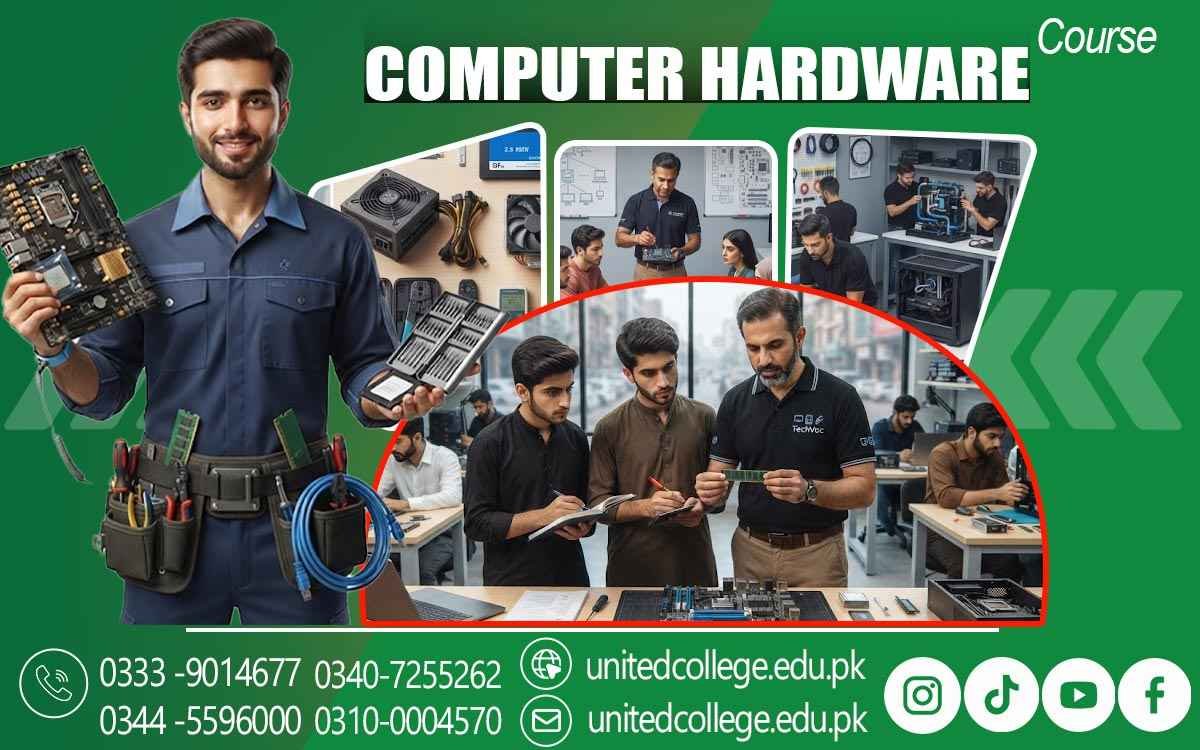

Computer Hardware Course in Narowal – Practical Skills Training
When a Computer Suddenly Stops Working, Hardware Knowledge Matters
A computer can look perfectly normal one day and suddenly refuse to start the next morning. Sometimes the screen stays blank, the system becomes unusually slow, the fan makes strange sounds, or the computer switches off because of overheating. In many cases, the problem is connected to a hardware component rather than the software people normally use. This is where practical computer hardware knowledge becomes useful. A Computer Hardware Course in Narowal can help beginners understand what is inside a computer, how different components work together, and how common hardware problems can be checked in an organized way.
Instead of guessing when something goes wrong, learners can develop a step-by-step approach to inspection and troubleshooting. This type of computer hardware training is relevant for students, computer enthusiasts, new learners, and anyone who wants to become more comfortable with PC hardware. Through practical computer training, learners can gradually understand components, tools, installation procedures, maintenance, and basic repair work while developing habits that are useful in real technical environments.
Understanding the Components That Make a Computer Work
Before trying to repair or upgrade a computer, it is important to understand the purpose of its individual parts. A computer is made up of several components that perform different functions, and each part has a role in the overall operation of the system. A Computer Hardware Course can help learners understand internal components such as the motherboard, processor, RAM, storage drives, power supply, cooling system, and expansion devices. Through a Computer Hardware Course, learners can also explore how these components work together in a complete computer system.
RAM provides temporary working space for active tasks, whereas a hard disk or SSD stores files and system data. Learners can also explore external or peripheral devices such as keyboards, mice, monitors, printers, speakers, webcams, and USB devices. Understanding these computer components makes later troubleshooting easier because learners can begin connecting a particular symptom with possible hardware causes. For someone starting from zero, this foundation can make technical concepts much less confusing and provide a useful starting point for developing computer repair skills.
Exploring the Motherboard, CPU, RAM, and Storage
The internal hardware of a computer becomes easier to understand when learners can see how its major components interact. The motherboard contains connections and slots that allow the processor, memory, storage, and other hardware to work together. During computer hardware training, learners can study the CPU and understand its basic role in processing instructions, while RAM can be explored as temporary memory used by the system when programs are running. Storage is another important area because computers may use traditional hard disks or faster SSDs to save operating systems, applications, documents, and other files.
A learner may also explore differences between storage capacity and system performance, helping them understand why replacing an old storage drive can sometimes change the way a computer behaves. The course can also introduce expansion cards, connectors, ports, cables, and other motherboard-related parts without making the subject unnecessarily complicated. For beginners in Narowal, learning these details through practical examples can be more useful than simply memorizing component names. Once learners know where each part is located and what it does, they can approach installation, replacement, testing, and hardware diagnosis with greater understanding.
Learning Computer Assembly and Safe Hardware Installation
Knowing the names of computer components is only one part of hardware learning; learners also need to understand how components are handled, installed, removed, and connected safely. Computer assembly involves putting compatible parts together in an organized manner, while computer disassembly requires careful removal of components without damaging connectors, cables, or sensitive parts. In a practical computer repair course, learners may become familiar with installing RAM, storage drives, power connections, cooling components, and other hardware according to the system's requirements. They can also learn why compatibility matters before replacing a component, since not every processor, memory module, storage drive, or expansion device works with every computer.
Safe handling is equally important because computer components can be sensitive to physical damage, dust, moisture, and improper handling. Learners can develop habits such as switching off and disconnecting equipment before opening a system, keeping small screws organized, handling components carefully, and following proper installation procedures. These practices can make computer repair work more structured and reduce avoidable mistakes. Practical training at United College of Technology can give learners an opportunity to connect classroom explanations with physical hardware and understand how an organized repair process works.
Working With Power Supplies, Cooling, and Common Hardware Symptoms
A computer needs stable power and suitable cooling to operate properly, which makes the power supply and cooling system important areas of computer hardware skills. In a computer hardware course, learners can understand how the power supply unit provides electrical power to different components, while fans and other cooling arrangements help control the heat generated during operation. If a computer becomes unusually hot, shuts down unexpectedly, produces excessive fan noise, or becomes unstable during demanding tasks, cooling or power-related issues may need to be investigated.
Dust buildup, blocked airflow, damaged fans, loose connections, or an unsuitable power supply can contribute to hardware problems in different situations. During computer hardware training, learners can also explore computer cases and the importance of keeping internal components properly arranged so that airflow is not unnecessarily restricted. The purpose is not simply to learn how to change a fan or power supply, but to understand how symptoms can guide the troubleshooting process. This knowledge can be useful for people working around computers in offices, schools, shops, and service environments where basic equipment maintenance may be required.
Troubleshooting No-Display, Startup, and Slow Computer Problems
One of the most useful parts of computer repair training is learning how to approach problems logically. A computer that does not display anything may have several possible causes, including display connections, memory, graphics hardware, power issues, or other component-related faults. Similarly, a system that fails to boot may require inspection of power connections, storage devices, memory, or startup settings. A slow computer can also have different causes, and hardware-related factors such as an aging storage drive, insufficient memory, overheating, or hardware limitations may need to be considered alongside software issues. A computer hardware technician should avoid immediately assuming that one specific component is responsible.
Instead, learners can develop a troubleshooting sequence that starts with simple checks and gradually moves toward more detailed testing. This may include checking cables and connections, observing startup behavior, testing components where appropriate, checking storage conditions, and identifying unusual sounds or warning messages. Such a method helps turn troubleshooting from random guessing into a more organized process. For learners in Narowal, this practical approach can be particularly useful because computers are used in many everyday settings, from educational institutions and offices to businesses and local computer shops.
Understanding BIOS, Drivers, and Operating System Installation
Hardware does not operate completely on its own; it also needs appropriate system configuration and software support. A Computer Hardware Course in Narowal can therefore introduce learners to BIOS or UEFI, which provides important settings and helps the computer begin the startup process. Learners can become familiar with basic settings without making unnecessary changes that could affect system operation. Drivers are another important topic because they allow the operating system to communicate properly with certain hardware devices. If a newly installed device is not working correctly, checking the relevant driver or device configuration may be part of the troubleshooting process
. Operating system installation can also be discussed because technicians often need to prepare or reinstall an operating system after hardware changes, repairs, or system-related problems. Learners can explore how hardware and software interact while understanding that not every computer problem is caused by a physical component. This broader knowledge can help beginners distinguish between hardware faults, configuration problems, and software-related issues. Instead of treating hardware repair as simply opening a computer and replacing parts, learners can develop a more complete understanding of basic technical support and computer maintenance.
Using Tools for Hardware Testing, Maintenance, and Fault Identification
Good repair work depends not only on knowledge but also on careful inspection and proper use of tools. During practical computer training, learners can become familiar with basic hardware repair tools and understand how each tool is used for a particular task. Screwdrivers, cleaning equipment, cable-management tools, testing devices, and other basic workshop items may be used when assembling, maintaining, or inspecting computer systems. Learners can also practice identifying loose connections, dust accumulation, damaged cables, storage issues, memory-related symptoms, and other common faults.
Regular hardware maintenance is another important area because computers can collect dust and develop problems when components are neglected for long periods. Cleaning should be carried out carefully, especially around sensitive components and cooling areas. Learners can also develop organized repair habits by recording the reported problem, checking the system condition, testing possible causes, and noting the work performed. This type of documentation can be useful in a computer shop or technical support environment because it makes the repair process easier to follow. The emphasis should remain on careful diagnosis rather than unnecessary replacement, helping learners understand why a technician should identify a likely cause before deciding what action is required.
Building Practical Computer Technician Skills for Everyday Work
Once learners become familiar with components, installation, maintenance, and troubleshooting, they can begin to see how these skills connect with real working environments. A person with computer repair skills may encounter computers in offices, schools, businesses, computer shops, service centers, workshops, and other workplaces where technical equipment is regularly used. An office computer may need a storage upgrade, a school system may have a display problem, or a local computer shop may receive a machine requiring cleaning, component replacement, or troubleshooting. These situations require more than memorizing hardware names; they require patience, careful observation, safe handling, organized work, and clear communication.
A Computer Hardware Course in Narowal can provide learners with a structured way to develop these abilities while practicing tasks related to PC hardware, computer assembly, hardware installation, maintenance, and fault identification. United College of Technology can serve as a learning environment where students and fresh learners explore these practical areas and become more familiar with the types of procedures used around computer systems. The skills developed through training can be useful for further technical learning and for understanding computer equipment in everyday workplaces, without assuming that every learner will follow the same career path.
Turning Hardware Knowledge Into a More Confident Troubleshooting Approach
A computer problem can feel complicated when someone does not know what to check first, but a structured understanding of hardware can make the process much easier to follow. After exploring components, assembly, storage, power, cooling, BIOS, drivers, maintenance, and troubleshooting, learners in a computer hardware course can begin to approach technical problems with greater clarity. The real value of computer hardware training is not simply knowing where the RAM or SSD is located; it is learning how to observe a problem, consider possible causes, perform appropriate checks, and handle equipment responsibly.
Beginners can start with simple tasks and gradually become more comfortable with computer hardware technician skills, while those who already have basic computer knowledge can use training to strengthen their understanding of repair and maintenance procedures. With regular practice and careful learning, computer hardware can become a much more understandable field, allowing learners to move from simply using computers to understanding how the machines themselves are assembled, maintained, tested, and supported.
Frequently Asked Questions (FAQs)
It is a practical training program that helps learners understand computer components, assembly, installation, maintenance, troubleshooting, and basic hardware repair.
You can learn about motherboards, CPUs, RAM, hard disks, SSDs, power supplies, peripherals, computer assembly, hardware installation, maintenance, and troubleshooting.
Yes. The course can be suitable for beginners who want to develop computer hardware skills from the ground up through theory and practical learning.
Yes. Learners can explore common problems such as startup failures, no-display issues, overheating, slow performance, storage problems, and other basic hardware faults.
These skills can be useful in computer shops, offices, schools, businesses, service centers, workshops, and technical support environments.
Admission Open: Start Your Professional Journey Today!
Join United College of Technology and build a career with practical training, recognized certifications, and Gulf job support. Seats are limited.
Apply Now via WhatsAppContact Information
- Address: Rawalpindi: F-272 Main New Katarian Stop, Old IJP Road | Lahore Campus: Lahore, Pakistan
- Phone/WhatsApp: 0340-7255262 / 0333-9014677 / 0301-5044340 / 0310-0004570 / 051-8770756
- Website: unitedcollege.edu.pk
















Leave a Comment