


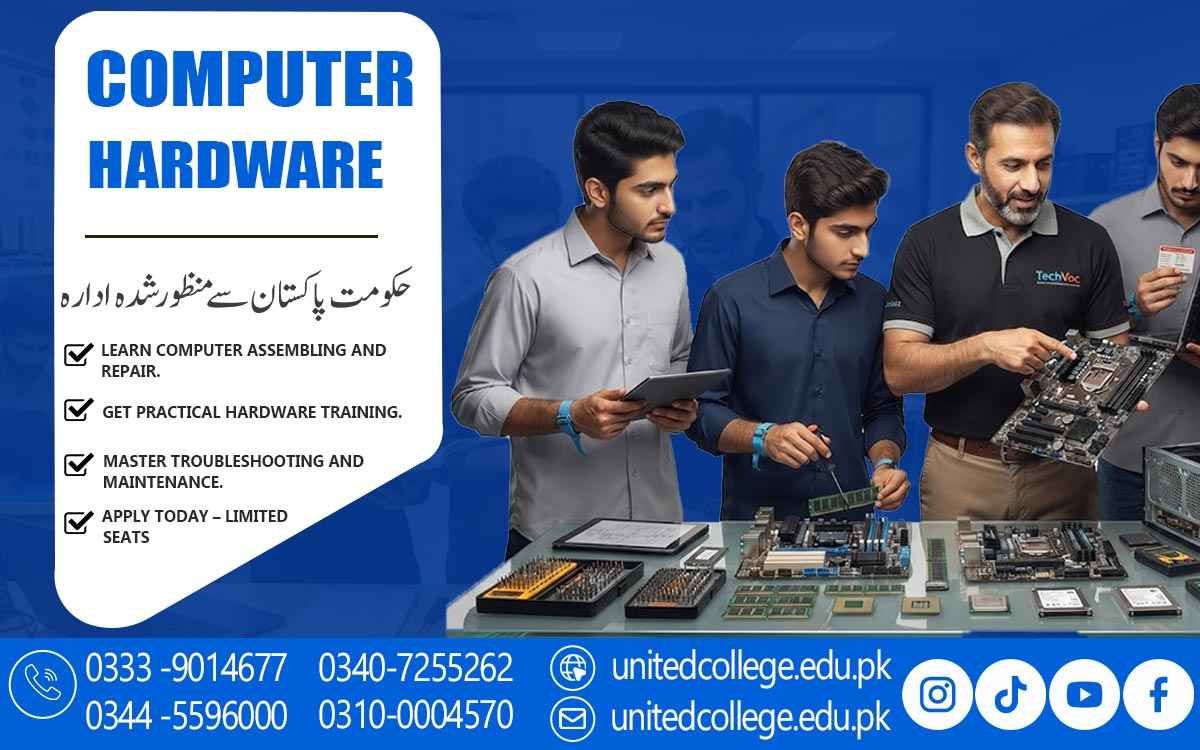

Computer Hardware Course in Sukkur for Beginners and Learners
How Hardware Training Builds Skills for Technical Work
When a computer suddenly refuses to start, becomes unusually slow, overheats during normal use, or shows a blank screen, the problem can feel much bigger than it really is. Sometimes the cause is a loose cable, faulty RAM, a damaged storage drive, poor airflow, or a power-related issue rather than the complete computer being unusable. The challenge is knowing where to look and how to check the system safely.
A computer hardware course in Sukkur can help beginners understand what is happening inside a computer and develop practical skills for identifying components, installing hardware, assembling systems, maintaining equipment, and troubleshooting common faults. Instead of treating a computer as a complicated machine that only specialists can understand, learners can gradually become familiar with its individual parts and their functions. This practical knowledge can be useful for students, fresh learners, computer users, and anyone interested in developing technical computer skills in Sukkur.
Turning Everyday Computer Problems Into Practical Learning
Computer hardware becomes easier to understand when learners connect technical concepts with problems they have actually experienced. Think about a computer that takes several minutes to start or freezes whenever multiple applications are opened. The cause could involve RAM, storage performance, system configuration, or another issue that needs to be investigated rather than guessed. Likewise, a computer that suddenly shuts down may require attention to its power supply, temperature, cooling fans, or internal connections.
Through a computer hardware Course in Sukkur, beginners can learn how to observe these symptoms and consider possible causes in an organized way. A computer hardware course introduces learners to the relationship between different components so they can understand why one faulty part can affect the overall system. This does not mean every problem can be solved simply by knowing the component names; effective troubleshooting also requires testing, careful observation, and practical experience. However, understanding the role of each part gives learners a much stronger starting point when they encounter hardware problems at home, in an office, or in another computer-using environment.
Getting to Know the Components Inside a Computer
Opening a computer case for the first time can make the inside of a PC look confusing, but the components become much easier to understand when their individual roles are explained. The motherboard is the main circuit board that provides connections between many important parts. The processor, or CPU, performs instructions and calculations, while RAM provides temporary memory for information being actively used by programs. Storage devices, including hard disk drives and SSDs, keep the operating system, software, documents, pictures, and other files.
A computer hardware course can also introduce learners to the computer casing, expansion components, cables, connectors, and peripherals such as keyboards, mice, monitors, and printers. Understanding these parts is important because each component contributes differently to the computer's operation. For example, a storage problem may affect access to files, while a RAM issue can contribute to instability or startup difficulties. Learning these distinctions helps beginners develop computer hardware skills based on understanding rather than memorization.
Building Skills Through Computer Assembly and Installation
A computer does not become functional simply because all its components are available. They need to be installed correctly and connected in a suitable sequence. Computer assembly training can introduce learners to tasks such as preparing the casing, installing the motherboard, fitting the processor, installing RAM, connecting storage devices, mounting the power supply, arranging cables, and checking cooling components. Learners can also practice computer disassembly so they understand how components can be removed carefully when an upgrade or repair is required.
RAM installation, for example, requires the learner to identify the correct slot and make sure the module is properly seated. SSD installation may involve selecting the appropriate connection and checking that the drive is recognized by the system. These practical activities teach an important lesson: small installation mistakes can create larger-looking problems. A loose power cable or improperly seated component may prevent a computer from starting even though every major part is technically present.
Finding the Real Cause Behind Hardware Faults
One of the most important skills in hardware repair is learning not to blame the first component that seems suspicious. Suppose a computer powers on but the monitor displays nothing. The possible causes could include a display connection, RAM, graphics hardware, monitor, or another issue. If a computer does not respond to the power button, the power connection, power supply, cables, or motherboard connections may need to be checked. A system that becomes extremely slow may require examination of storage, RAM, temperature, or other factors.
This is why hardware troubleshooting is based on symptoms, testing, and logical elimination. A computer repair course can help learners understand how to start with simple checks before moving toward more detailed diagnosis. They can learn to inspect connections, observe system behavior, test possible causes, and verify whether a suspected component is actually responsible. This approach is especially useful for beginners because it discourages unnecessary part replacement. Proper computer diagnostics is not about guessing quickly; it is about collecting useful information and using it to narrow down the problem.
Understanding RAM, Storage, Power, and Heat Problems
Some computer faults appear frequently enough that learners should become familiar with their common symptoms. RAM problems can sometimes contribute to crashes, startup difficulties, freezing, or unstable operation, although similar symptoms can have other causes as well. Storage problems may appear as slow file access, errors, unusual system behavior, or difficulties starting the operating system. Power-related faults can prevent the computer from turning on or cause unexpected shutdowns, while excessive heat can affect stability and performance. Cooling fans, airflow, heat sinks, and proper internal cleaning therefore deserve attention during computer maintenance.
A computer hardware course in Sukkur can use these situations to help learners understand how different hardware problems may appear in real use. For example, if a computer shuts down after running a demanding application for some time, checking temperatures and cooling conditions may be more useful than immediately replacing the storage drive. Similarly, if a system struggles to access files, storage testing may provide more useful information than changing unrelated components. Learning to connect symptoms with appropriate checks is an important part of developing practical hardware repair skills.
Connecting Hardware Work With Operating System and BIOS Setup
Hardware servicing often continues after a physical component has been installed. A newly assembled computer or a system with a replacement storage drive may require operating system installation, device drivers, and basic configuration before it is ready for normal use. Device drivers allow the operating system to communicate correctly with hardware such as graphics, audio, network, and other devices. Learners can become familiar with the general process of installing an operating system, checking drivers, and confirming that installed hardware is recognized correctly. Basic BIOS/UEFI settings can also be introduced because this firmware helps initialize hardware and control important startup options.
For example, a technician may need to check which storage device the computer is attempting to boot from or confirm whether a newly installed component is detected. Understanding these areas helps learners distinguish hardware faults from software-related configuration problems. A computer that does not recognize a device may have a physical connection issue, an incompatible component, a missing driver, or an incorrect setting. Practical computer training can help students investigate these possibilities instead of assuming that every technical problem is purely a hardware failure.
Developing Safe Maintenance and Diagnostic Habits
Working inside a computer requires more than technical knowledge because sensitive electronic components can be damaged through careless handling. Learners should understand the importance of disconnecting power before appropriate internal maintenance, handling components carefully, keeping the workspace suitable, and taking reasonable precautions against static electricity. Dust and poor airflow can also affect computer performance by allowing heat to build up inside the case. Regular computer maintenance may therefore include checking ventilation, cleaning suitable areas carefully, inspecting cables, and observing the condition of cooling fans.
Good maintenance also means knowing when not to interfere with a component. For example, a power supply contains electrical components that should not be casually opened by an inexperienced person. A computer hardware course can help learners develop safer working habits alongside technical skills, teaching them to approach repairs with attention rather than rushing. Accuracy matters as well. A technician who records what was tested, remembers which component was changed, and checks the system after completing a repair is more likely to understand what happened than someone who changes several parts without keeping track of the process.
Learning Through Hands-On Hardware Practice at United College of Technology
Practical experience can make computer hardware concepts much easier to understand, especially for beginners who have never opened or assembled a computer before. At United College of Technology, learners studying a computer hardware course in Sukkur can explore relevant computer hardware concepts while developing practical skills through appropriate training activities. Instead of learning only from descriptions, students can become familiar with real components, installation procedures, connections, assembly, disassembly, maintenance, testing, and troubleshooting. A hands-on environment can also make technical mistakes easier to understand.
If a component is not connected properly, for example, learners can examine the connection and understand why the system behaves differently. Similarly, practicing storage installation or RAM installation can help students remember the correct procedure more effectively than simply reading about it. With repeated practice, learners can develop useful habits such as checking connections carefully, following a logical diagnostic process, handling components safely, and verifying their work. These skills form an important part of practical computer hardware training and can provide a foundation for continued technical learning.
Applying Computer Hardware Skills in Everyday Settings Across Sukkur
Computer hardware knowledge can be useful wherever computers are regularly used, including homes, offices, schools, businesses, computer shops, and technical service environments in Sukkur. At home, a person may need to understand why a computer has become slow, whether additional RAM could be useful, or why a storage device may need replacement. In an office or educational institution, basic hardware knowledge can help someone understand issues involving keyboards, mice, monitors, printers, storage, cables, or system setup before seeking further technical assistance.
A computer hardware course in Sukkur can give learners a structured way to study these areas and build their technical foundation. Completing training does not automatically provide employment or replace the need for practical experience, but the knowledge gained can be useful for personal computer maintenance, further study, and continued development of computer repair skills. By learning how components function, how systems are assembled, how faults are investigated, and how hardware is maintained safely, learners can become better prepared to understand the practical side of working with computers.
Frequently Asked Questions (FAQs)
A Computer Hardware Course in Sukkur is a practical training program that helps learners understand computer components, PC assembly, hardware installation, troubleshooting, maintenance, and basic repair techniques.
Learners can study major computer components such as the motherboard, processor, RAM, storage drives, power supply, cooling system, and other hardware. The training can also cover assembly, installation, diagnostics, troubleshooting, and maintenance.
Yes, beginners can learn computer hardware skills by starting with basic components and gradually moving toward practical tasks such as assembling computers, installing hardware, checking connections, and identifying common faults.
The training can introduce learners to practical repair and troubleshooting activities. These may include identifying faulty components, checking cables and connections, replacing hardware, testing system performance, and dealing with common computer problems.
Yes, PC assembly can be an important part of computer hardware training. Learners can understand how different components are selected, installed, connected, and checked to build a functioning computer system.
Admission Open: Start Your Professional Journey Today!
Join United College of Technology and build a career with practical training, recognized certifications, and Gulf job support. Seats are limited.
Apply Now via WhatsAppContact Information
- Address: Rawalpindi: F-272 Main New Katarian Stop, Old IJP Road | Lahore Campus: Lahore, Pakistan
- Phone/WhatsApp: 0340-7255262 / 0333-9014677 / 0301-5044340 / 0310-0004570 / 051-8770756
- Website: unitedcollege.edu.pk
















Leave a Comment