


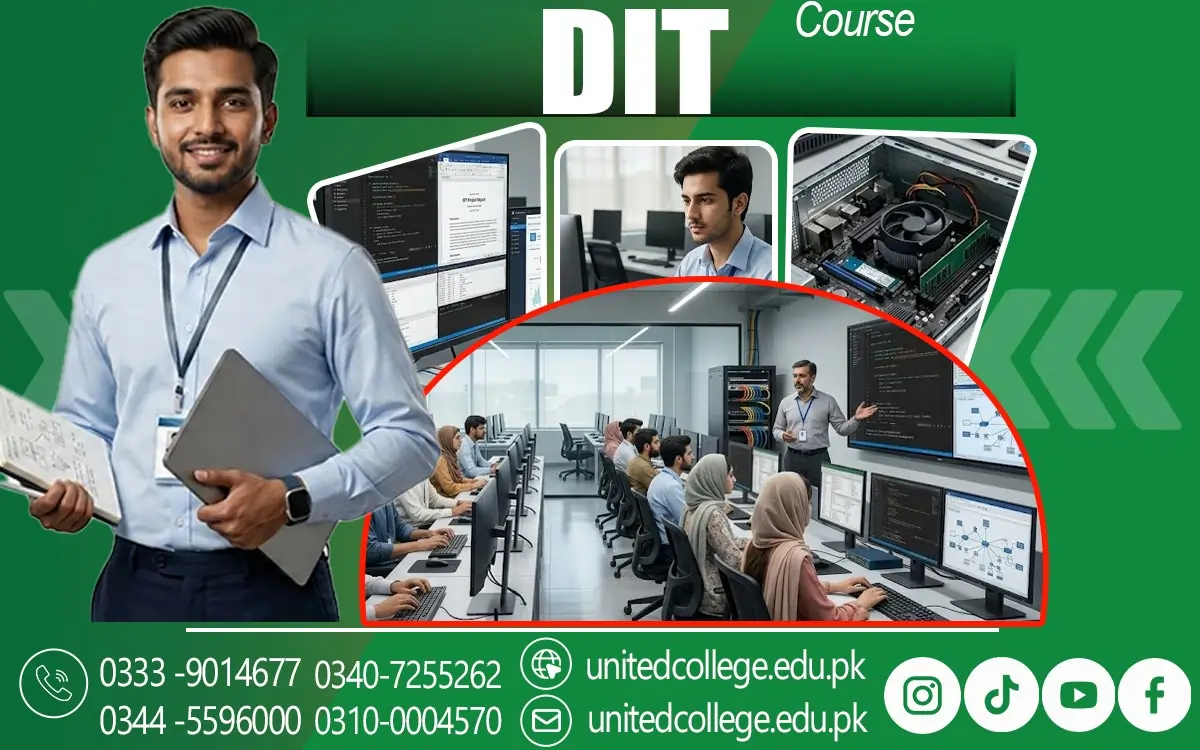

DIT Course in Sawat: Build Essential Computer Skills for Your Future
DIT Course in Sawat: Start Building Your Computer Skills Today
Choosing the right computer skills can make a real difference in how you study, complete everyday tasks, and prepare for future work. Imagine being asked to create a professional CV, prepare a spreadsheet, send an email with an attachment, or organize important information on a computer. If you have never practised these tasks, even simple assignments can feel difficult. Structured computer education can help. The DIT Course in Sawat, offered by United College of Technology (UCT), is a relevant option for learners who want to build their understanding of information technology and strengthen their practical computer skills.
A Diploma in Information Technology introduces students to important computer concepts and applications that may be useful in education, office work, and further technical learning. For beginners, the main goal is not simply to learn computer terminology but to understand how digital tools work and how to use them confidently. Before enrolling, students should explore the course syllabus, practical learning opportunities, and subjects covered by the institute. Understanding these details can help learners decide whether the training matches their interests and future goals.
How Limited Computer Skills Can Hold Back Education and Work Opportunities
Imagine finding an opportunity that requires you to submit an application online, but you do not know how to create a document, attach a file, or complete a digital form correctly. Situations like this show why computer knowledge has become an important part of everyday life. Students may need computers to prepare assignments, research educational topics, and communicate with teachers, while job seekers may need digital skills to prepare CVs, complete applications, and respond to professional emails. Without these abilities, simple tasks can take more time and become unnecessarily stressful.
The DIT Course in Sawat can provide a starting point for people who want to improve their computer knowledge through organized learning. It introduces learners to information technology and the role of computers in modern workplaces and educational environments. Students can gradually become familiar with common computer applications, digital documents, and basic information management. However, learning these skills requires regular practice rather than relying only on classroom explanations. People who have limited computer experience should not feel discouraged because many digital tasks become easier when they are broken into manageable steps.
What Students Can Expect to Learn During a DIT Diploma
A Diploma in Information Technology, commonly called DIT, is designed to introduce learners to computer-related knowledge and applications. The exact subjects depend on the institute, course level, and curriculum, so students should confirm the syllabus before enrolling. Depending on the programme, a DIT diploma course may cover computer fundamentals, office applications, operating systems, internet usage, information management, and introductory IT concepts. These subjects help learners understand how computers are used to create documents, process information, communicate online, and complete routine digital tasks.
Students may then progress towards more structured tasks, such as preparing reports, organizing records, or creating presentations. Some programmes may also introduce databases or other technical subjects, but these should not be assumed without checking the course outline. The purpose of computer education is to build knowledge step by step, allowing learners to understand both the tools and their practical uses. At United College of Technology (UCT), prospective students interested in the DIT Course in Sawat should ask about the current curriculum, entry requirements, teaching approach, and opportunities for practical work.
Using MS Word, Excel, and PowerPoint for Real Tasks
Knowing how to use office software can make everyday academic and workplace responsibilities much easier. Microsoft Word, Excel, and PowerPoint are widely used applications, and understanding their basic functions can help students handle a variety of digital tasks. MS Word is useful for creating letters, assignments, reports, applications, and CVs. Learners can practise changing fonts, adjusting spacing, inserting headings, and organizing information into a clear document. MS Excel is designed for working with information arranged in rows and columns. It can help users prepare lists, record expenses, organize student information, and perform calculations using formulas.
MS PowerPoint helps users prepare presentations by combining text, images, charts, and other visual elements. These skills can be useful when presenting a class project or explaining information during a meeting. A Microsoft Office course or a DIT programme that includes office applications can give beginners an opportunity to practise these tasks in a structured way. However, knowing where the buttons are is only the first step. Learners should also understand how to format documents consistently, check spreadsheet calculations, organize slides, and save files in suitable formats. Through regular exercises, students can develop practical office management skills that support education and routine administrative work.
Understanding Computer Hardware, Software, and Operating Systems
When a computer stops responding, runs slowly, or fails to connect to a device, understanding its basic components can make the problem less confusing. Computer hardware refers to the physical parts of a computer, such as the keyboard, monitor, processor, memory, storage drive, and motherboard. Software refers to the programmes and instructions that tell the computer what to do. An operating system, such as Windows or another supported system, manages important functions and allows users to run applications, organize files, and interact with the device. These concepts form an important part of computer fundamentals and help learners understand how different parts work together.
Basic troubleshooting might involve checking power connections, restarting an unresponsive application, reviewing storage space, or confirming whether a cable is properly connected. More complicated faults require suitable technical knowledge and may need assistance from a qualified technician. Understanding these limits is important because attempting repairs without proper training can damage equipment or create safety risks. For learners considering the DIT Course in Sawat, knowledge of hardware and software can provide a useful foundation for further computer education.
Building Internet, Email, and Digital Communication Skills
A computer becomes much more useful when you know how to find reliable information, communicate professionally, and protect your digital accounts. Internet skills are therefore an important area of digital literacy for students and job seekers. Learners should understand how to use a web browser, search for information, open relevant websites, download appropriate files, and recognize the difference between trustworthy sources and misleading content. These abilities can support educational research, online applications, and independent learning. Email communication is equally important. Students may need to send assignments, contact educational institutions, share documents, or respond to workplace messages.
Learning how to check the recipient's address and review a message before sending it can prevent common mistakes. Digital safety should also receive attention. Learners need to understand the importance of strong passwords, account privacy, software updates, and caution when opening unfamiliar links or attachments. They should never share passwords or sensitive information with untrusted people. A computer training institute in Sawat should help students understand how digital tools are used responsibly, with these topics included in its teaching programme. The DIT Course in Sawat may help learners develop these abilities as part of a broader introduction to information technology, depending on its curriculum.
Learning Database Concepts and Organizing Digital Information
Think about a school that needs to maintain hundreds of student records or an office that must keep track of customer names, contact details, and payments. Searching through scattered paper documents can be slow and confusing. Digital information management provides a more organized way to store, update, and retrieve records. A database is a structured collection of information that can be arranged and accessed according to specific needs. For example, a student database might contain names, registration numbers, course details, and attendance records. Learners who study database management basics can develop an understanding of how information is organized and why accurate data entry matters.
They may also learn about tables, fields, records, and simple methods of searching or sorting information, if these subjects are included in their programme. Even when a course does not cover database software in detail, students can benefit from practising careful file naming, maintaining consistent records, and keeping digital information organized. Accuracy is particularly important because incorrect entries can cause confusion and lead to mistakes in reports or administrative work. Privacy must also be considered whenever personal or business information is handled.
Why Practical Computer Training Matters More Than Memorizing Commands
Reading about computers can help you understand the theory, but using a computer yourself is what turns that knowledge into a practical skill. A student might memorize the steps for creating a spreadsheet yet struggle when asked to prepare one without assistance. Practical computer training helps learners move beyond this problem by giving them opportunities to complete tasks, make mistakes, and correct them. For example, students can practise creating a formatted document, entering information into a spreadsheet, preparing a presentation, organizing files, and sending an email with an attachment.
Repeating tasks also improves accuracy, speed, and confidence over time. Instead of trying to memorize every command, learners should focus on understanding the purpose of a tool and applying it to a specific problem. They should ask questions when instructions are unclear and practise unfamiliar tasks until they become more comfortable. A suitable learning environment should allow beginners to progress gradually without expecting them to understand everything immediately. People considering the DIT Course in Sawat can ask United College of Technology (UCT) about the practical activities, computer access, instructor support, and assessment methods included in the current programme.
Choosing Suitable DIT Training in Sawat for Your Learning Goals
Selecting a computer course involves more than comparing names or choosing the nearest institute. Students should first consider what they want to achieve. Someone who needs basic computer knowledge for educational tasks may have different priorities from a learner interested in office administration or further IT training. Reviewing the syllabus is one of the most useful ways to determine whether a programme matches these goals. Check which subjects are taught, how much practical work is included, what entry requirements apply, and whether the course covers the applications you want to learn.
If you are comparing computer training institutes in Sawat, consider whether instructors explain technical topics clearly and provide suitable guidance when students encounter difficulties. Practical access to computers can be important because learners need opportunities to apply what they have studied. United College of Technology (UCT) is the provider identified for the DIT Course in Sawat, and prospective learners can contact the institute to confirm the current course details and available training arrangements. Do not assume that every programme includes the same subjects or facilities; verify the information directly before making a decision.
Applying DIT Skills to Further Education and Future Career Planning
Learning computer skills can open up new ways to continue your education and prepare for different types of work, but the results depend on your abilities, experience, and the requirements of each opportunity. A student who learns to prepare documents, organize spreadsheets, communicate by email, and manage digital files may find these skills useful in further studies and routine office tasks. Depending on the syllabus and the learner's level of competence, a DIT diploma course may also provide a foundation for studying additional IT subjects. Some learners may explore office assistance, data entry, computer operations, or administrative support roles where employers require basic digital skills.
These are possible directions rather than guaranteed outcomes, and some positions require additional qualifications, practical experience, or specific software knowledge. To prepare realistically, students should practise common tasks, keep examples of suitable work they have created, and continue improving their communication and problem-solving abilities. They should also review job descriptions to understand which skills employers actually request. For people in Sawat who want to strengthen their computer knowledge, the DIT Course in Sawat offered by United College of Technology (UCT) may be worth exploring after reviewing its syllabus and learning arrangements.
Frequently Asked Questions (FAQs)
The DIT Course in Sawat is a Diploma in Information Technology programme designed to help students develop computer knowledge and understand common digital applications.
Students, beginners, and individuals interested in improving their computer skills may consider enrolling. However, eligibility requirements depend on the institute and its current course policy.
Depending on the syllabus, subjects may include computer fundamentals, MS Word, MS Excel, MS PowerPoint, internet usage, operating systems, and information management.
Yes, beginners can consider a DIT programme if they meet the admission requirements. Students should confirm whether the course starts with basic computer concepts.
Computer skills help students prepare assignments, create documents, organize information, conduct online research, and communicate through email.
Admission Open: Start Your Professional Journey Today!
Join United College of Technology and build a career with practical training, recognized certifications, and Gulf job support. Seats are limited.
Apply Now via WhatsAppContact Information
- Address: Rawalpindi: F-272 Main New Katarian Stop, Old IJP Road | Lahore Campus: Lahore, Pakistan
- Phone/WhatsApp: 0340-7255262 / 0333-9014677 / 0301-5044340 / 0310-0004570 / 051-8770756
- Website: unitedcollege.edu.pk
















Leave a Comment