


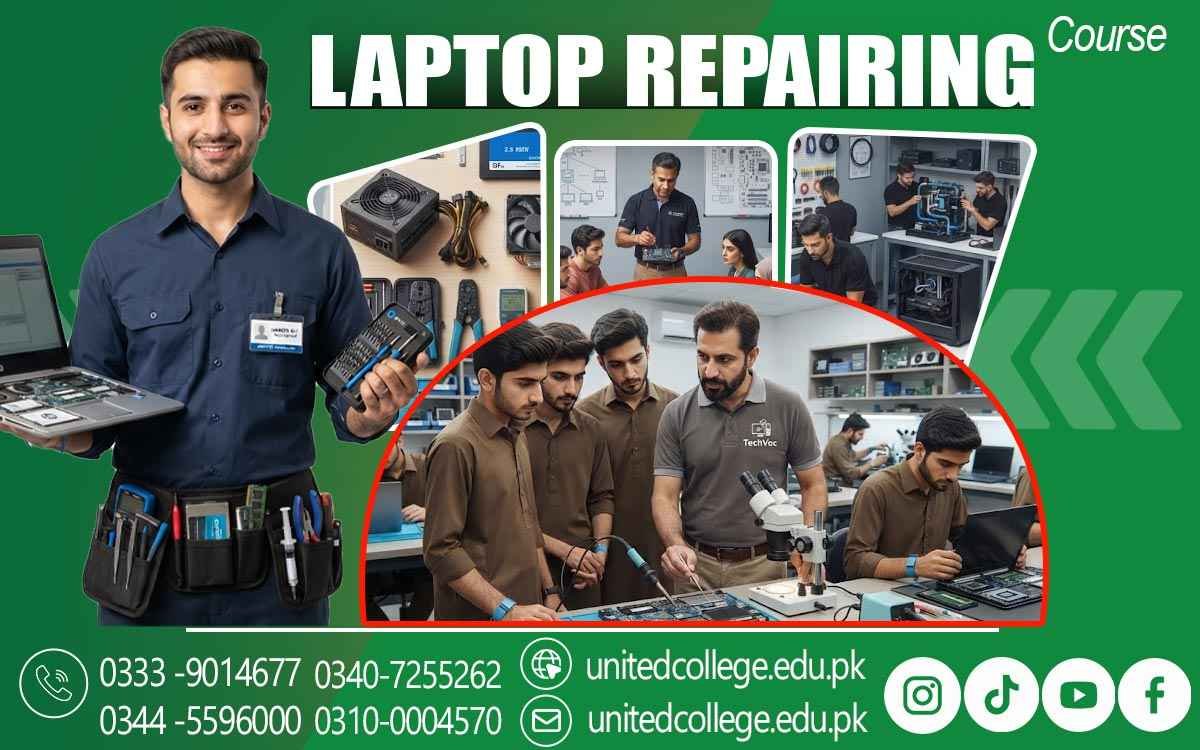

Laptop Repairing Course in Khushab for Modern Tech Knowledge
Turn Technical Curiosity into a Valuable Practical Skill
Laptops have become an important part of study, office work, business, communication, and everyday digital activities. When a laptop stops charging, becomes slow, shows a blank screen, or develops another technical issue, proper repairing knowledge becomes important. This creates a practical learning path for people who enjoy working with technology and want to understand what happens inside a computer. A Laptop Repairing Course in Khushab can introduce beginners to the hardware, tools, troubleshooting methods, and servicing practices used in laptop repair.
It can be useful for students, fresh learners, diploma holders, job seekers, and anyone interested in developing technical abilities. Instead of only learning how to operate a laptop, learners can explore how its internal parts work together and how technicians approach different problems. This type of practical knowledge can also provide a foundation for further learning in computer hardware and technical servicing.
Khushab’s Everyday Laptop Use Creates Room for Practical Technical Learning
From educational work to office tasks and personal projects, laptops are used for many purposes. Regular use also means devices may eventually require inspection, cleaning, upgrades, software attention, or hardware servicing. Learning laptop repair can help an individual understand these situations instead of seeing the device as a closed machine that only works when everything is perfect. In Khushab, learners interested in technical fields can use this knowledge to develop a useful area of specialization.
Laptop Repairing Course in Khushab introduces the thinking process behind servicing a device, from observing its condition to understanding possible causes of a problem. Beginners do not need to start with advanced technical knowledge. A structured learning environment can gradually introduce them to hardware, tools, safe handling, and basic troubleshooting. This makes laptop repairing an interesting option for people who prefer practical work and want to develop their skills through regular technical practice.
From Tiny Components to the Mainboard: See How a Laptop Really Works
A laptop contains several parts that work together to perform everyday tasks. During a Laptop Repairing Course, learners can become familiar with important components such as the motherboard, RAM, hard drive, SSD, processor, battery, cooling system, keyboard, display, and charging circuit. Understanding these parts is an important part of developing Computer Hardware Skills because a technician needs to recognize what each component does and how it connects with the wider system.
Learners can also study the difference between storage and memory, understand the purpose of cooling arrangements, and recognize the role of power-related components. This knowledge makes technical inspection more meaningful because a symptom can sometimes be connected to a particular area of the machine. Rather than memorizing component names alone, practical training can help learners develop a clearer picture of how hardware operates inside a laptop.
Careful Disassembly Builds the Precision Behind Good Repair Work
Opening a laptop requires patience and attention because modern devices contain small screws, delicate connectors, compact components, and cables that can be damaged through careless handling. A practical training environment can teach learners how to approach Laptop Hardware Repair with greater care. They can become familiar with organizing screws, identifying connectors, handling internal parts properly, and following suitable steps when removing or reinstalling components.
Safe working habits are just as important as knowing the names of hardware parts. Learners can also understand why unnecessary force should be avoided when dealing with connectors, covers, keyboards, batteries, and other internal sections. This stage of Laptop Technician Training helps beginners develop precision through repeated practice. With better handling habits, learners can approach technical work more systematically and reduce the risk of creating additional problems while inspecting or servicing a device.
Power, Charging and Display Problems Turn Theory into Technical Investigation
Laptop problems often appear through visible symptoms. A device may refuse to start, fail to charge, shut down unexpectedly, show no display, or behave differently when connected to power. Learning Laptop Troubleshooting means understanding how to investigate such symptoms instead of immediately assuming that one particular component is responsible. Laptop Repairing Course in Mandi Bahauddin can help learners understand these troubleshooting methods and develop practical skills for identifying common laptop problems.
Training can introduce learners to the process of checking power-related areas, charging connections, batteries, display connections, and other relevant sections. Similar investigation can be applied to keyboard faults, overheating, storage problems, and unusual performance. The aim is to develop logical thinking: observe the symptom, consider possible causes, inspect the relevant area, and then decide what should be checked next.
Software Knowledge Adds Another Layer to the Repair Process
Laptop servicing is not limited to physical components. Some problems are connected with the operating system, drivers, software settings, startup behavior, or other software-related conditions. Basic software knowledge can therefore make a learner’s technical understanding more complete. Depending on the training approach, learners may become familiar with operating-system installation, basic configuration, driver-related issues, system setup, and common software troubleshooting procedures.
These skills can be useful when a laptop has a problem that is not caused by a damaged physical component. Understanding the difference between a hardware fault and a software issue can also improve the way a technician approaches a device. For beginners, this combination of hardware and software knowledge creates a wider foundation for Technical Repairing Skills and helps them understand that effective laptop servicing often requires looking at the complete system rather than focusing on one part.
Real Tools and Repeated Practice Shape Confident Repair Habits
Technical knowledge becomes more useful when learners have opportunities to apply it. A Laptop Repairing Course in Khushab can give beginners a structured setting in which they can become familiar with commonly used repairing tools and practice different servicing procedures. Working with actual devices can make technical concepts easier to understand because learners can see component locations, connectors, internal layouts, and physical differences between laptop models.
Practice can also help improve hand control, observation, patience, and attention to detail. These qualities matter when dealing with compact electronic equipment. Training offered by United College of Technology can help learners connect classroom concepts with practical laptop repairing work and gradually strengthen their understanding through technical activities. The purpose is not simply to memorize repair steps but to develop a method of approaching devices carefully, logically, and responsibly.
Turning Laptop Repair Knowledge into a Wider Technical Skill Path
Learning laptop repair can become one part of a broader technical skill set. After gaining basic knowledge, learners may continue exploring computer hardware, device maintenance, component upgrades, networking fundamentals, or other areas of technical servicing according to their interests. Some may use their knowledge for personal computer maintenance, while others may explore local technical work or independent service possibilities.
Such paths depend on individual skills, experience, learning, and the type of work available, so training should be viewed as a foundation rather than a guarantee of employment or income. For students, diploma holders, fresh learners, and job seekers in Khushab, developing Laptop Repairing Skills can provide practical knowledge that complements their existing education or technical interests. Continued practice, responsible handling, and awareness of changing laptop technology can help learners keep improving after their initial training.
A Practical Next Step for Khushab’s Aspiring Laptop Technicians
A laptop may look simple from the outside, but its internal system combines many components, connections, and software elements. Learning how these parts interact can turn general interest in technology into a more focused technical ability. A Laptop Repairing Course in Khushab can give beginners a starting point for understanding hardware, safe servicing, fault investigation, software-related issues, tools, and practical repair procedures.
The course offered by United College of Technology can support this learning journey by introducing practical concepts in a structured way. For anyone in Khushab who wants to move beyond simply using computers and develop a deeper understanding of how laptops are serviced, this field offers plenty of room for continued technical learning and skill development.
Frequently Asked Questions (FAQs)
Yes. Learners can become familiar with differences in laptop designs, layouts, components, and servicing approaches across various models and brands.
Correct model identification helps a technician refer to suitable technical information and understand which components, procedures, or specifications may apply to a particular device.
Practical sessions can encourage learners to organize their work, follow a logical sequence, and complete technical tasks carefully without rushing important steps.
Yes. A technician may need to understand how a user describes a problem and explain technical findings in simple language. Clear communication can make the servicing process easier to understand.
Basic repair knowledge can help learners understand what to look for when inspecting used laptops, including physical condition, hardware specifications, and signs that may require further technical checking.
They can study newer laptop designs, practice with different devices, review technical information, and continue exploring updated hardware and servicing techniques.
Admission Open: Start Your Professional Journey Today!
Join United College of Technology and build a career with practical training, recognized certifications, and Gulf job support. Seats are limited.
Apply Now via WhatsAppContact Information
- Address: Rawalpindi: F-272 Main New Katarian Stop, Old IJP Road | Lahore Campus: Lahore, Pakistan
- Phone/WhatsApp: 0340-7255262 / 0333-9014677 / 0301-5044340 / 0310-0004570 / 051-8770756
- Website: unitedcollege.edu.pk
















Leave a Comment