


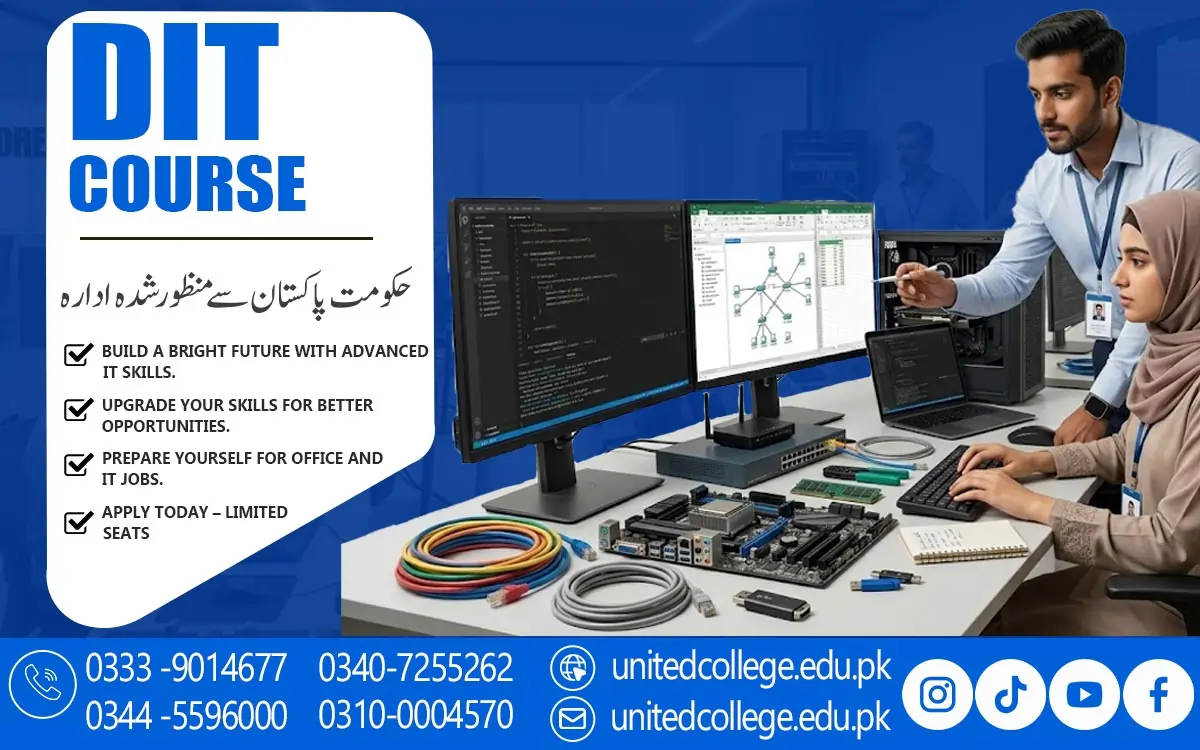

DIT Course in Malakand: Learn Essential Computer Skills Today
Why Digital Skills Matter for Students and Beginners in Malakand
Imagine applying for an office position but struggling to prepare a simple document, organize information in a spreadsheet, or send a professional email. These everyday tasks can become difficult when you have limited computer knowledge. Today, computer skills are useful in education, business, administration, and many other fields. For students and beginners who want to improve their digital abilities, the DIT Course in Malakand can be a useful starting point. DIT stands for Diploma in Information Technology, a course designed to help learners understand computers and develop practical skills for everyday digital tasks.
It may suit students who want to improve their academic work, fresh learners exploring technical education, and job seekers who want to strengthen their computer knowledge. Learning information technology can also help people complete assignments, prepare reports, manage digital files, and communicate online more confidently. Instead of feeling confused when using unfamiliar software, learners can gradually understand how different computer applications work. A computer course in Malakand can provide a structured way to begin this learning journey. By developing essential digital skills, students can prepare themselves for further education and explore different areas where computer knowledge is useful.
What Students Can Learn Through a Diploma in Information Technology
A Diploma in Information Technology introduces students to the main concepts and practical applications of computer technology. The DIT Course in Malakand helps beginners understand how computers work, how information is processed, and how digital tools can support personal, educational, and professional activities. During a DIT diploma in Malakand, learners may study computer fundamentals, office applications, internet usage, data handling, and other IT-related subjects, depending on the course curriculum. These topics can help students become more comfortable using computers instead of relying on others for simple tasks.
For example, a student may learn to prepare an assignment in a word processor, organize examination results in a spreadsheet, or create a presentation for a classroom activity. Such activities develop useful habits that can be applied outside the classroom. Information technology training can also introduce learners to digital problem-solving, file organization, and responsible computer use. Before enrolling, students should review the actual syllabus to understand which subjects are included and how much practical work is offered. A diploma is not simply about memorizing computer terms; it is about understanding how to use technology effectively.
Computer Fundamentals That Help Beginners Work Independently
Have you ever opened a computer and wondered where a downloaded file went or why a program was not responding? These situations are common for beginners, but learning computer fundamentals can make them easier to handle. Students studying an IT diploma course can develop an understanding of hardware, software, operating systems, storage devices, and common computer functions. Hardware refers to the physical parts of a computer, such as the keyboard, monitor, mouse, and processor, while software includes the programs used to complete different tasks. An operating system helps the computer run applications and manage files.
Understanding these concepts allows learners to recognize the purpose of different components and use their devices more confidently. Basic computer skills also include creating folders, saving documents, renaming files, copying information, and finding stored data. Keyboard shortcuts can make routine tasks faster, while basic troubleshooting can help users respond to common problems, such as a disconnected device or an application that has stopped responding. Typing practice is another valuable part of computer education because accurate typing saves time when preparing documents or entering information.
Practical MS Office Skills for Documents, Spreadsheets, and Presentations
Knowing how to switch on a computer is only the beginning; being able to use office software effectively is what helps learners complete many everyday tasks. MS Office training often introduces students to Microsoft Word, Excel, and PowerPoint, although the exact software covered depends on the course syllabus. Microsoft Word is used to prepare letters, assignments, reports, applications, and other documents. Students can learn how to format text, adjust page layouts, insert tables, check spelling, and organize information clearly. Microsoft Excel helps users arrange data in rows and columns, perform calculations, use basic formulas, and create simple charts.
These functions are useful when managing lists, recording expenses, preparing attendance sheets, or organizing numerical information. Microsoft PowerPoint allows learners to create slides that combine text, images, and other visual elements for classroom presentations or workplace discussions. Together, these computer applications provide a practical foundation for many digital tasks. For example, a learner might prepare a written report in Word, use Excel to organize the supporting figures, and present the main findings through PowerPoint. Practising these applications can improve accuracy and help students understand how office documents are created and managed.
Internet, Email, and Online Communication Skills for Everyday Use
A computer becomes even more useful when learners know how to access online information and communicate responsibly. Internet and email skills are important parts of digital literacy because students and professionals frequently use online services to share information, research topics, and manage everyday responsibilities. Through the DIT Course in Malakand, offered by United College of Technology (UCT), beginners can learn how to use web browsers, search for reliable information, download files safely, and organize online resources, depending on the course curriculum. Email training can introduce them to writing clear messages, adding subject lines, attaching documents, and responding professionally.
Learners should also understand online safety. Using strong passwords, avoiding suspicious links, checking website addresses, and protecting personal information can reduce common digital risks. Another important skill is learning to distinguish reliable information from misleading content. Not every website provides accurate or up-to-date information, so students should compare sources and check the credibility of what they read. Cloud storage and digital file-sharing tools may also be introduced, depending on the syllabus, allowing users to access documents and collaborate more conveniently.
How Computer Education Improves Accuracy and Problem-Solving
Small computer mistakes can create unnecessary difficulties. A wrongly entered figure may affect a spreadsheet, a poorly formatted document may look unprofessional, and a misplaced file can waste valuable time. Computer education helps learners understand how to prevent these problems through careful work, organized methods, and regular practice. During practical computer training, students can learn to review documents before saving them, check information entered into spreadsheets, use meaningful file names, and keep their folders organized. These habits are useful in both education and professional environments.
Working with different applications can also strengthen problem-solving abilities. For example, if a document does not print correctly, a learner can check the page settings and printer connection instead of immediately assuming the computer is broken. If a spreadsheet calculation produces an unexpected result, the learner can review the formula and entered values. Such experiences encourage logical thinking and patience. Computer learning for students can also improve time management because digital tools make it easier to prepare documents, organize information, and complete repetitive tasks. Communication skills may improve as learners practise writing emails and creating presentations.
The Importance of Hands-On Learning at United College of Technology
Reading about computer software can help students understand concepts, but practical experience is essential for learning how to use it. Someone may understand the purpose of a spreadsheet after reading a lesson yet struggle when asked to create one independently. This is why practice-based learning matters in information technology education. Students should have opportunities to apply what they learn by preparing documents, organizing data, creating presentations, managing files, and completing other tasks relevant to their syllabus. Repeating these activities helps learners remember commands and understand how different tools work together.
Students considering this course should review the available curriculum and ask about the practical exercises, software applications, learning resources, and assessment methods included in the training. It is also helpful to understand the course requirements before making an enrollment decision. Outside formal lessons, learners can strengthen their progress by practising on a computer, repeating classroom exercises, and working on small projects. For instance, creating a monthly expense sheet or preparing a properly formatted application can turn theoretical knowledge into a useful skill. Students who practise regularly are more likely to recognize their mistakes and understand how to correct them.
Career Fields and Further Learning After Developing IT Skills
Learning computer applications can help students prepare for different types of work, but it is important to understand what a diploma can and cannot do. After developing relevant skills, some learners may explore entry-level roles involving office assistance, computer operation, data entry, record management, or administrative support. These positions can involve preparing documents, maintaining digital records, organizing information, and communicating through email. The skills required vary between employers, and some positions may require additional qualifications, experience, or specialized knowledge. Completing a DIT course does not automatically guarantee employment, so learners should focus on developing practical abilities and understanding the expectations of the roles they want to pursue.
Building a small collection of practice projects, such as spreadsheets, sample reports, and presentations, can help learners demonstrate what they know when appropriate. Students may also decide to continue their education in areas such as advanced office applications, networking, programming, database management, graphic design, or other IT-related subjects. The right next step depends on their interests, current skills, and learning goals. For people exploring career opportunities in information technology, it is useful to research job advertisements and identify the skills employers commonly request. This approach can help learners choose additional training more thoughtfully.
How Learners in Malakand Can Prepare for DIT Training
Starting a computer course can feel challenging when you have little experience, but you do not need to know everything before beginning. The most useful approach is to start with a willingness to learn and build your skills gradually. Before joining a DIT course, students in Malakand can consider their learning goals, review the syllabus, and ask which computer applications and practical subjects are covered. It is helpful to become familiar with a keyboard and mouse, practise typing, and learn how to create and save files. If a computer is available at home, even a short daily practice session can reinforce what is learned during training.
When learning Excel, for example, they can begin with simple tables before moving on to formulas and charts. When using Word, they can practise formatting a letter before preparing a longer report. Keeping notes about unfamiliar commands and revisiting difficult topics can also improve learning. Asking questions when something is unclear is a sensible way to address gaps in understanding. Learners should remember that digital technology continues to develop, so completing a diploma is better viewed as one stage in a longer learning journey. The DIT Course in Malakand can be a starting point for developing useful computer knowledge, improving digital confidence, and preparing for further study.
Frequently Asked Questions (FAQs)
The DIT Course in Malakand is a Diploma in Information Technology designed to help students develop computer knowledge, learn office applications, and understand essential digital skills.
Depending on the syllabus, students may learn computer fundamentals, Microsoft Word, Excel, PowerPoint, internet usage, email communication, data management, and other IT-related subjects
Students, beginners, fresh learners, and individuals interested in improving their computer skills may consider enrolling. Admission requirements depend on the institution's current policies.
Yes, United College of Technology (UCT) offers the DIT Course in Malakand for learners interested in computer education and information technology skills.
Yes, beginners can consider a DIT course to build their computer knowledge step by step. Regular practice can help them understand computer applications and perform common digital tasks.
Admission Open: Start Your Professional Journey Today!
Join United College of Technology and build a career with practical training, recognized certifications, and Gulf job support. Seats are limited.
Apply Now via WhatsAppContact Information
- Address: Rawalpindi: F-272 Main New Katarian Stop, Old IJP Road | Lahore Campus: Lahore, Pakistan
- Phone/WhatsApp: 0340-7255262 / 0333-9014677 / 0301-5044340 / 0310-0004570 / 051-8770756
- Website: unitedcollege.edu.pk
















Leave a Comment