


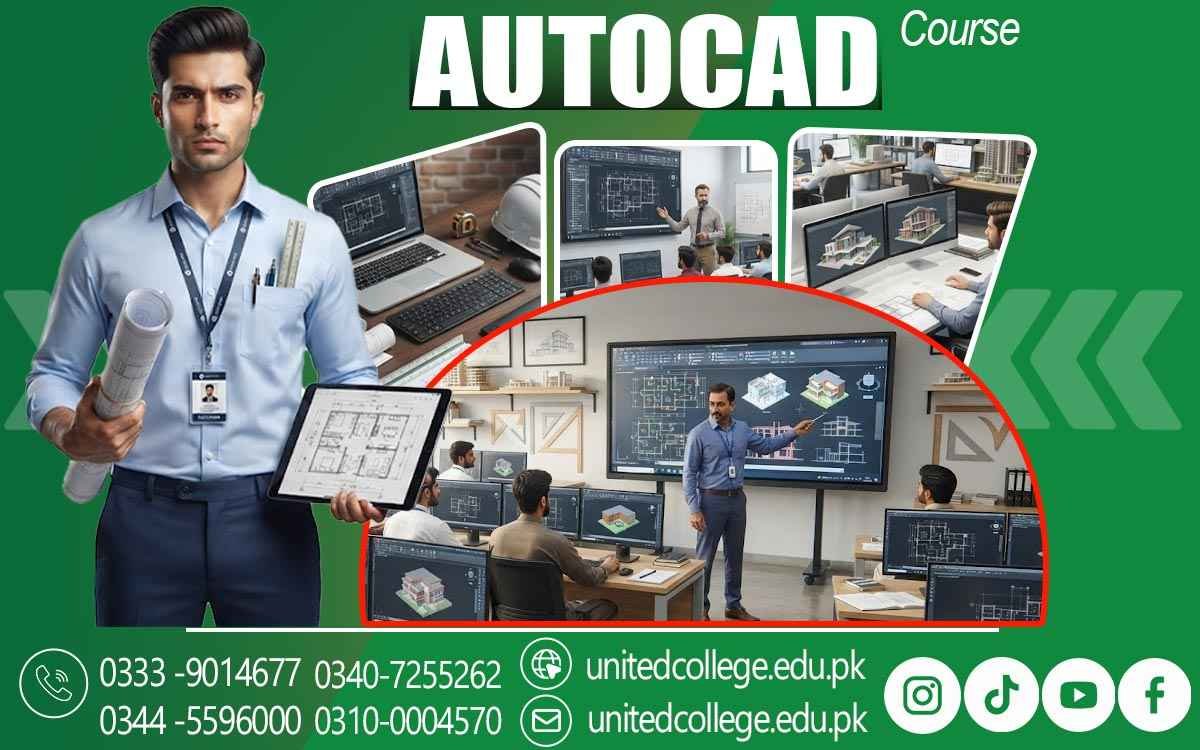

AutoCAD Course in Khushab – Turn Drafting Practice into Design Skills
Build the Digital Drafting Skills Behind Modern Design
Design work is no longer limited to paper, pencils, and manual measurements. Today, architects, engineers, builders, and designers use digital tools to create accurate drawings, make changes quickly, and organize technical information. Learning one of these tools can give beginners a practical way to understand how modern drafting works.
The AutoCAD Course in Khushab is a useful learning path for students, fresh learners, job seekers, and anyone interested in computer-aided design. AutoCAD allows users to turn ideas into organized digital drawings while developing accuracy, planning, and technical thinking. With proper training, beginners can gradually become comfortable with the tools and methods used in CAD drafting.
Digital Drafting Starts With More Than Drawing Lines
AutoCAD is a design software widely used for creating and modifying technical drawings. It provides tools for lines, circles, shapes, dimensions, text, layers, and many other drawing elements. Instead of repeatedly redrawing a plan on paper, users can edit digital drawings with greater control. Its applications extend across many fields, making an AutoCAD Course in Khushab a useful learning opportunity for students and beginners interested in technical design.
Construction teams can use digital plans to understand layouts, while interior designers can develop organized design concepts. Mechanical fields may also use CAD skills for technical design and component drawings. For beginners, learning AutoCAD is not simply about memorizing commands. It is about understanding how digital drawings are created, arranged, measured, and presented.
The Core Skills Behind an Accurate AutoCAD Drawing
A strong foundation begins with the basic tools. Learners can become familiar with drawing commands, object selection, movement, copying, trimming, extending, and other editing functions. These tools form the working foundation for creating and changing an AutoCAD drawing. As learners progress, 2D drafting becomes an important area of practice. They can work with shapes, lines, measurements, and layouts while learning how different elements fit together.
Dimensions and annotations also help communicate important information clearly within a technical drawing. Another important concept is the use of layers. Layers help organize different parts of a drawing so that users can manage information more easily. Learning to keep a drawing organized can make later editing and review much simpler.
From Simple Geometry to Complete Technical Plans
AutoCAD becomes more useful when individual drawing elements are combined into complete layouts. A learner may begin with basic shapes and gradually work toward technical drawings that represent rooms, structures, components, or other planned designs. Understanding measurements is especially important. A technically useful drawing needs appropriate dimensions and clear placement of objects.
Learners can practice creating layouts where lines, shapes, notes, and measurements work together rather than appearing as disconnected elements. This process also introduces students to the thinking behind construction drawings, building plans, and engineering drawings. They begin to see how a design idea can be represented visually before physical work begins.
A Better Way to Understand Real Design Work
Learning AutoCAD can help beginners connect classroom knowledge with practical design situations. A student interested in architecture, for example, can start understanding how spaces are represented through floor plans. Someone interested in construction can become familiar with the digital presentation of building layouts.
Interior design learners can use drafting concepts to understand space, measurements, and layout planning. The AutoCAD Course in Khushab can therefore provide more than software familiarity. Through practice, learners can develop observation, accuracy, problem-solving, and drafting skills that are useful when working with technical designs.
Turning Design Changes Into a Manageable Process
Real design work often involves revisions. A measurement may change, a room may need adjustment, or part of a layout may require modification. Digital drafting makes these changes easier to manage than starting a drawing from the beginning every time. Through an AutoCAD Course in Khushab, learners can practice selecting objects, modifying dimensions, moving elements, and correcting mistakes while keeping the overall drawing organized.
This type of practice helps build confidence because beginners learn that an incorrect line or changed idea does not mean the entire drawing has to be recreated. Basic editing skills are also useful for working with existing drawings. Instead of only learning how to create something from an empty screen, learners can understand how digital designs are reviewed, edited, and improved.
Where CAD Skills Can Support Different Technical Fields
AutoCAD has a broad place in technical and creative work. Architectural drafting uses it for plans and layouts, while construction-related work can involve building drawings and detailed site information. Civil engineering projects may require organized technical drawings, and mechanical design can use CAD for components and technical details. It can also support interior design, digital design work, and general technical drafting.
Because the same software environment can be applied to different types of projects, learners can build a foundation before deciding which area interests them most. This flexibility makes AutoCAD training in Khushab relevant to people with different learning goals. Some may want to understand architectural design, while others may be more interested in engineering design, construction drawings, or professional drafting skills.
Practical Learning Makes the Software Easier to Understand
Reading about AutoCAD is useful, but actual practice is what helps learners become comfortable with the software. During an AutoCAD Course in Khushab, practical learning can focus on using tools, creating drawings, applying dimensions, organizing layers, making corrections, and developing complete layouts. United College of Technology offers AutoCAD training for learners who want to develop practical and industry-relevant drafting knowledge.
Guided learning can help beginners understand unfamiliar tools step by step while giving them opportunities to practice technical drawing methods. The learning process can also introduce basic 3D design concepts after learners become more comfortable with 2D drafting. This provides an initial understanding of how digital objects can be represented beyond flat drawings.
Build a Technical Skill You Can Keep Developing
AutoCAD is a skill that can grow with practice. Beginners do not need to understand every advanced feature at the start. A better approach is to build a solid foundation, practice regularly, and gradually take on more detailed drawings. For students and fresh learners in Khushab, learning computer-aided design can open a path toward stronger technical knowledge.
Choosing an AutoCAD Course in Khushab can be a practical step for anyone who wants to move from basic computer use toward a more specialized design skill. With consistent practice and guided learning from United College of Technology, learners can develop the confidence to create, edit, organize, and understand digital technical drawings.
Frequently Asked Questions (FAQs)
Yes. AutoCAD practice can help learners become familiar with common symbols, line types, drawing arrangements, and other visual details used in technical plans.
Basic training can introduce learners to preparing digital drawings for proper presentation and printing, including layout and drawing-scale considerations.
Yes. Learners can practice observing an existing plan and reproducing its elements digitally while paying attention to measurements, proportions, and placement.
Regular drafting practice can strengthen attention to measurements, alignment, spacing, and small design elements, which are important parts of accurate technical work.
Yes. Learners can understand how organized templates and reusable drawing elements can make future drafting work more consistent and easier to manage.
After building basic skills, learners can work on more detailed layouts, technical plans, architectural drawings, or other projects related to their preferred design field.
Admission Open: Start Your Professional Journey Today!
Join United College of Technology and build a career with practical training, recognized certifications, and Gulf job support. Seats are limited.
Apply Now via WhatsAppContact Information
- Address: Rawalpindi: F-272 Main New Katarian Stop, Old IJP Road | Lahore Campus: Lahore, Pakistan
- Phone/WhatsApp: 0340-7255262 / 0333-9014677 / 0301-5044340 / 0310-0004570 / 051-8770756
- Website: unitedcollege.edu.pk
















Leave a Comment