


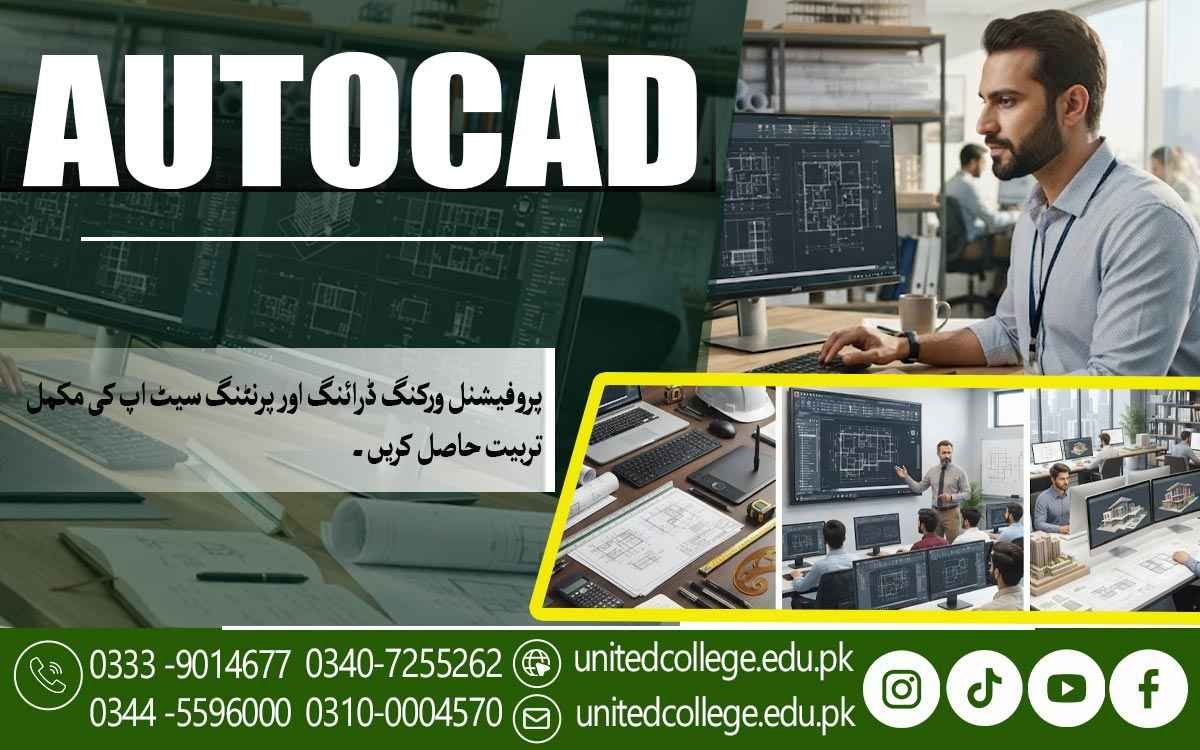

AutoCAD Course in Sheikhupura – Explore the World of CAD Design
Turn Technical Ideas Into Precise Digital Designs
Technical work is changing quickly, and digital drafting has become an important part of modern design, construction, and engineering projects. Instead of depending only on hand-drawn plans, professionals now use computer-aided design tools to create clear, accurate, and editable drawings.
For students, beginners, and job seekers in Sheikhupura, learning AutoCAD can be a practical way to develop a useful technical skill. The AutoCAD Course in Sheikhupura offered by United College of Technology helps learners understand the basics of digital drafting while building skills that can be applied to different design-related tasks.
From Simple Lines to Structured Technical Drawings
AutoCAD is software used to create and edit accurate digital drawings. At the beginner level, learners first become familiar with the working area, basic commands, drawing tools, and methods used to create precise shapes and layouts. This makes it easier to move from simple lines and objects toward organized CAD drawings. An AutoCAD Course in Sheikhupura can help beginners understand these fundamentals through a structured learning approach.
For a new learner, understanding the software interface is an important first step. The training can introduce basic drawing commands, object selection, coordinates, file handling, and editing functions clearly and practically. As learners become more comfortable with AutoCAD software, they can start creating drawings with greater control instead of treating the program as a complicated technical tool.
Build Accuracy Before Moving Into Complex Drafting
Accuracy is one of the most important parts of technical drawing. A small mistake in a measurement or position can affect the way a drawing is understood or used. AutoCAD allows learners to work with precise dimensions and controlled layouts, making it easier to create drawings that are neat and properly arranged.
During AutoCAD training, learners can practice dimensions, measurements, annotations, alignment, and object positioning. These skills are useful when preparing technical drawings because they help communicate the size, shape, and structure of a design more clearly. Developing accuracy at the beginning also creates a stronger foundation for more advanced drafting techniques.
Organize Every Drawing With Layers and Editing Tools
A well-organized drawing is easier to understand and modify. AutoCAD provides layers that allow different parts of a design to be separated and managed properly. For example, different drawing elements can be organized according to their purpose, making the overall file easier to control.
Editing is another major part of AutoCAD drafting. Learners can practice moving, copying, trimming, extending, rotating, scaling, and modifying objects. These drawing and editing tools help save time when changes are needed. Instead of creating an entire drawing again, a designer can adjust selected parts while keeping the rest of the layout intact.
Learn the 2D Drafting Skills Used in Everyday Design Work
2D drafting is an important area for beginners because it teaches learners how to create drawings from a clear top, front, or side view. These skills can be applied to different types of technical work, including basic architectural drafting, construction drawings, and engineering-related layouts.
Learners can practice creating lines, shapes, rooms, plans, and other structured drawings while becoming familiar with scale and arrangement. The purpose is not simply to learn commands but to understand how those commands help produce a useful technical drawing. This practical approach can make computer-aided design easier to understand for people who are starting from zero.
Turn Drafting Practice Into Practical Design Skills
Learning AutoCAD becomes more useful when learners understand how drafting concepts connect with real-world tasks. Instead of practicing commands separately, students can work on drawing exercises that help them understand how different tools work together. This can include creating layouts, modifying existing drawings, adding dimensions, organizing layers, and improving the presentation of a design.
The AutoCAD Course in Sheikhupura at United College of Technology can give learners a structured environment for developing these practical skills. Beginners can gradually become familiar with technical design concepts while practicing the functions needed for digital drafting. The focus on practical learning can help students understand not only what a command does, but also when and why it should be used.
Develop Digital Drafting Skills That Support Technical Learning
AutoCAD can also support learners who want to continue developing their knowledge in technical fields. Understanding CAD drawing methods can make it easier to work with digital plans and technical information in areas connected with construction, architecture, engineering, and drafting.
For students and fresh learners, CAD design skills can provide useful exposure to the way modern technical drawings are prepared. For someone already interested in technical work, AutoCAD practice can strengthen existing knowledge by adding a digital drafting component. The key is to build the skill step by step instead of trying to master every feature at once.
Make Technical Drawings Clearer, Faster, and Easier to Modify
One major advantage of digital drafting is flexibility. A hand-drawn design may require considerable effort when changes are needed, while a CAD drawing can be edited using appropriate tools. This makes it possible to adjust measurements, reposition objects, change layouts, and improve drawing details without starting everything from the beginning.
With regular practice, learners can also improve their drafting speed. Familiarity with commands, shortcuts, layers, measurements, and editing functions can reduce unnecessary steps during design work. Over time, this combination of accuracy and efficiency can help learners become more confident when handling technical drawing tasks.
A Practical Starting Point for Learners in Sheikhupura
Choosing to learn AutoCAD can be a useful step for anyone who enjoys technical drawing, design, construction-related work, or computer-based creative tasks. Beginners do not need to start with advanced knowledge. A clear understanding of basic commands, 2D drafting, measurements, layers, editing, and drawing organization can gradually lead to stronger professional drafting skills.
For learners looking for AutoCAD classes in Sheikhupura, United College of Technology provides an opportunity to develop these skills through structured learning. The goal should be to understand the software, practice regularly, and learn how digital drafting is used to communicate technical ideas. Consistent practice can make complex-looking drawings feel much easier over time.
Give Your Technical Ideas a More Accurate Digital Form
Learning AutoCAD is not simply about memorizing commands. It is about learning how to turn an idea, measurement, or technical requirement into a clear digital drawing. Whether a learner is interested in architectural layouts, construction drawings, engineering designs, or general drafting, practical AutoCAD skills can provide a strong starting point for further technical development.
The AutoCAD Course in Sheikhupura offered by United College of Technology can help beginners take that first step toward understanding computer-aided design and practical drafting. With focused learning and regular practice, students can build confidence in creating, reading, editing, and organizing technical drawings while developing a skill that fits into today's increasingly digital design environment.
Frequently Asked Questions (FAQs)
Yes. Beginners can start with basic drawing functions and gradually learn more advanced features through regular practice. Previous drafting experience is helpful but not necessary.
Basic computer knowledge, such as using a mouse, keyboard, files, folders, and common software functions, can make the learning process easier.
Yes. AutoCAD can be used to prepare many types of building-related drawings, including floor layouts and other technical plans, depending on the learner’s field and level of training.
Digital drawings can be adjusted without recreating the entire design. Objects can be moved, resized, copied, deleted, or modified using different editing commands.
AutoCAD provides a digital workspace where drawings can be created with precise measurements and edited more easily. It also allows designs to be saved, organized, and updated when required.
It can provide a useful foundation for learners who plan to explore areas such as architecture, engineering, construction, or other fields where digital drafting is commonly used.
Admission Open: Start Your Professional Journey Today!
Join United College of Technology and build a career with practical training, recognized certifications, and Gulf job support. Seats are limited.
Apply Now via WhatsAppContact Information
- Address: Rawalpindi: F-272 Main New Katarian Stop, Old IJP Road | Lahore Campus: Lahore, Pakistan
- Phone/WhatsApp: 0340-7255262 / 0333-9014677 / 0301-5044340 / 0310-0004570 / 051-8770756
- Website: unitedcollege.edu.pk
















Leave a Comment