


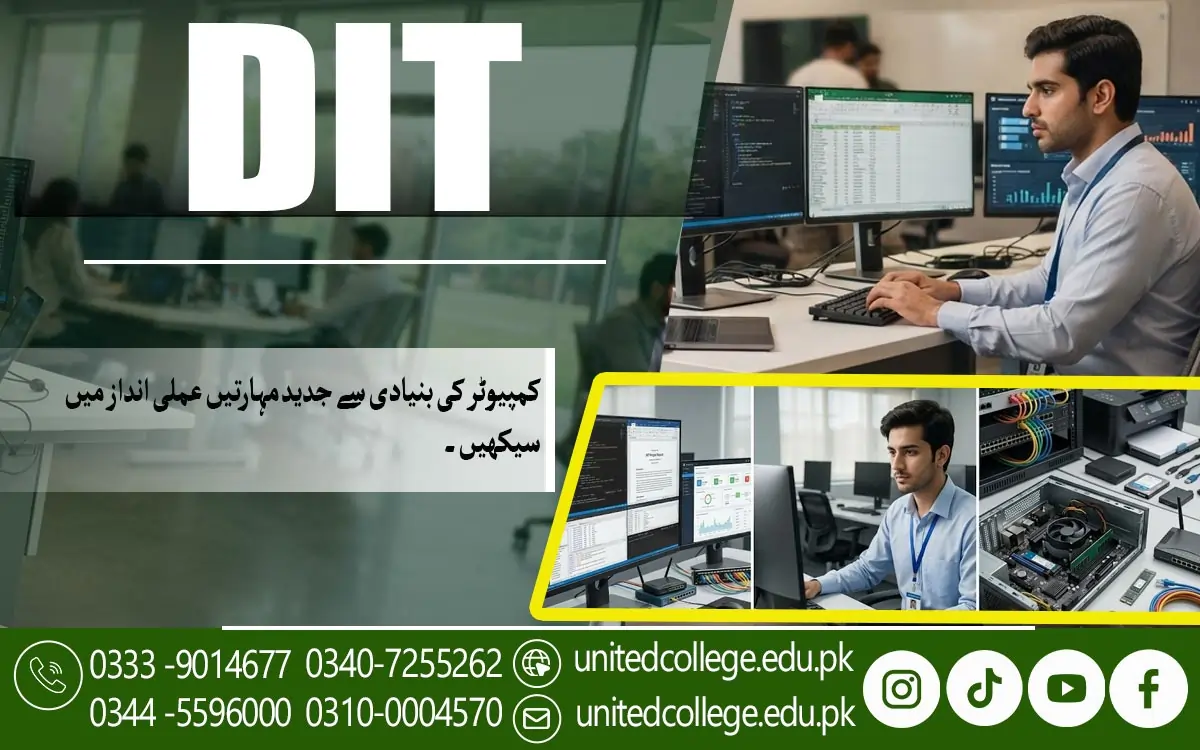

DIT Course in Sangla – Learn Computer Skills for Your Future
How the DIT Course in Sangla Helps Beginners Develop Computer Confidence
For someone who has rarely used a computer, even opening a program, saving a document, or finding a downloaded file can seem confusing at first. The DIT Course in Sangla introduces learners to important computer concepts and helps them understand how different parts of a computer work together. A Diploma in Information Technology generally covers computer fundamentals, software applications, file management, and other essential IT skills. Students can learn the difference between hardware, such as a keyboard, monitor, and processor, and software, which includes the programs used to complete different tasks.
They can also become familiar with operating systems, desktop environments, and common computer functions. These skills create a foundation for learning more advanced applications later. United College of Technology (UCT) offers the course for people interested in developing their computer knowledge, and prospective students can contact the institution to confirm the current syllabus and training arrangements. For beginners, the important thing is to learn step by step rather than trying to understand everything immediately. Regular practice with simple activities, such as creating folders, renaming files, and opening applications, can gradually improve confidence.
Why Computer Fundamentals Matter in Education and Everyday Tasks
Imagine needing to submit an assignment urgently but not knowing how to create a folder, save your work, or locate the correct document. Understanding computer fundamentals can prevent these small problems from becoming major frustrations. In a DIT diploma, computer fundamentals help learners understand the basic functions of computer systems and how to use them correctly. Students can explore the roles of input devices, output devices, storage devices, memory, and processing components. They can also learn how an operating system allows users to interact with applications and manage files.
Computer education also introduces good habits, including using descriptive file names, keeping documents organized, and protecting important information. For example, a student can create separate folders for assignments, notes, presentations, and personal documents rather than storing everything in one location. Learning these practices saves time and makes digital work easier to manage. The DIT Course in Sangla can be explored by learners who want to build this foundation through structured computer training. Once students understand how computers operate, they can approach office applications and internet-based activities with a clearer idea of what to do when something goes wrong.
How Microsoft Word Helps Students Create Professional Documents
A poorly formatted CV or an assignment with inconsistent spacing can make a simple task unnecessarily difficult. Microsoft Word is an important computer application because it allows users to create, edit, format, and print documents without rewriting everything by hand. As part of Microsoft Office training, learners may practise preparing letters, applications, reports, assignments, notices, and professional CVs. They can learn how to adjust font sizes, apply headings, change paragraph spacing, insert tables, and correct spelling mistakes. These features are useful for students who regularly prepare academic work and for individuals who need to create documents for offices or businesses.
Another helpful skill is learning how to save documents in suitable formats, such as DOCX and PDF, depending on the requirements of the recipient. Students can also practise editing an existing document, adding page numbers, and arranging content so that it is easier to read. The DIT Course in Sangla can help interested learners explore these practical computer applications as part of their broader IT education. However, becoming comfortable with Word requires hands-on practice rather than simply watching someone demonstrate its features. Preparing several sample documents, reviewing formatting mistakes, and making improvements can gradually develop useful document-handling skills.
Learning Microsoft Excel to Organize Information and Perform Calculations
Keeping track of marks, expenses, sales, attendance, or inventory becomes difficult when information is scattered across notebooks and loose papers. Microsoft Excel provides a practical way to arrange information in rows and columns, perform calculations, and make data easier to understand. During a computer applications course, students may learn how to enter information into cells, format tables, sort records, and use simple formulas. For example, a learner can prepare a monthly expense sheet, calculate totals, or organize examination marks in a spreadsheet.
Functions such as SUM can add values automatically, while basic formulas can help users perform calculations without repeating each step manually. Learners may also explore charts that turn numerical information into a visual format. These activities introduce useful office automation and data management skills that can be applied in educational projects, shops, small businesses, and administrative work. The DIT Course in Sangla is relevant to people who want to understand such applications and improve their practical computer abilities. Beginners should start with simple spreadsheets before moving to more complex formulas and larger datasets.
Creating Clear Presentations with Microsoft PowerPoint
Standing in front of a class or a group of colleagues can feel stressful when the information is difficult to organize. Microsoft PowerPoint helps users present ideas through slides containing text, images, charts, and other visual elements. In a Diploma in Information Technology, presentation skills may form part of learning common office applications. Students can practise choosing suitable slide layouts, adding headings, inserting pictures, and arranging information in a logical order. They can also learn how to use simple transitions and animations without distracting the audience from the main message.
The same skills can be useful when explaining a product, presenting a report, or sharing information during a workplace meeting. Good presentations are not simply collections of colourful slides; they communicate a clear message in a way that people can follow. Learners should therefore practise using short points, readable fonts, relevant images, and consistent formatting. The DIT Course in Sangla offered by United College of Technology can be explored by students interested in developing a broader understanding of digital applications, although the exact topics covered should be confirmed with the institution. Regular practice can help learners become more comfortable preparing slides and explaining their ideas with supporting visuals.
Using the Internet, Email, and Digital Tools Safely
Finding information online is easy when you know how to search effectively, but using the internet without understanding digital safety can create unnecessary risks. Internet and email skills are important parts of modern digital literacy because students and workers often need to find information, exchange documents, and communicate electronically. Learners may practise using search engines, identifying relevant information, downloading files, and sending emails with suitable subject lines and attachments. They can also learn how to write polite, professional messages and check that a file is attached before sending an email.
These tasks are useful when submitting assignments, communicating with educational institutions, or sharing information with colleagues. Digital safety is equally important. Students should understand why they need strong passwords, why suspicious links should be avoided, and why personal information should not be shared with unknown websites or people. They should also learn to check the reliability of online information rather than accepting every claim as true. The DIT Course in Sangla relates to these skills because computer education increasingly involves online communication and digital resources.
Why Typing, Data Entry, and File Management Need Regular Practice
A person may understand how to use a computer but still take too long to complete simple tasks because typing is slow or files are poorly organized. Typing practice, data entry, and file management are practical abilities that help learners work more efficiently. Students can improve their typing accuracy by practising short passages, checking mistakes, and gradually building speed without sacrificing correctness. Data entry involves entering information into digital systems or spreadsheets, where careful attention is important because small errors can affect records and calculations. Learners can practise creating sample lists, entering names and numbers, and reviewing their work before saving it.
File management is another useful skill. Knowing how to create folders, rename files, move documents, and organize information makes it easier to find work when needed. For example, someone preparing several assignments can keep each subject in a separate folder and use clear names for individual files. The DIT Course in Sangla may interest students who want to strengthen these abilities alongside other computer applications. Such skills can be relevant to office assistance, record keeping, and entry-level data-related tasks, depending on the requirements of a particular role. Improvement comes from repeated practice, not from speed alone.
Who Can Join a DIT Course and How Practical Learning Supports Progress
Students sometimes assume that information technology courses are only suitable for people who already understand computers. In reality, many introductory computer programs are designed to help beginners develop their skills gradually, although admission requirements vary between institutions. The DIT Course in Sangla may be worth exploring for students, fresh learners, individuals returning to education, and people who want to improve their digital abilities for personal or professional reasons. Before enrolling, prospective learners should confirm the required educational qualification, course duration, syllabus, fees, and available training arrangements directly with United College of Technology (UCT).
Practical learning is particularly valuable because computer skills develop through doing tasks, making mistakes, and correcting them. Instead of only reading about Microsoft Word, for example, students should practise preparing documents. Instead of memorizing Excel formulas, they should use them in sample spreadsheets. Learners can also practise preparing presentations, sending emails, organizing files, and identifying common computer problems. Asking questions and repeating difficult activities can help them understand unfamiliar features. It is also useful to set small goals, such as creating a formatted document independently or preparing a spreadsheet with accurate calculations.
How DIT Skills Can Support Further Study and Career Exploration
Imagine applying for an office-related position and discovering that the role requires you to prepare documents, update spreadsheets, send emails, and maintain digital records. Without practical computer knowledge, these responsibilities may seem difficult, but learning the relevant applications can provide a useful starting point. The DIT Course in Sangla offered by United College of Technology (UCT) is relevant to people who want to explore information technology education and develop skills that may be useful in different settings. Depending on their abilities, qualifications, experience, and the requirements of employers, learners may explore entry-level opportunities related to computer operation, data entry, office assistance, administrative support, or other computer-based tasks.
However, completing a course does not automatically guarantee a job, a particular salary, or professional success. Employers may also require communication skills, relevant experience, additional qualifications, or knowledge of specific software. Students should therefore treat a DIT diploma as one part of their broader learning journey. They can continue improving by practising office applications, developing professional communication habits, and learning how digital tools are used in real workplaces. Before making an enrolment decision, prospective students should confirm the course details and current availability with UCT.
Frequently Asked Questions (FAQs)
The DIT Course in Sangla is a Diploma in Information Technology program designed to help students develop computer knowledge, learn office applications, and improve their digital skills.
A DIT course may cover computer fundamentals, Microsoft Word, Microsoft Excel, PowerPoint, internet usage, email communication, typing, file management, and basic IT skills. The exact syllabus depends on the institute.
Students, beginners, fresh learners, and individuals interested in computer education can explore this course. Admission requirements should be confirmed with United College of Technology (UCT).
The course duration depends on the institute's program and schedule. Contact United College of Technology for the latest information about course duration.
Computer training commonly includes practical activities such as preparing documents, creating spreadsheets, designing presentations, managing files, and using the internet. Confirm the practical training details with UCT before enrolling.
Admission Open: Start Your Professional Journey Today!
Join United College of Technology and build a career with practical training, recognized certifications, and Gulf job support. Seats are limited.
Apply Now via WhatsAppContact Information
- Address: Rawalpindi: F-272 Main New Katarian Stop, Old IJP Road | Lahore Campus: Lahore, Pakistan
- Phone/WhatsApp: 0340-7255262 / 0333-9014677 / 0301-5044340 / 0310-0004570 / 051-8770756
- Website: unitedcollege.edu.pk
















Leave a Comment