


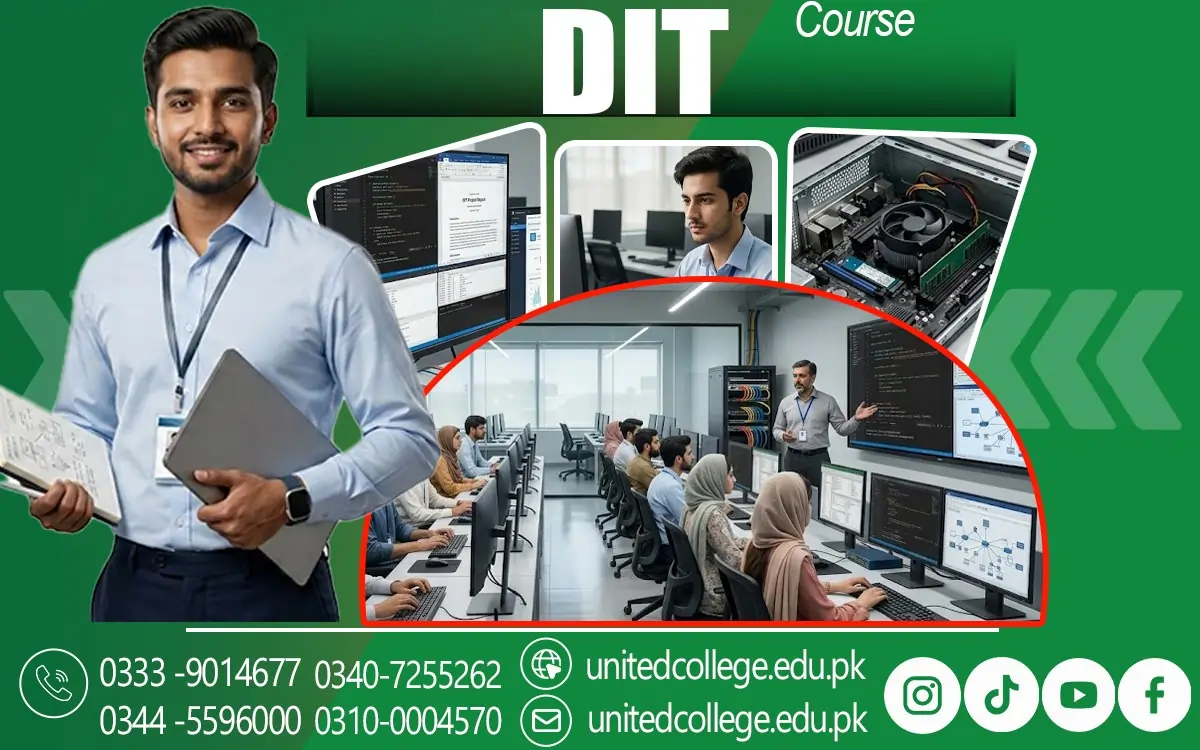

DIT Course in Balakot – Learn Practical Computer Skills Today
How the DIT Course in Balakot Helps Students Build Useful Computer Skills
Imagine being asked to prepare an assignment on a computer when you have never formatted a document or organized information properly. Even a simple task may take longer than expected without the right knowledge. The DIT Course in Balakot can help learners understand the computer skills commonly used in educational and professional settings. A Diploma in Information Technology introduces students to different computer applications and explains how these tools support everyday tasks. Learners may explore how computers process information, how software helps complete specific activities, and how digital files can be created and stored.
These skills are useful for students preparing assignments, individuals managing records, and beginners who want to become more comfortable with technology. Computer knowledge is also helpful when using online educational platforms, completing digital forms, and communicating through email. United College of Technology (UCT) offers this course for individuals interested in developing their information technology knowledge. Students should review the available syllabus and training arrangements to understand exactly what is included. Learning through a structured computer course can make unfamiliar tasks easier to understand because each skill builds on earlier lessons.
Understanding Computer Hardware, Software, and Operating Systems
Before working with office applications, learners need to understand the main parts of a computer and how they work together. Computer hardware refers to physical components such as the keyboard, mouse, monitor, processor, and storage drive. Software refers to the programs and instructions that allow a computer to perform tasks. An operating system connects these elements and helps users manage applications, files, and settings. In the DIT Course in Balakot, computer fundamentals may introduce students to these concepts through demonstrations and practical exercises. For example, learners can practise switching on a computer correctly, opening programs, adjusting basic settings, creating folders, and saving files in suitable locations.
Understanding storage devices, memory, and common computer accessories can help beginners use equipment more confidently. These lessons are useful when a computer runs slowly, a file cannot be located, or a connected device does not work as expected. Students may also explore basic troubleshooting, which means identifying a problem and checking simple possible causes before seeking technical help. Learning these skills creates a foundation for more advanced computer applications. Instead of treating a computer as a machine with unfamiliar buttons, students begin to understand how its main components support the tasks they perform every day.
Creating Professional Documents with Microsoft Word
A poorly formatted document can make useful information difficult to read, whether it is a school assignment, an office letter, or a simple application. Microsoft Word helps users create, edit, and format written documents in a clear and organized way. As part of a DIT diploma, learners may practise typing text, changing fonts, adjusting paragraph spacing, adding headings, inserting tables, and setting page layouts. These features allow students to prepare documents that are easier to understand and present professionally. For example, someone preparing a class report can use headings to separate topics, page numbers to organize longer work, and tables to present information neatly.
The DIT Course in Balakot can introduce beginners to these practical tasks through MS Word training and guided exercises. Students can also learn how to save documents in suitable folders, reopen previous files, and export documents into PDF format when required. Proofreading is another important habit because spelling mistakes and unclear sentences can reduce the quality of written work. Regular typing practice can improve accuracy and help learners become more comfortable using the keyboard. Rather than focusing only on memorizing toolbar options, students should practise creating complete documents from start to finish.
Using Microsoft Excel to Organize Information and Calculate Data
Keeping track of expenses, student marks, customer details, or stock records can become confusing when information is written without a clear system. Microsoft Excel provides a practical way to organize information in rows and columns and perform calculations using formulas. During an information technology course, students may learn how to enter data, format cells, create simple tables, sort records, and use basic formulas. For instance, a learner can create a monthly expense sheet and use a formula to calculate the total amount spent. A small shop may use a spreadsheet to maintain product quantities, while an office assistant may organize attendance or contact information.
The DIT Course in Balakot can help students become familiar with these functions through practical exercises, depending on the course syllabus. Learners may also practise using common formulas such as SUM and AVERAGE, which calculate totals and averages. Accuracy is especially important when entering figures or using formulas, so students should learn to check their work instead of assuming every calculation is correct. Regular practice with realistic examples can build confidence in spreadsheet handling. These skills are useful for educational projects and many administrative tasks, although advanced financial analysis or specialized business reporting may require further training beyond introductory computer applications.
Preparing Clear Presentations with Microsoft PowerPoint
Have you ever understood a topic well but struggled to explain it clearly in front of a class or group? A well-organized presentation can help communicate ideas more effectively by combining short text, images, charts, and other visual elements. Microsoft PowerPoint allows users to create slides that guide an audience through a subject step by step. Students studying a DIT diploma may learn how to choose slide layouts, add titles, insert images, format text, and arrange information in a logical order. They can also practise using simple transitions and animations without making the presentation distracting.
Similarly, office staff may use presentations to explain a project, introduce a service, or share basic business information. PowerPoint presentation skills are useful because they combine computer knowledge with communication and planning. The DIT Course in Balakot can introduce learners to these activities as part of their computer applications training. Students should focus on making each slide readable, using suitable images, and avoiding large blocks of text. Rehearsing the presentation is equally important because software alone cannot guarantee clear communication. By preparing and presenting small projects, learners can practise arranging information, speaking about a topic, and using visual materials to support their message.
Developing Internet, Email, Typing, and Digital Communication Skills
Knowing how to open a browser is only one part of using the internet effectively. Students also need to recognize reliable information, communicate appropriately, manage online accounts carefully, and protect personal details. An information technology course may introduce learners to internet browsing, search techniques, email attachments, online forms, and digital communication. For example, a student applying for an educational program may need to find accurate instructions, complete an online form, and attach the correct documents. A job applicant may need to send a professional email with a clear subject line and an appropriate attachment.
The DIT Course in Balakot may also include typing practice to help students improve keyboard accuracy and speed. Beginners should focus on typing correctly before trying to increase speed, because frequent mistakes can slow down their work. File management is another useful skill: naming documents clearly and placing them in organized folders makes it easier to locate them later. Students should also learn to recognize suspicious links, avoid sharing passwords, and use trusted websites when submitting information. Digital literacy involves using technology thoughtfully, not simply knowing which buttons to click.
Who Can Enroll and How Practical Computer Training Supports Learning
Computer education is not limited to people who already understand technology. Students, school graduates, beginners, and individuals interested in improving their office skills may consider a Diploma in Information Technology, depending on the institute's admission requirements. Some learners may be comfortable using smartphones but have little experience with desktop computers, while others may know how to type but struggle with spreadsheets or presentations. United College of Technology (UCT) offers the DIT Course in Balakot for individuals interested in developing computer knowledge; prospective students should contact the institute to confirm course availability, eligibility, duration, fees, and the current syllabus.
Practical computer training is important because reading instructions alone may not prepare someone to complete a task independently. Learners benefit from practising activities such as creating a document, preparing a spreadsheet, organizing files, and sending an email. Mistakes are a normal part of learning, especially when students are using unfamiliar software. Instead of becoming discouraged, they can review instructions, repeat exercises, and ask their instructor for guidance. Regular practice also helps learners remember commands and understand how different applications work. Before enrolling, students should consider whether the course content matches their learning goals and whether the training schedule suits their routine.
Exploring Career Paths That Use Information Technology Skills
Computer knowledge can support a range of work activities, but completing a course does not automatically guarantee a job. Many workplaces use digital tools to prepare documents, maintain records, communicate with customers, and organize information. People who develop suitable computer skills may explore entry-level opportunities related to office assistance, data entry, computer operation, administrative support, or other roles that require basic IT knowledge. Some small businesses also need help maintaining product records, preparing invoices, updating spreadsheets, or handling email communication. The DIT Course in Balakot can introduce learners to relevant computer applications that may be useful in these environments.
Building a small portfolio of practical work can help learners demonstrate what they know. Examples might include a properly formatted report, a spreadsheet containing organized sample data, and a clear PowerPoint presentation. Learners can continue improving their abilities through additional courses, independent practice, or workplace experience. Strong communication, attention to detail, reliability, and problem-solving are also important in professional settings. By understanding the relationship between computer skills and everyday workplace tasks, students can make more informed decisions about the roles they want to explore and the additional skills they may need to develop.
Choosing the Right Learning Plan for Continued Digital Growth
Learning computer applications becomes more valuable when students continue practising after individual lessons have finished. A person who understands Microsoft Word in class may still need practice to prepare a long report, while someone who has studied Excel may need more exercises to use formulas accurately. For this reason, learners considering the DIT Course in Balakot should look beyond the course name and examine the actual subjects, practical activities, and learning support available. United College of Technology (UCT) can provide information about its course arrangements, while prospective students should confirm the current details directly before making a decision.
Students should gradually explore additional topics according to their interests, such as advanced spreadsheets, graphic design, networking, or programming, if these subjects fit their future goals. They should also develop responsible digital habits by protecting personal information, checking online sources, and keeping important files backed up. A Diploma in Information Technology can provide a starting point for building computer confidence, but long-term progress depends on continued practice and willingness to learn. By applying their skills to realistic tasks, learners can strengthen their digital knowledge and prepare to handle a wider range of educational, personal, and professional responsibilities.
Frequently Asked Questions (FAQs)
The DIT Course in Balakot is a Diploma in Information Technology designed to help students develop computer knowledge and practical digital skills for educational and workplace tasks.
Students may learn computer fundamentals, Microsoft Word, Microsoft Excel, Microsoft PowerPoint, internet browsing, email communication, typing, file management, and other IT-related subjects, depending on the syllabus.
Students, beginners, fresh learners, and individuals interested in improving their computer skills can consider this course. Admission eligibility depends on the institute's requirements.
Yes, a DIT course can be suitable for beginners who want to learn computer applications step by step and improve their confidence through practical exercises.
The duration depends on the institute's course structure and schedule. Contact United College of Technology (UCT) to confirm the current course duration.
Admission Open: Start Your Professional Journey Today!
Join United College of Technology and build a career with practical training, recognized certifications, and Gulf job support. Seats are limited.
Apply Now via WhatsAppContact Information
- Address: Rawalpindi: F-272 Main New Katarian Stop, Old IJP Road | Lahore Campus: Lahore, Pakistan
- Phone/WhatsApp: 0340-7255262 / 0333-9014677 / 0301-5044340 / 0310-0004570 / 051-8770756
- Website: unitedcollege.edu.pk
















Leave a Comment