


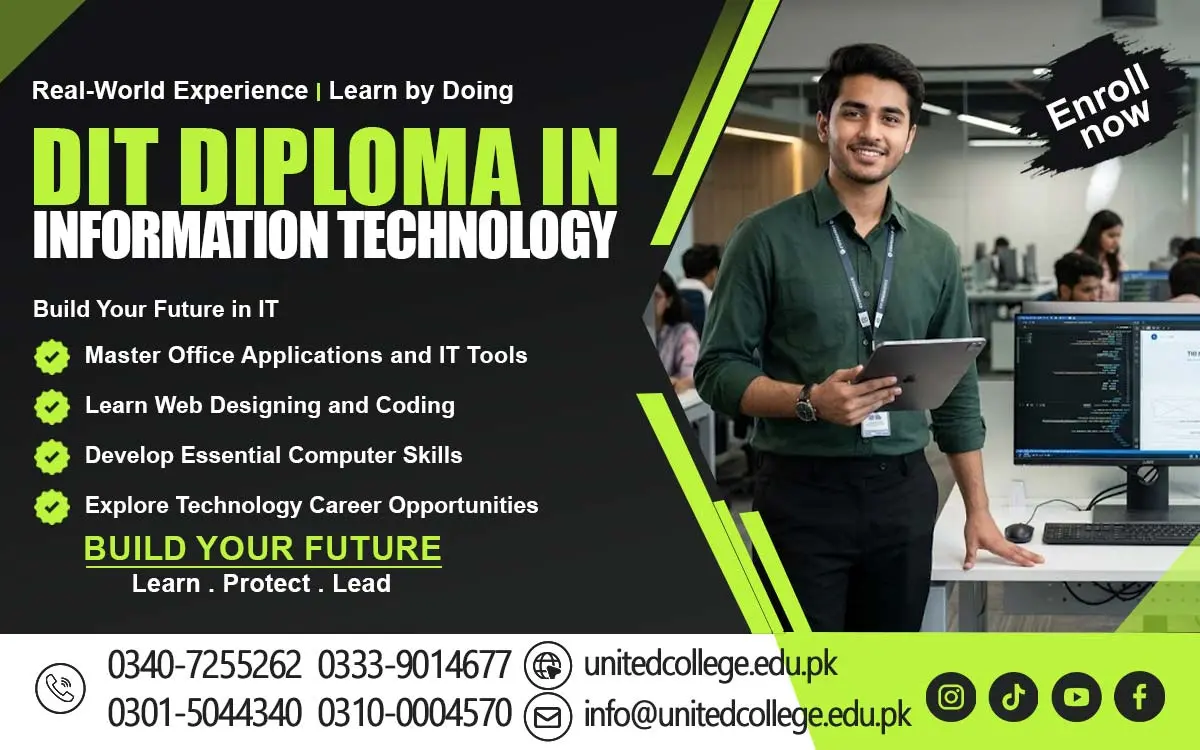

DIT Course in Kohat – Learn Practical Computer Skills Today
How the DIT Course in Kohat Builds Essential Computer Skills
A student may understand a subject well but still struggle to prepare an assignment, create a spreadsheet, send a professional email, or complete an online application because of limited computer knowledge. These tasks have become an important part of education and modern workplaces, making digital skills useful for students and beginners. The DIT Course in Kohat, offered by United College of Technology (UCT), introduces learners to important computer applications and information technology skills that can be used in everyday life, education, and office environments. From creating documents in Microsoft Word to organizing records in Excel and preparing presentations in PowerPoint, students can better understand how computers support different tasks.
The course is relevant to people who want to improve their computer knowledge, become more confident using digital tools, or prepare for further technical learning. For beginners in Kohat, learning these skills can be a practical step toward understanding modern computer-based work. Regular practice, patience, and a willingness to learn are important throughout the process. Instead of trying to master every application at once, students can begin with simple tasks and gradually move toward more advanced activities. This approach makes computer learning easier to understand and gives learners opportunities to apply their knowledge in real situations.
How the DIT Course in Kohat Connects Computer Skills with Everyday Needs
Computer knowledge is useful in situations that many students and workers face every day. A student may need to type an assignment, a shopkeeper may want to maintain sales records, and an office assistant may have to prepare letters or organize customer information. Without basic digital skills, these tasks can take more time and become difficult to manage. The DIT Course in Kohat helps learners understand how different computer applications can make everyday work more organized and manageable. A Diploma in Information Technology generally introduces students to computer operations, office software, internet use, and other relevant IT subjects, although the exact syllabus depends on the institution and program structure. These skills are useful in educational institutions, offices, small businesses, shops, and service organizations.
For example, a learner who understands word processing can prepare a neat document, while someone familiar with spreadsheets can arrange information in rows and columns. Digital literacy also helps people use online services more confidently. Students should remember that computer skills develop through regular use rather than simply reading about software. Practising common tasks, correcting mistakes, and exploring different features can gradually improve confidence. For people looking for a computer course in Kohat, it is important to understand how the course content matches their learning goals. A clear understanding of practical applications can help beginners make informed decisions about their IT education.
What Students Can Expect from a Diploma in Information Technology
A Diploma in Information Technology introduces learners to the basic concepts and applications used in computer-based environments. The DIT Course in Kohat can be considered by students who want to develop a foundation in computer operations and office applications through United College of Technology (UCT). Depending on the approved syllabus and training structure, a DIT diploma may cover computer fundamentals, operating systems, document preparation, spreadsheets, presentations, internet usage, and other IT-related subjects. Students should confirm the exact modules, duration, admission requirements, and assessment methods directly with the institution before enrolling.
The course is suitable for learners who want to improve their digital knowledge, including beginners who have limited experience using computers. During their studies, students may learn how software programs work, how to save and organize files, and how to complete common digital tasks. They can also develop a better understanding of the role technology plays in communication, record keeping, and information management. A useful way to approach an information technology course is to connect every lesson with a practical activity. For instance, after learning about documents, a student can prepare a formal letter; after studying spreadsheets, the learner can organize sample business records. This method makes technical concepts easier to remember.
Understanding Computer Operations, Files, and Common Technical Problems
Imagine completing an important assignment and then discovering that the file has been saved in the wrong folder. Situations like this show why understanding computer operations is just as important as learning individual applications. A DIT diploma commonly introduces learners to computer hardware, software, operating systems, storage devices, and file management. Hardware refers to the physical parts of a computer, such as the keyboard, monitor, mouse, and processor, while software includes the programs used to perform tasks. An operating system manages the computer's basic functions and allows users to open applications, store files, and interact with the device.
Through computer training, beginners can learn how to create folders, rename documents, copy files, use external storage, and locate saved information. These simple abilities can prevent confusion when handling assignments, office documents, and business records. Learners may also explore basic troubleshooting, such as checking cable connections, restarting an unresponsive application, identifying storage problems, or confirming that a device is properly connected. Not every technical issue can be solved by a beginner, so students should understand when professional assistance is necessary. Learning about safe computer use is equally important.
Creating Professional Documents with Microsoft Word Training
A poorly formatted document can make useful information difficult to read, even when the writer understands the subject well. Microsoft Word helps users create organized documents by providing tools for typing, editing, formatting, and arranging text. During MS Word training, students may learn how to prepare assignments, letters, applications, reports, notices, and other written materials. They can practise selecting readable fonts, adjusting paragraph spacing, setting margins, creating headings, inserting tables, and checking spelling. These features are useful for students preparing coursework and for office workers who regularly handle written communication.
For example, someone applying for an internship may need a clearly formatted application, while a business may require invoices, notices, or internal reports. Learning document preparation helps users present information in a more structured way. The DIT Course in Kohat can introduce learners to these everyday tasks as part of their wider computer applications education, depending on the syllabus offered. Beginners should not focus only on memorizing toolbar buttons. Instead, they should practise creating complete documents from start to finish, including saving files with meaningful names and exporting documents into suitable formats when needed. They can also learn to review their work before sharing it with others. With regular practice, students may become more comfortable preparing documents for educational and professional purposes.
Using Microsoft Excel to Organize Information and Perform Calculations
Keeping records on separate sheets of paper can become confusing when information increases. Microsoft Excel offers a practical way to arrange data in rows and columns, perform calculations, and review information more efficiently. Through MS Excel training, students may learn to enter data, format cells, use simple formulas, sort records, and create basic charts. For example, a shop can use a spreadsheet to record daily sales, while a student can organize assignment marks or monthly expenses. Formulas allow users to perform calculations without repeating every step manually. A simple total formula can add several values, while other functions can help calculate averages or count entries.
Beginners should start with small exercises before attempting complicated spreadsheets. Entering sample information, checking calculations, and correcting errors are useful ways to improve accuracy. It is also important to remember that spreadsheet software only produces reliable results when the information and formulas are entered correctly. The DIT Course in Kohat allows learners to explore computer applications relevant to digital record keeping, subject to the modules included in the program. Practising Excel regularly can help students become more comfortable working with structured information and routine calculations.
5Preparing Clear Presentations with Microsoft PowerPoint
Have you ever listened to a presentation where the slides contained too much text and the main message was difficult to understand? Microsoft PowerPoint helps users present information visually, making it easier to explain ideas to an audience. Students learning PowerPoint presentation skills may practise creating slides, adding headings, inserting images, arranging text, and applying consistent layouts. They can also learn how to use charts, diagrams, and simple transitions when these features support the message. A student might prepare a presentation about an academic topic, while an office employee could use slides to explain a project or introduce a service. The main goal is not to add as many effects as possible but to make information clear and easy to follow. Good presentations usually use readable text, relevant visuals, and a logical order. Learners should also practise speaking about their slides rather than reading every word directly from the screen.
As part of an information technology course, PowerPoint can help students understand how digital tools support communication and teamwork. The DIT Course in Kohat may include presentation software as part of its office applications training, depending on the confirmed curriculum at United College of Technology (UCT). Beginners can improve by preparing short presentations on familiar subjects, reviewing their slide designs, and asking others for feedback. These exercises can strengthen both software knowledge and the ability to organize information for an audience. Such skills can be useful in education, meetings, training sessions, and other situations where ideas need to be communicated clearly.
Developing Internet, Email, and Digital Safety Skills
Finding information online is easy when you know how to search, but not every website or message can be trusted. Internet and email skills are important parts of digital literacy because students and workers often use online tools to communicate, research, share documents, and access services. During computer training, learners may explore web browsers, search engines, email accounts, file attachments, and online forms. They can practise writing clear email messages, using suitable subject lines, attaching the correct documents, and checking recipients before sending information. These habits are useful when communicating with teachers, institutions, employers, and customers.
Students can also learn to evaluate online information by checking the source, comparing details, and avoiding websites that appear unreliable. Digital safety deserves equal attention. Suspicious links, unexpected attachments, fake login pages, and requests for passwords can expose personal information to misuse. Beginners should use strong, unique passwords, enable additional account protection when available, and avoid sharing sensitive details through untrusted channels. Public computers and shared devices require extra care, particularly when accessing email or other personal accounts. The DIT Course in Kohat can help learners explore internet use and digital communication within the scope of its syllabus.
Why Hands-On Computer Practice Matters for Beginners
Watching someone complete a computer task may make it look simple, but doing the same task independently can reveal gaps in understanding. This is why practical computer training and regular practice are important for beginners. Students need opportunities to use applications themselves, make mistakes, identify problems, and repeat tasks until they become more familiar. Someone learning Microsoft Word, for example, can practise creating a letter, changing its layout, saving it in the correct folder, and editing it later. An Excel learner can enter sample data, calculate totals, and check the results. These activities turn theoretical knowledge into practical experience. During the DIT Course in Kohat, students should find out how much supervised computer practice is included and whether they will have access to suitable equipment.
The exact training experience depends on the institute's facilities, teaching approach, and course structure. Beginners may initially struggle with typing speed, unfamiliar software menus, spelling errors, or remembering the steps in a task. These challenges are normal and can often be managed by practising regularly and asking questions when something is unclear. Setting small weekly goals can make learning more manageable. For example, a learner might aim to create one well-formatted document or complete a basic spreadsheet exercise independently. Reviewing earlier lessons also helps reinforce important skills. Students who practise consistently are more likely to recognize common tools and complete familiar tasks with greater confidence.
Exploring Further Education and Career Paths with DIT Skills in Kohat
Computer skills can support different educational and professional goals, but students should understand what a diploma can and cannot provide. A DIT qualification may help learners build foundational knowledge for further IT study or explore roles that involve routine computer work. Depending on their practical ability, additional qualifications, experience, and employer requirements, learners may consider opportunities related to office assistance, data entry, administrative support, documentation, or basic computer operations. Some may use their skills to manage records for a small business or support everyday digital tasks in an organization.
However, completing a course does not automatically guarantee employment, and specialized IT positions may require further study, technical experience, or additional certifications. Students interested in careers should review the skills employers request and identify areas where they need more practice. United College of Technology (UCT) offers the DIT Course in Kohat for learners interested in developing computer knowledge, but prospective students should contact the institution directly to confirm current admissions, course duration, syllabus, and qualification details.
Frequently Asked Questions (FAQs)
The DIT Course in Kohat is a Diploma in Information Technology program designed to help students develop computer knowledge and practical digital skills for education, daily tasks, and office work.
United College of Technology (UCT) offers the DIT Course in Kohat. Students should contact the institute to confirm current admission details, course duration, and syllabus.
Depending on the syllabus, subjects may include computer fundamentals, operating systems, Microsoft Word, Microsoft Excel, PowerPoint, internet usage, email communication, and basic IT skills.
Yes, beginners interested in learning computer applications and information technology can consider this course. Students should confirm the institute's admission requirements before applying.
The course may include Microsoft Office applications such as Word for document preparation, Excel for spreadsheets and calculations, and PowerPoint for presentations. Confirm the exact modules with UCT.
Admission Open: Start Your Professional Journey Today!
Join United College of Technology and build a career with practical training, recognized certifications, and Gulf job support. Seats are limited.
Apply Now via WhatsAppContact Information
- Address: Rawalpindi: F-272 Main New Katarian Stop, Old IJP Road | Lahore Campus: Lahore, Pakistan
- Phone/WhatsApp: 0340-7255262 / 0333-9014677 / 0301-5044340 / 0310-0004570 / 051-8770756
- Website: unitedcollege.edu.pk
















Leave a Comment