


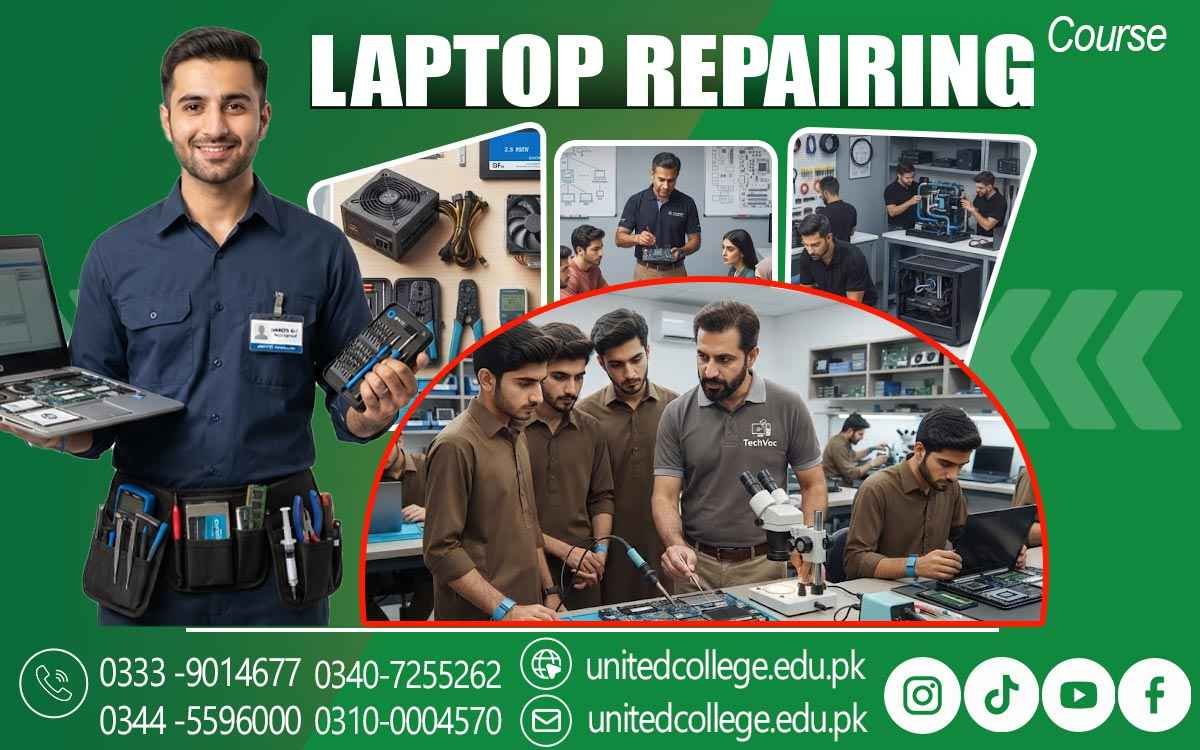

Laptop Repairing Course in Toba Tek Singh – Develop Repair Skills
Understanding Laptop Problems Through Practical Skills
A laptop can become a serious problem at the worst possible moment. It may stop charging before an assignment is due, shut down while someone is working, become extremely slow, or show a blank screen without any obvious reason. When there is no understanding of what happens inside the machine, even a small fault can seem complicated. Learning how to inspect components, understand symptoms, test possible causes, and handle repairs safely can make these situations easier to understand.
A Laptop Repairing Course in Toba Tek Singh can introduce beginners to this practical side of computer technology and help them develop useful knowledge through structured learning and hands-on practice. For students, fresh learners, computer enthusiasts, and people interested in technical work, laptop repairing can provide an opportunity to build practical skills while learning how different hardware and software problems are approached.
Turning Common Laptop Faults into Practical Technical Knowledge
Laptops are widely used by students, offices, businesses, educational institutions, and individual users in Toba Tek Singh, so technical problems can interrupt everything from study work to routine office tasks. A laptop might suddenly freeze while preparing an assignment, refuse to connect to a charger, become unusually hot during normal use, or develop a keyboard or touchpad fault. These everyday situations show why understanding laptop repair can be useful even before someone considers technical work as a career direction.
A laptop repair course can teach learners how to look at such problems logically instead of guessing or replacing parts without testing. They can learn to observe the symptoms, ask what changed before the problem appeared, inspect relevant components, and follow suitable diagnostic steps. For example, if a laptop is slow, the technician may consider storage, RAM, software, temperature, and other possible causes rather than assuming that one particular component has failed. This way of thinking helps learners understand that repair is not simply about opening a laptop and changing parts; it is about finding the actual reason behind a problem and choosing an appropriate solution.
Learning the Components Hidden Inside a Laptop
Understanding the internal structure of a laptop is an important part of developing laptop technician skills. Unlike a desktop computer, a laptop has its components arranged in a compact space, which means careful handling and good component identification are especially important. Learners can study the motherboard, processor, RAM, SSD or hard drive, battery, cooling fan, display connection, keyboard, touchpad, speakers, ports, wireless components, charger connection, and other electronic parts. The motherboard connects many of these components and provides the pathways through which they communicate.
The processor performs instructions, while RAM provides temporary memory for active tasks. Storage keeps the operating system, applications, and files, while the battery supplies portable power. During the Laptop Repairing Course in Toba Tek Singh, learners can become familiar with these parts and understand why each one matters when diagnosing a fault. A machine that turns on but performs slowly may need different checks from one that does not show any power at all. Similarly, a display problem may require inspection of the screen or its connection rather than the storage drive. Understanding component functions gives beginners a useful starting point for making these distinctions.
Practicing Safe Disassembly Before Attempting Repairs
A laptop may contain small screws, fragile connectors, thin cables, and closely packed electronic components, so careless disassembly can cause damage even when the original fault is minor. Practical laptop repair training can teach learners how to prepare a laptop for inspection, identify screw positions, remove covers carefully, disconnect suitable cables, and handle internal parts without unnecessary force. Proper organization is also important because different laptops may use screws of different sizes, and returning them to the wrong position can create problems during reassembly.
Learners can practice identifying batteries, storage drives, RAM modules, fans, and other accessible components before moving toward more detailed repair work. Safe handling of electronic components is another important consideration, particularly because static electricity and rough contact can damage sensitive parts. Cleaning can also be carried out during appropriate servicing, especially around vents and cooling fans where dust can accumulate. After a component has been inspected or replaced, the laptop needs to be reassembled carefully and tested. This process teaches an important lesson: laptop repair is not only about knowing what to remove but also knowing how to remove it safely, keep track of every part, and restore the machine correctly.
Diagnosing Power, Charging, and Battery Problems
Few faults are more frustrating than pressing a laptop's power button and seeing nothing happen. In another situation, the laptop may turn on but refuse to charge, charge only at certain angles, switch off when disconnected from the charger, or lose battery power much faster than expected. These symptoms can have different causes, which is why proper diagnosis matters. During a Laptop Repairing Course in Toba Tek Singh, learners can study how technicians approach laptop power problems by starting with basic observations and gradually moving toward appropriate testing. The charger and connector may need inspection, charging indicators can provide useful clues, and battery behavior can help narrow down possible causes
. A faulty charging port, for example, may produce symptoms that look different from a worn battery. Likewise, a laptop that shuts down suddenly could have a power-related issue, but overheating or another hardware fault may also need consideration. Learners can become familiar with suitable tools and testing procedures while understanding that expensive components should not be replaced simply because a laptop is not powering on. This systematic approach helps beginners develop better diagnostic habits and understand why checking the simplest possible causes first can save time and prevent unnecessary repairs.
Exploring RAM, SSDs, and Storage-Related Problems
Performance problems often lead users to think that their laptop has become permanently outdated, but sometimes the issue is connected to storage, memory, software, or maintenance. RAM provides temporary working space for running programs, while an SSD or hard drive stores the operating system, applications, and files. Learners can study how to identify these components, understand their purpose, and carry out suitable RAM and SSD installation procedures on compatible laptops. They can also learn about hard drive replacement and understand why compatibility, physical size, connectors, and data considerations matter before changing a storage device. If a laptop is extremely slow, the technician should not automatically assume that adding RAM will solve the problem.
The storage condition, available space, background programs, operating system, and other factors may need to be checked first. Similarly, an SSD upgrade should be followed by appropriate installation and testing rather than simply installing the drive and assuming everything will work. Through practical hardware repair training, learners can understand how performance-related symptoms are investigated and how upgrade work differs from fault repair. This knowledge can be useful for people in Toba Tek Singh who want to understand how laptops can be maintained, upgraded, or diagnosed when performance begins to decline.
Fixing Screens, Keyboards, Touchpads, and Ports
Some laptop faults are immediately noticeable because they affect the parts users interact with every day. A display may remain blank, flicker, show lines, become unusually dim, or stop working at certain angles. A keyboard may have one or several unresponsive keys, while a touchpad may stop responding correctly. USB, audio, charging, and other ports can also become loose or damaged through repeated use. A laptop repair course can help learners understand how these problems are investigated rather than treating every visible fault as a simple replacement job. For a display problem, a technician may need to consider the screen, cable, connector, or related hardware.
In keyboard repair, the physical keyboard and its connection may require inspection, while touchpad problems can sometimes involve settings or drivers rather than a damaged component. Port faults can require careful physical inspection and appropriate testing. Learners can study how to identify symptoms, inspect connections, replace suitable components, and test the laptop afterward. These practical exercises help demonstrate why diagnosis should come before replacement. They also give beginners a better understanding of how seemingly different problems can sometimes be connected to a shared hardware or software cause.
Understanding Windows, Drivers, and BIOS Troubleshooting
Not every laptop problem requires opening the machine. Sometimes the hardware is working correctly, but the operating system or supporting software has developed an issue. Learners can explore Windows installation, system setup, common Windows troubleshooting, driver installation, and other software-related repair tasks. Drivers are software components that help Windows communicate with hardware such as display adapters, sound devices, network components, and other peripherals. If a device stops working after an operating system change, checking the relevant driver may be an important part of the investigation. BIOS troubleshooting is another area that learners can study at a suitable beginner level.
BIOS is firmware that helps the laptop start and recognize important hardware before the operating system loads. Incorrect settings or hardware-recognition issues can sometimes affect startup behavior, so understanding BIOS settings can help learners approach certain problems more carefully. A Laptop Repairing Course in Toba Tek Singh can connect software knowledge with hardware understanding because technicians often need to determine whether a fault comes from the physical component or the software controlling it. Learning this distinction can prevent unnecessary hardware replacement and encourage a more complete approach to laptop diagnostics.
Controlling Overheating Through Cleaning and Maintenance
When a laptop fan becomes unusually loud, the machine feels excessively hot, performance drops during longer tasks, or the system shuts down unexpectedly, overheating may need investigation. Laptops produce heat during normal operation, especially around the processor and other active components, so cooling systems are designed to move that heat away. Dust can collect around vents and fans, restricting airflow and making cooling less effective. A cooling fan can also develop a fault, while thermal material used between certain components and their cooling surfaces may require appropriate maintenance. During laptop maintenance training, learners can study how to inspect cooling areas, clean them carefully, recognize common overheating symptoms, and test the machine after servicing.
They can also learn why excessive heat should not simply be ignored when a laptop continues to operate. At the same time, a technician should avoid assuming that every slow or unstable laptop has a temperature problem. Proper diagnosis involves observing when the overheating occurs and checking other possible causes as needed. Understanding these habits helps learners develop practical laptop troubleshooting skills while also learning the importance of regular maintenance for computers used at home, in classrooms, offices, and businesses throughout Toba Tek Singh.
Developing Practical Laptop Repair Skills Through Hands-On Training
Technical knowledge becomes much easier to understand when learners can connect it with actual repair situations. United College of Technology offers the Laptop Repairing Course in Toba Tek Singh, giving learners an opportunity to study laptop components, repair tools, diagnostics, disassembly, maintenance, hardware troubleshooting, software issues, and testing in a structured learning environment. Hands-on practice can help beginners understand what happens when a laptop is opened, how components are identified, how tools are handled, and how a fault is investigated before repair work begins. Learners can work through realistic situations such as a laptop that does not charge, a machine that overheats, a system that has become unusually slow, a damaged keyboard, a faulty display, or a Windows-related problem.
The focus of practical training should be on developing observation, accuracy, patience, safe handling, and systematic fault finding. Different laptop brands and models can have different layouts and repair requirements, so learners also need to understand that technical knowledge develops through continued practice and study. For students, computer enthusiasts, fresh learners, and people interested in technical work in Toba Tek Singh, these practical laptop repairing skills can provide a foundation for further technical education and help them explore relevant repair or entry-level service environments according to their abilities and experience.
Frequently Asked Questions (FAQs)
Learners can study laptop components, hardware troubleshooting, diagnostics, safe disassembly, component replacement, charging and battery issues, screen and keyboard faults, motherboard troubleshooting, Windows, BIOS, drivers, and laptop maintenance.
Yes. Beginners can start by learning the functions of common laptop components and gradually move toward practical inspection, testing, troubleshooting, and repair procedures.
The training can cover no-power issues, charging problems, overheating, slow performance, battery faults, screen problems, keyboard and touchpad issues, damaged ports, storage problems, and software errors.
Learners can be introduced to motherboard troubleshooting, electronic components, power-related faults, connectors, and basic testing methods while focusing on careful and systematic diagnosis.
Yes. Learners can understand how RAM and SSDs work, identify compatible components, and practice suitable installation or replacement procedures.
Admission Open: Start Your Professional Journey Today!
Join United College of Technology and build a career with practical training, recognized certifications, and Gulf job support. Seats are limited.
Apply Now via WhatsAppContact Information
- Address: Rawalpindi: F-272 Main New Katarian Stop, Old IJP Road | Lahore Campus: Lahore, Pakistan
- Phone/WhatsApp: 0340-7255262 / 0333-9014677 / 0301-5044340 / 0310-0004570 / 051-8770756
- Website: unitedcollege.edu.pk
















Leave a Comment