


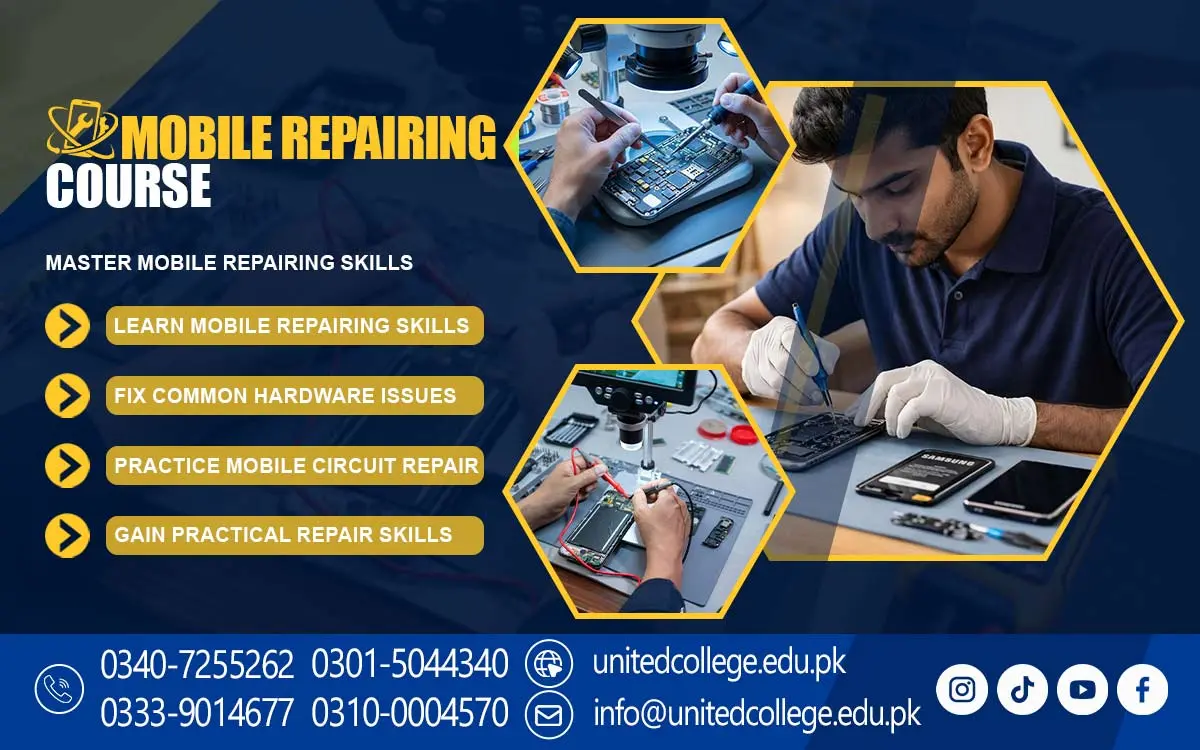

Mobile Repairing Course in Upper Dir for Phone Circuit Analysis
Understanding Smartphone Hardware Architecture
Smartphone hardware consists of different components that work together to perform essential functions. These components include the motherboard, battery, display, charging port, camera, speaker, microphone, and various sensors. Each part has a specific purpose, and a problem in one component may affect other functions of the device. Understanding the basic structure of a smartphone helps learners recognize its main parts and understand how they contribute to overall performance.
The motherboard is one of the most important parts of a smartphone because it contains electronic components and connections that support communication between different systems. The battery supplies power, while the display and touchscreen allow users to view information and interact with applications. Cameras capture images, speakers produce sound, and microphones receive audio. Learning about these functions can help students understand why different symptoms may point toward different hardware problems.
Through the Mobile Repairing Course in Upper Dir, learners can explore smartphone architecture and the relationship between individual components. They can study how technicians inspect external parts, recognize visible damage, and consider possible internal faults. Understanding hardware structure also helps students become familiar with differences between smartphone models. This basic knowledge creates a starting point for studying component testing, fault diagnosis, and mobile servicing procedures.
Exploring Circuit Board Connections and Components
A smartphone circuit board contains many small electronic components that help the device perform its functions. These may include resistors, capacitors, integrated circuits, connectors, and other parts involved in power management, signal processing, and communication. Their connections must work correctly for the phone to operate properly. Damage to a circuit, connector, or component may lead to problems such as charging failure, unexpected shutdowns, or malfunctioning features.
Students can learn about basic circuit connections and the purpose of common electronic components. They can explore how connectors link different modules to the motherboard and why delicate connections need careful inspection. Under appropriate supervision, learners may also become familiar with diagnostic tools used to examine selected electrical values and test certain connections. Accurate testing requires suitable equipment, correct procedures, and an understanding of the device being inspected.
The Mobile Repairing Course in Upper Dir can introduce students to the fundamentals of circuit board inspection and component identification. They can learn why technicians examine symptoms before attempting to work on internal circuits. Practical learning can help them understand the importance of avoiding unnecessary pressure, careless handling, or unsuitable testing methods. These foundations are useful for anyone who wants to build further knowledge of smartphone electronics and hardware troubleshooting.
Learning About Mobile Charging and Power Problems
Charging and power faults are among the common problems experienced by smartphone users. A phone may charge slowly, fail to recognize a charger, lose battery power quickly, or refuse to turn on. Such problems may be caused by a damaged cable, an unsuitable adapter, a faulty charging port, battery deterioration, or an internal power-related fault. Correctly identifying the possible cause is important before deciding which service procedure may be required.
Students can study the basic operation of smartphone batteries and charging systems. They can learn how to check charging accessories, inspect the charging port for visible damage, and recognize signs of battery deterioration. They can also explore how power-related symptoms differ from one another. For example, a phone that does not charge may have a problem with its accessories or charging connection, while a phone that shuts down unexpectedly may require a different type of inspection.
As part of the Mobile Repairing Course in Upper Dir, learners can develop an understanding of charging and power fault diagnosis. They can study why technicians follow a logical testing process instead of replacing the battery immediately. Safety is especially important when dealing with lithium-ion batteries, which should never be punctured, crushed, or exposed to excessive heat. Through appropriate instruction and practical experience, students can learn to recognize when a fault requires specialized tools or an experienced technician.
Studying Display Systems and Touchscreen Functions
The display system is an important part of every smartphone because it presents information and allows users to interact with the device. Modern phones use different display technologies, and their screens may include touch-sensitive layers that detect finger movements. Common display problems include cracked glass, black screens, flickering, unusual lines, and unresponsive touch controls. Understanding these symptoms helps learners recognize possible display-related faults.
A display problem does not always mean that the entire screen assembly needs replacement. In some cases, a loose connection, software issue, or damaged connector may contribute to the problem. Students can learn about the basic differences between display damage and touchscreen malfunction. They can also explore why technicians inspect the device's condition and test relevant functions before deciding on a suitable service method.
The Mobile Repairing Course in Upper Dir can help learners understand display systems and touchscreen operation. Students can study how display components connect with other smartphone hardware and why careful handling is necessary during inspection. They can also learn about the importance of checking screen response, brightness, image quality, and touch accuracy after servicing. These concepts provide useful preparation for further learning about smartphone display maintenance and component replacement.
Understanding Software Flashing and System Updates
Smartphone software controls many of the functions that users depend on every day. Operating system problems may cause applications to crash, devices to freeze, or certain features to stop working correctly. Software updates can introduce improvements and security fixes, while incorrect software procedures may create additional problems. Understanding basic software maintenance is therefore an important part of mobile phone troubleshooting.
Students can learn about operating system versions, application compatibility, storage management, and the purpose of system updates. They can also study software flashing as a technical procedure used in certain situations to install or reinstall compatible firmware. This process requires the correct files and procedures for the specific device model. Incorrect firmware or an interrupted process may cause the phone to become unusable, so appropriate training and preparation are essential.
Through the Mobile Repairing Course in Upper Dir, learners can explore basic software troubleshooting and understand when advanced procedures may be necessary. They can learn why important data should be backed up before performing actions that may erase information. Students can also study the importance of using suitable software tools and following reliable procedures. These skills can help them understand common software faults and approach system maintenance more responsibly.
Detecting Audio, Camera, and Connectivity Faults
Audio, camera, and connectivity features are essential parts of the smartphone experience. Users depend on speakers and microphones for calls, voice messages, and video meetings. Cameras support photography and video recording, while mobile networks, Wi-Fi, and Bluetooth enable communication and connections with other devices. Problems with these functions can affect everyday smartphone use and may result from hardware damage, incorrect settings, software errors, or connection issues.
Students can explore common symptoms such as weak speaker output, a microphone that does not capture sound, blurry camera images, or a phone that cannot connect to a network. They can learn how to perform basic checks, review relevant settings, and identify possible causes before considering more advanced testing. For example, audio problems may sometimes be related to connected accessories or blocked openings rather than damaged internal components.
The Mobile Repairing Course in Upper Dir can introduce learners to methods for recognizing and examining these different faults. Students can understand why technicians test individual functions carefully and avoid assuming that every problem requires hardware replacement. They can also learn the importance of checking whether a problem affects one feature or several features at the same time. This approach helps build stronger diagnostic habits and supports more organized mobile servicing.
Applying Safe Techniques for Component Inspection
Safety is an important part of mobile phone maintenance because smartphones contain delicate electronic components and rechargeable batteries. Incorrect handling can damage connectors, flexible cables, circuit boards, or display assemblies. Using unsuitable tools or applying excessive force may also make an existing fault worse. Learning safe inspection techniques helps students understand why careful preparation is necessary before opening or examining a device.
Learners can study the importance of using appropriate tools, maintaining a clean workspace, and following suitable procedures when inspecting smartphone components. They can explore why technicians should protect sensitive electronic parts from electrostatic discharge and handle small connectors carefully. Before any inspection, it is important to assess the device's condition and follow appropriate precautions, particularly when battery damage or moisture exposure is suspected.
Within the Mobile Repairing Course in Upper Dir, students can develop an understanding of responsible device handling and safe component inspection. They can learn why tools should be selected according to the task and why damaged batteries require special care. Proper inspection also involves keeping track of removed components and checking connections before reassembly. These practices can reduce avoidable damage and encourage a professional approach to technical work.
Exploring Future Paths in Mobile Repairing
Mobile phone servicing can provide a learning pathway for people interested in electronics and technical occupations. Smartphones are widely used in homes, educational institutions, offices, and businesses, creating a need for maintenance and troubleshooting services. People who develop suitable technical abilities may explore opportunities in mobile phone shops, electronics stores, repair centers, or other related businesses. Actual opportunities depend on practical experience, local demand, and the quality of work a technician can provide.
Technical knowledge becomes more valuable when combined with communication and customer service skills. Technicians often need to explain faults, discuss suitable service options, estimate costs, and handle customer devices responsibly. Recordkeeping, time management, and proper organization of tools and spare parts can also support efficient work. Students who understand these professional responsibilities may be better prepared to work with customers and contribute to a service business.
The Mobile Repairing Course in Upper Dir can provide a foundation for learners who want to explore this field further. After gaining practical experience, they may consider employment or gradually work toward operating their own mobile servicing business. Continued learning is important because smartphone designs, operating systems, and diagnostic methods change over time. Developing technical knowledge alongside safe working habits and customer care can support long-term professional growth.
Frequently Asked Questions (FAQs)
The course introduces smartphone hardware, circuit board connections, charging systems, display functions, software updates, audio faults, camera problems, and connectivity troubleshooting.
The motherboard connects important electronic components and supports functions such as power management, communication, and signal processing.
Technicians can inspect charging accessories, check the charging port, observe battery performance, and examine possible power-related faults using suitable diagnostic methods.
Possible causes include physical screen damage, loose connections, software errors, or faults in the touchscreen components.
Software flashing may be used to install or reinstall compatible firmware when certain software problems require this procedure. It must be performed carefully to avoid device damage or data loss.
Admission Open: Start Your Professional Journey Today!
Join United College of Technology and build a career with practical training, recognized certifications, and Gulf job support. Seats are limited.
Apply Now via WhatsAppContact Information
- Address: Rawalpindi: F-272 Main New Katarian Stop, Old IJP Road | Lahore Campus: Lahore, Pakistan
- Phone/WhatsApp: 0340-7255262 / 0333-9014677 / 0301-5044340 / 0310-0004570 / 051-8770756
- Website: unitedcollege.edu.pk
















Leave a Comment