

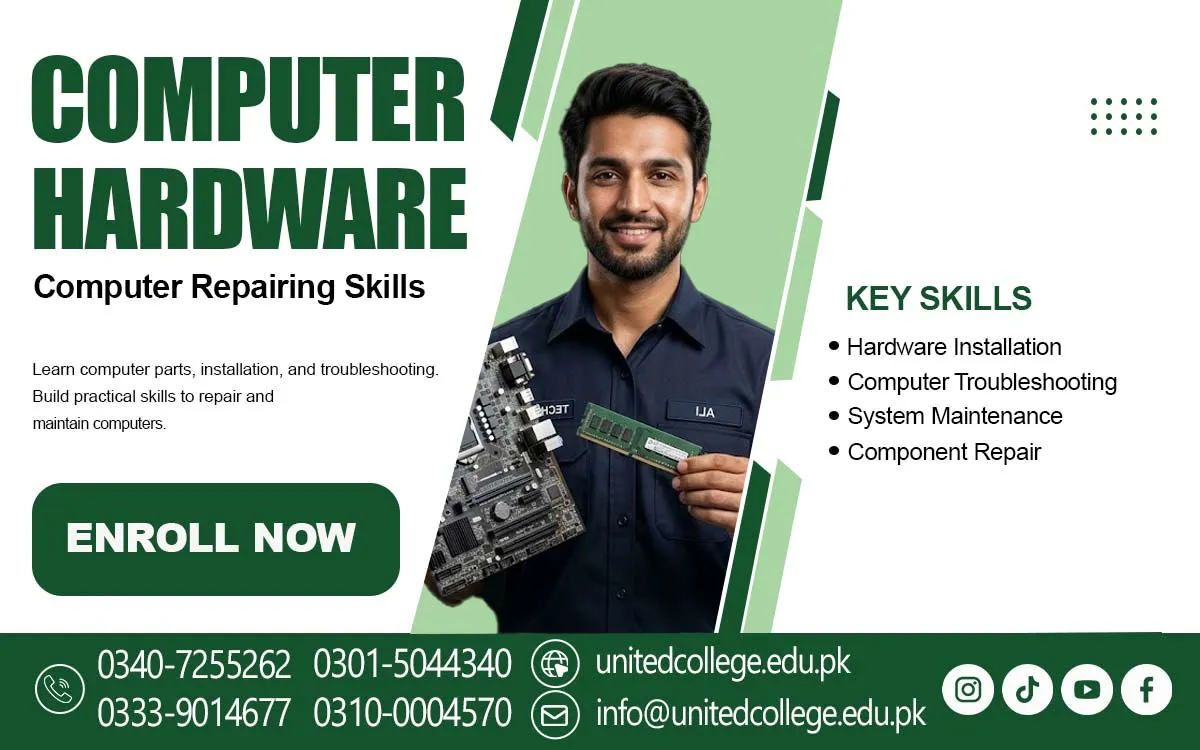

Computer Hardware Course in Batagram for Hands On Computer Learning
Explore the Technology That Keeps Computers Running
A computer may look like one simple machine, but many small parts work together to make it function. A loose connection, damaged component, or sudden power issue can stop the whole system from working properly. Understanding what happens inside a computer can help people deal with such situations more confidently. The Computer Hardware Course in Batagram offers beginners and students a way to explore the technical side of computers and learn why hardware knowledge matters.
Using a computer every day does not always mean understanding how it works. Many users know how to open programs, browse the internet, and prepare documents, but they may not recognize the parts responsible for these tasks. Learning about computer hardware helps bridge this gap and gives interested learners a clearer understanding of the devices they use at home, in schools, and in offices.
Discover the Hidden System Behind Every Computer
A computer works through the combined activity of several hardware components. These physical parts receive information, process instructions, store data, and display results. The motherboard connects the main components, while the processor carries out instructions. RAM provides temporary memory for active tasks, helping the computer manage programs while they are running.
The Computer Hardware Course in Batagram offered by United College of Technology can introduce learners to the general concepts behind these components. They can explore how hard drives and SSDs store information, how the power supply provides electricity, and how cooling systems help control heat. External devices such as monitors and keyboards also play an important role because they allow users to interact with the computer.
Recognize the Components That Shape Computer Performance
Every hardware component has a different responsibility. A processor affects how instructions are handled, while RAM supports the computer when several tasks are running. A hard drive or SSD provides storage for files, applications, and operating system data. The motherboard allows these parts to communicate, making it an important foundation of the entire system.
Learning about components also helps beginners understand why computers have different specifications. Some systems are designed for simple office tasks, while others have hardware suited to demanding applications. Knowing the basic purpose of each part can make it easier to compare computer systems and understand which components may need attention when a device does not perform as expected.
Read the Warning Signs of Common Hardware Faults
Computer problems often begin with small signs. A system may take longer to start, become unusually hot, freeze during use, or display unexpected errors. Sometimes the screen remains blank even when the computer appears to be switched on. These situations can be confusing, especially when users do not know whether the problem is related to hardware, software, or an external connection.
Understanding common faults helps learners develop a more careful way of examining a computer. They can explore possible reasons behind loose connections, power failures, overheating, and display issues. The Computer Hardware Course can help beginners become familiar with general troubleshooting ideas and understand why checking one possible cause at a time is better than making random changes.
Develop a Careful Method for Computer Repair
Computer repair begins with understanding the problem rather than immediately replacing a component. A basic troubleshooting process may involve observing the computer's behaviour, checking visible connections, and identifying which part could be responsible. Learners can explore how to inspect a system and understand the difference between a simple connection issue and a possible component fault.
This area of the Computer Hardware Course in Batagram can also introduce the idea of testing components and following suitable repair procedures. For example, if a computer does not start, it may be necessary to consider its power connection before assuming that an internal part has failed. Developing a step-by-step approach helps beginners understand technical problems more clearly and avoid unnecessary handling of equipment.
Understand the Right Way to Install and Maintain Hardware
Hardware installation involves fitting or connecting computer parts correctly. This may include understanding how memory modules, storage devices, and other components are placed inside a system. Component replacement also requires attention because different parts have different connections and compatibility needs. A suitable installation process helps the computer operate as expected and reduces the chance of avoidable damage.
Maintenance is another important area of hardware learning. Dust can collect inside computer cases, cables may become loose, and cooling areas can become blocked. Learners can understand why cleaning, proper storage, and careful component handling matter. These basic maintenance ideas are useful for people who want to keep their personal computers in better condition and understand how hardware care supports regular use.
Make Tool Selection and Safe Handling Part of the Process
Working with computer components requires suitable tools. Screwdrivers are commonly used to open cases and remove certain parts, while cleaning brushes can help remove dust from appropriate areas. Other tools may be used for checking connections or organizing cables. Beginners should understand that each tool has a purpose and that using an unsuitable tool can damage small components.
Safety should remain important throughout any maintenance task. The computer must be disconnected from its power source before internal parts are examined. Sensitive components should be handled carefully, and unnecessary force should never be used when removing or installing hardware. Following safe practices helps protect both the equipment and the person working with it.
Connect Hardware Knowledge with the Technology Used Every Day
Computers are part of many daily activities. Students use them to prepare assignments, teachers may use them for educational tasks, and offices depend on them for records and communication. Families also use desktop computers and laptops for personal activities. When users understand basic hardware, they can recognize common warning signs and explain technical issues more clearly. A Computer Hardware Training can help beginners develop practical hardware knowledge and understand the basic functions of computer components.
Hardware knowledge can also introduce learners to basic networking skills. Computers connect through cables, ports, and devices such as routers. Understanding these connections helps explain how information moves between devices and how computers access shared resources. In Batagram, this knowledge can be useful for people who want to become more familiar with the technology used in educational settings, workplaces, and homes.
Open a Learning Path for Beginners Interested in Technology
Computer hardware is not limited to people who already have technical experience. Students, fresh learners, job seekers, and people who enjoy understanding electronic devices can explore this subject. Beginners can start with simple component names and functions before moving towards topics such as installation, maintenance, and troubleshooting. A steady learning process makes technical ideas easier to understand.
People in Batagram who are interested in a Computer Repairing Course or PC Hardware Course can consider this subject as a starting point for developing their technical knowledge. It is important to approach learning with patience and realistic expectations. Understanding basic concepts first can make it easier to explore more detailed computer topics later.
Build a Strong Base for Your Next Technical Step
Basic hardware knowledge can support further learning in several related areas. Once learners understand computer components and their functions, they may find it easier to explore computer maintenance, networking, IT support, and other technical subjects. Each area introduces different concepts, but a clear understanding of computer systems provides a useful foundation for continued learning.
For anyone in Batagram who wants to understand the machines behind everyday digital activities, the Computer Hardware Course can be a meaningful subject to explore. Learning about components, common faults, installation, and safe maintenance can improve technical awareness and encourage further study. With curiosity, regular learning, and careful practice, beginners can gradually build a stronger understanding of how computers work.
Frequently Asked Questions (FAQs)
BIOS or UEFI helps a computer prepare its hardware during startup and begin loading the operating system.
Processor generations represent changes in design and technology. Newer generations may offer improvements in speed, power use, and supported features.
An expansion slot allows additional hardware, such as a graphics or network card, to be connected to a compatible motherboard.
A graphics card processes visual information and helps display images, videos, animations, and graphics on a monitor.
The case holds and protects internal components while providing space for airflow, cable arrangement, and hardware installation.
They should check motherboard compatibility, available space, power requirements, and whether the planned upgrade supports their intended use.
Admission Open: Start Your Professional Journey Today!
Join United College of Technology and build a career with practical training, recognized certifications, and Gulf job support. Seats are limited.
Apply Now via WhatsAppContact Information
- Address: Rawalpindi: F-272 Main New Katarian Stop, Old IJP Road | Lahore Campus: Lahore, Pakistan
- Phone/WhatsApp: 0340-7255262 / 0333-9014677 / 0301-5044340 / 0310-0004570 / 051-8770756
- Website: unitedcollege.edu.pk
















Leave a Comment