


Computer Hardware Course in Bannu for Developing IT Maintenance Skills
Discover the Skills Behind Reliable Computer Systems
A computer can stop working at the worst possible time. An important file may become difficult to access, an office task may get delayed, or a student may be unable to complete an assignment. These situations show how much people depend on working computer systems. The Computer Hardware Course in Bannu gives beginners a chance to understand the physical parts of computers and explore the technical knowledge behind their proper operation.
Computer hardware is more than a collection of electronic parts. Every component has a role, and the performance of the complete system depends on how these parts work together. Learning about hardware can help people understand why a computer behaves in a certain way, what may cause a fault, and why proper maintenance is important. It is a useful subject for anyone who wants to move beyond basic computer use.
Discover the Connection Between Computer Parts and System Performance
A computer needs several components to complete even a simple task. The motherboard connects the main parts, while the processor handles instructions. RAM supports active programs by holding temporary information. Storage devices keep documents, applications, and other data so users can access them later. Each component supports a different part of the computer's operation.
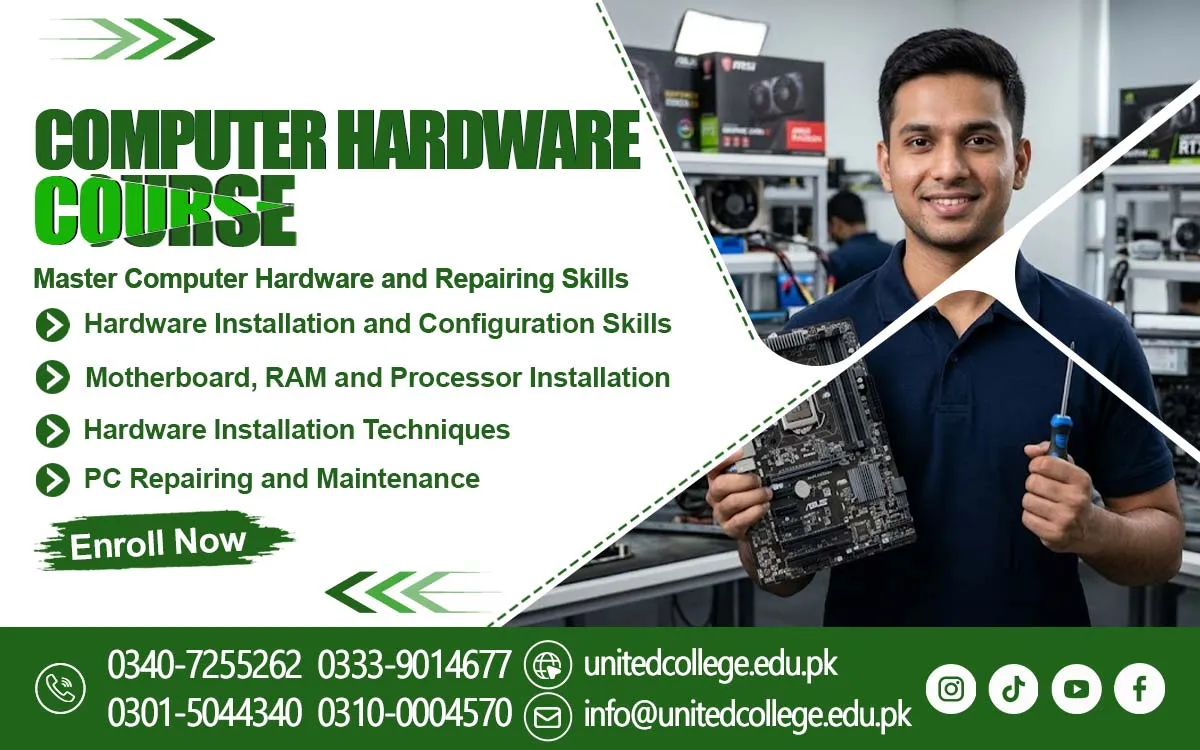
The Computer Hardware Course in Bannu offered by United College of Technology can help learners explore these basic concepts. They can understand the functions of hard drives, SSDs, power supplies, monitors, keyboards, and other computer parts. For example, a storage device keeps information, while a monitor displays the results of computer activity. Understanding these roles makes the complete system easier to study.
Recognise the Components That Give a Computer Its Identity
Computer systems may look similar from the outside, but their internal components can vary. Some computers use different processor types, memory sizes, and storage options depending on their purpose. A motherboard also has specific connections and supported features. Learning to recognize these differences can help beginners understand why computer specifications are important.
External components are equally useful to understand. A keyboard allows users to enter information, a mouse helps control the pointer, and a monitor displays visual output. Printers, speakers, and other accessories add further functions. Studying these parts helps learners become familiar with the equipment commonly used in homes, educational institutions, and workplaces across Bannu.
Develop a Logical Approach to Finding Computer Faults
A computer fault should not be judged only by what appears on the screen. A slow system may have several possible causes, while a computer that does not start may have a power or connection issue. Overheating can affect performance, and display problems may involve the monitor, cable, or another component. Understanding these possibilities is an important part of hardware learning.
The Computer Hardware Course in Bannu can introduce beginners to general Hardware Troubleshooting Skills. Learners can explore how to observe a problem, check basic connections, and consider possible causes before taking further action. This method is more useful than changing parts without understanding the fault. Careful checking also helps reduce the risk of creating additional problems.
Become Familiar with the Tools Behind Computer Inspection
Computer maintenance involves tools that help users examine and handle equipment. Different screwdrivers are used for opening computer cases and removing suitable screws. Cleaning brushes help remove dust from appropriate areas, while cable ties can keep wires arranged. Other testing tools may be used to examine specific parts or electrical connections.
Understanding a tool's purpose is important before using it. Beginners should learn to select suitable tools and handle small components carefully. Using too much force or choosing the wrong tool can damage a part. A clean and organized workspace also makes it easier to keep track of screws, cables, and other small items during maintenance.
Explore the Process of Assembling and Maintaining a Computer
Computer assembly involves placing and connecting components in their correct positions. This may include understanding how a motherboard fits into a case, how RAM is installed, and how storage devices connect with the system. Learners can also explore why hardware compatibility matters and why every connection should be checked before the computer is used.
Maintenance focuses on keeping the system in suitable condition. Dust removal, cable checking, and careful component handling are common areas of general computer maintenance learning. Disassembling a computer also requires attention because parts should be removed in a safe and organized way. These concepts help beginners understand the importance of proper handling during installation and repair.
Connect Technical Knowledge with Everyday Needs in Bannu
Computer knowledge can be useful in many everyday settings. Students use computers for assignments and research, offices depend on them for records and communication, and shops may use them for billing and other tasks. Computer shops and repair environments also deal with different devices and technical issues. Understanding hardware can help people recognize problems and discuss them more clearly.
For learners interested in Computer Hardware Training, this subject offers a way to explore the technical side of everyday devices. Basic computer maintenance knowledge can also be useful when looking after personal systems at home. In Bannu, students and fresh learners can study general hardware concepts to become more familiar with the technology used around them, without assuming that learning guarantees a particular job.
Understand How Hardware and Software Depend on Each Other
Hardware and software perform different roles, but a computer needs both to work properly. Hardware includes physical parts such as the processor, memory, and storage devices. Software includes operating systems and programs that tell the computer what tasks to perform. A problem with either side can affect the user's experience.
For example, a computer may have suitable hardware but still experience problems because of a software error. In another situation, a damaged hardware component may prevent software from working correctly. Understanding this difference helps learners avoid assuming that every computer issue requires a hardware repair. It also gives them a wider understanding of how computer systems operate.
Build a Foundation for Wider Technical Learning
Computer hardware can be a starting point for exploring other areas of information technology. Once learners understand the main components and how they work together, they may find it easier to study networking, IT support, and advanced maintenance topics. These subjects involve different skills, but basic hardware knowledge can help make their concepts easier to understand.
The Computer Hardware Course in Bannu can be considered by beginners, students, and job seekers who want to develop their understanding of computer systems. Learning about components, fault identification, assembly, and maintenance can build useful technical awareness. With patience and continued interest, learners can strengthen their knowledge and prepare themselves to explore further areas of computer technology.
Frequently Asked Questions (FAQs)
BIOS or UEFI settings help manage basic system startup options and allow users to configure certain hardware-related settings before the operating system loads.
Processor sockets are designed to support specific CPU models. Their design helps ensure that the processor fits correctly and connects with the motherboard.
Thermal paste helps transfer heat from the processor to its cooling system. It supports better heat transfer and helps prevent excessive processor temperatures.
A SATA cable connects compatible storage devices, such as certain hard drives and SSDs, to the motherboard so the computer can communicate with them.
The boot sequence determines which device the computer checks first when starting. Correct settings help the system find the device containing its operating system.
An expansion slot allows users to add compatible cards to a computer. These cards can provide extra functions, such as improved graphics, sound, or network connectivity.
Admission Open: Start Your Professional Journey Today!
Join United College of Technology and build a career with practical training, recognized certifications, and Gulf job support. Seats are limited.
Apply Now via WhatsAppContact Information
- Address: Rawalpindi: F-272 Main New Katarian Stop, Old IJP Road | Lahore Campus: Lahore, Pakistan
- Phone/WhatsApp: 0340-7255262 / 0333-9014677 / 0301-5044340 / 0310-0004570 / 051-8770756
- Website: unitedcollege.edu.pk
















Leave a Comment