


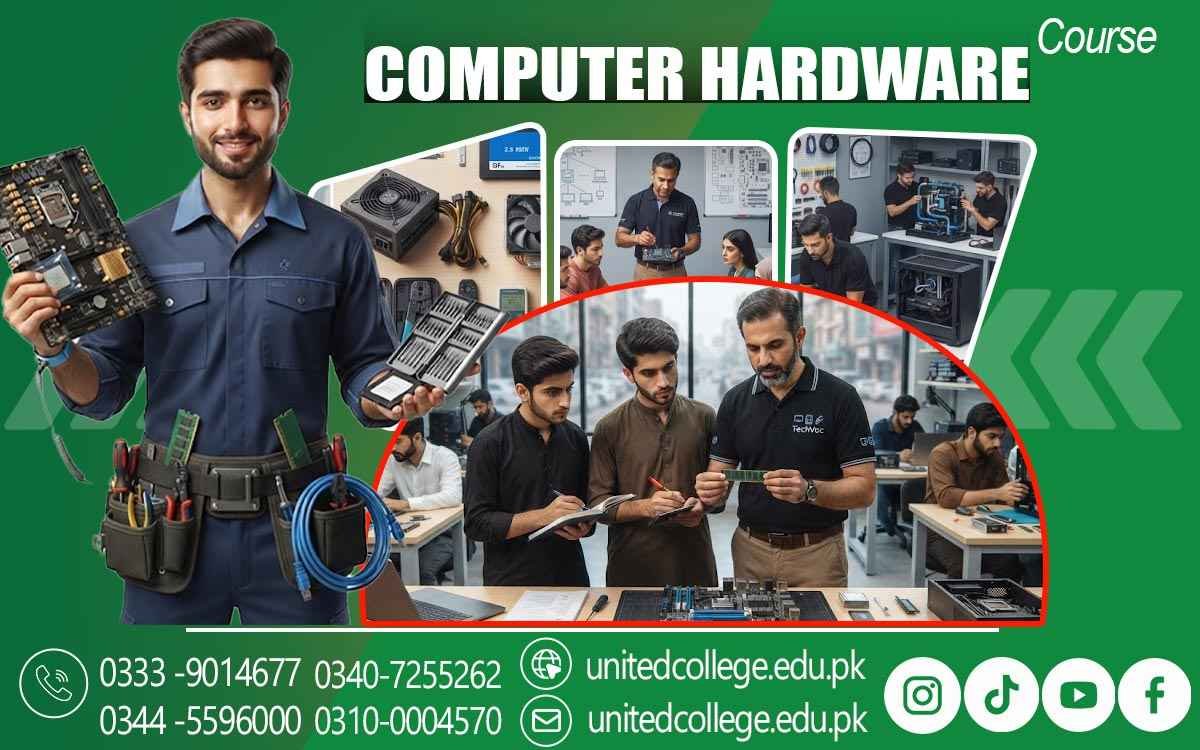

Computer Hardware Course in Khushab for a Stronger IT Foundation
Turn Computer Knowledge into Practical Technical Skills
Computers are no longer limited to large offices or specialized workplaces. They are used in homes, schools, colleges, shops, businesses, and many everyday activities. When a computer refuses to start, becomes unusually slow, overheats, or stops detecting a device, knowing how to use software alone may not be enough. Understanding the hardware gives learners a chance to look at the real source of many technical issues.
The Computer Hardware Course in Khushab introduces beginners to the physical side of computer systems and helps them understand components, installation, maintenance, upgrades, and basic repair. For students, fresh learners, diploma holders, job seekers, and people interested in technical work, this can be a practical way to develop useful computer hardware and IT skills.
Look Beyond the Screen and Discover What Makes a PC Work
A computer is made up of several components that perform different tasks while working together as one system. The motherboard connects major parts, the processor handles instructions, RAM supports active tasks, and storage devices keep files and programs. A power supply provides electricity, while cooling components help control heat. Computer Hardware Course in Khushab can help learners identify these parts and understand their basic roles without making the subject difficult.
Students can also explore input and output devices such as keyboards, mice, monitors, printers, and other peripherals. This knowledge gives beginners a clearer picture of how a complete computer operates. Once learners understand what each part does, they can begin studying installation, assembly, troubleshooting, and maintenance with greater clarity.
Learn the Language of Computer Components Through Real Hardware
Technical terms become easier when students can connect them with actual components. Learners can study the motherboard, CPU, RAM, HDD, SSD, power supply unit, cooling fans, graphics-related hardware, and other essential parts. The processor carries out instructions, RAM helps with temporary working data, while HDDs and SSDs provide storage. The motherboard provides the main connections, and the power supply delivers electrical power to the system.
Students can also learn why different components may have different specifications and why compatibility matters before installing or replacing hardware. This knowledge is useful during a Computer Repairing Course because repair work often begins with identifying the component involved. A strong understanding of hardware can help learners approach technical tasks with more awareness instead of simply guessing what a part does.
Turn Component Knowledge into Practical PC Handling
Understanding a component becomes more valuable when a learner knows how to handle it correctly. Practical activities can include opening a computer case, locating components, removing parts carefully, installing RAM or storage, and reconnecting cables. Learners can also study basic BIOS-related settings and understand why hardware checks are performed before or after installation.
After assembling a system, testing is an important step because it helps determine whether the components and connections are working as expected. PC Repairing Training can introduce these activities gradually so beginners can become familiar with the physical structure of a computer. Hands-on practice can make technical concepts easier to remember because students can see the results of each step rather than depending only on written explanations.
Follow the Signs When a Computer Starts Acting Strange
Troubleshooting is not simply about replacing the first component that seems suspicious. A computer that does not power on requires a different approach from a system that turns on but shows no display. Similarly, slow performance, storage errors, overheating, RAM problems, or unexpected shutdowns can have different possible causes.
Students can learn how loose cables, faulty components, poor airflow, or power-related issues may affect a computer. This step-by-step approach supports Computer Repairing Training because learners develop the habit of investigating a problem before deciding what action to take. The focus remains on logical checking, safe handling, and understanding the reason behind each troubleshooting step.
Discover How Upgrades Can Change The Way A PC Performs
Computer Hardware Knowledge Is Also Useful When A System Needs An Upgrade. Learners Can Explore Common Improvements Such As Adding RAM, Replacing An HDD With An SSD, Expanding Storage, Or Improving Cooling Where Appropriate. However, Upgrading Is Not Simply About Choosing The Newest Component. Students Need To Understand Compatibility, Available Connections, System Requirements, And The Existing Hardware Before Making Changes.
During Practical Training, Learners Can Study How To Identify The Current Configuration And Determine What Should Be Checked Before Installing A Replacement Or Additional Component. A Computer Hardware Course In Khushab Can Help Develop Useful Hardware Repair Skills As Well As A Better Understanding Of PC Maintenance. Learning About Upgrades Can Also Show Beginners How Hardware Decisions Can Affect System Performance Without Turning The Subject Into A Complicated Technical Exercise.
Give Your Computer the Care It Needs Between Repairs
Good hardware skills include maintenance as well as troubleshooting. Dust, blocked airflow, loose connections, excessive heat, and careless handling can create problems over time. Learners can develop Computer Maintenance Skills by studying safe cleaning practices, ventilation checks, cable organization, component handling, and basic inspection procedures. They can also become familiar with simple tools used during computer servicing and understand how to use them safely.
Regular care does not mean that every technical problem can be prevented, but it can help learners become more aware of a computer's physical condition. These skills can be useful for personal computers and in environments such as offices, educational institutions, shops, and small repair settings where computers need regular attention.
Practical Exposure Turns Technical Information into Working Skills
For beginners, practical exposure can make a major difference in how technical subjects are understood. Demonstrations, component handling, assembly exercises, testing, and troubleshooting practice allow students to connect theory with real computer systems. The Computer Hardware Course in Khushab is offered by United College of Technology, giving learners a structured direction for exploring computer hardware and related technical subjects.
Instead of focusing only on terminology, practical learning can help students understand what happens when a component is installed, removed, checked, or replaced. It can also introduce learners to wider IT Technical Skills that they may choose to explore later. The aim is to develop understanding through practice while helping fresh learners become more comfortable with common hardware tasks.
Carry Your Hardware Skills into Wider Technical Learning
Basic computer hardware knowledge can become the starting point for continued technical development. After becoming familiar with components, assembly, system setup, troubleshooting, maintenance, and upgrades, learners can continue studying advanced fault diagnosis, networking basics, system support, and changing computer technologies. Someone interested in becoming a Computer Hardware Technician can strengthen their skills through continued practice and exposure to different computer systems.
These abilities can also support personal PC maintenance and technical tasks in repair environments, offices, shops, and educational settings. Technology continues to change, so keeping up with newer hardware and learning how different systems work is an important part of long-term technical growth. A strong foundation makes it easier to understand more advanced subjects later.
Let Practical Computer Skills Shape Your Next Step
Learning computer hardware does not have to begin with advanced technical knowledge. It can start with understanding one component, learning one installation process, checking one common fault, and gradually becoming comfortable with more complex tasks. For learners in Khushab, the Computer Hardware Course in Khushab can provide a practical starting point for developing computer repair and technical knowledge.
With regular practice, careful handling, and a willingness to keep learning, students can turn basic computer interest into useful Practical Computer Skills. Whether the goal is personal computer maintenance, further technical education, or exploring computer-related work, understanding the hardware behind everyday technology can be a valuable part of that learning journey.
Frequently Asked Questions (FAQs)
Learners can be introduced to common servicing tools used for opening, installing, checking, and handling computer components safely.
Yes. Training can help beginners recognize common ports and understand how devices such as monitors, keyboards, storage devices, and other peripherals connect.
Proper grounding helps reduce the risk of static electricity affecting sensitive electronic parts during installation or servicing.
Basic training can help learners recognize that unusual sounds may provide clues about fans, storage devices, or other mechanical components that need checking.
Yes. Learners can practice inspecting connectors and cables because poor or loose connections can affect how different computer parts operate.
Yes. Basic hardware knowledge can help users handle simple maintenance tasks more carefully and understand when a technical issue may require further assistance.
Admission Open: Start Your Professional Journey Today!
Join United College of Technology and build a career with practical training, recognized certifications, and Gulf job support. Seats are limited.
Apply Now via WhatsAppContact Information
- Address: Rawalpindi: F-272 Main New Katarian Stop, Old IJP Road | Lahore Campus: Lahore, Pakistan
- Phone/WhatsApp: 0340-7255262 / 0333-9014677 / 0301-5044340 / 0310-0004570 / 051-8770756
- Website: unitedcollege.edu.pk
















Leave a Comment