


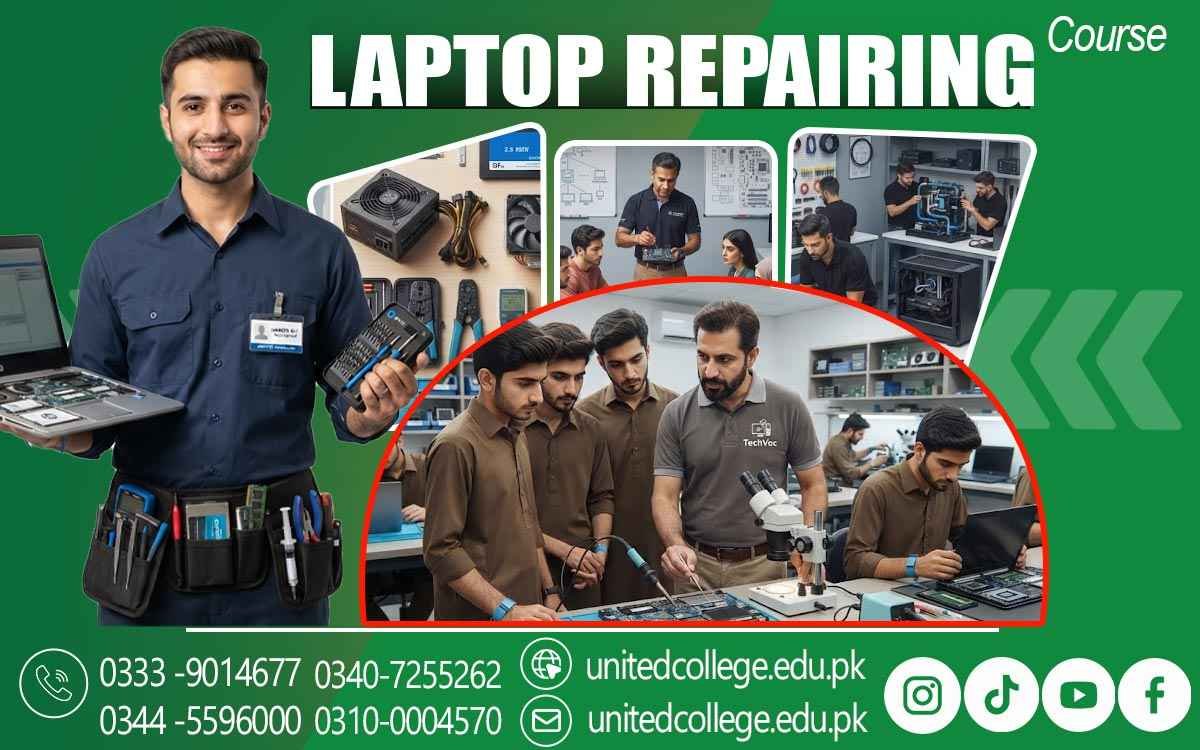

Laptop Repairing Course in Hafizabad for Hands-On Learning
Turn Technical Interest into Practical Repair Expertise
A laptop may look like one simple device from the outside, but inside it contains many connected parts that work together to perform everyday tasks. When a laptop stops charging, becomes unusually slow, overheats, shows a blank screen, or fails to start, proper technical knowledge becomes important. In Hafizabad, students, beginners, job seekers, and fresh learners who want to understand computer hardware can use practical training to develop useful repair skills.
The Laptop Repairing Course in Hafizabad introduces learners to the internal structure of laptops, common hardware problems, software-related issues, and basic troubleshooting methods. The course offered by United College of Technology can provide a learning environment where students explore laptop components and practice technical procedures. Instead of depending only on theory, learners can gradually understand how technicians examine faults, handle components carefully, and approach repair tasks with patience and logical thinking.
Hafizabad’s Growing Digital Routine Creates Space for Technical Learning
Laptops are now used for education, office tasks, communication, online work, business activities, and many other daily needs. Regular use also means that devices can develop problems over time. A damaged charging port, weak battery, faulty keyboard, storage problem, heating issue, or operating system error can affect normal performance. This creates a practical need for people who understand how laptops work and how technical problems can be investigated.
The Laptop Repairing Course in Hafizabad is relevant for learners who want to move beyond simply using computers and start understanding their internal systems. Students can develop basic knowledge of laptop hardware, repair procedures, maintenance practices, and troubleshooting techniques. This learning can also help beginners become more comfortable with technical equipment and develop a careful approach toward diagnosing problems rather than replacing parts without proper inspection.
From RAM to the Motherboard: Understanding What Makes a Laptop Work
Effective laptop repair starts with recognizing the components inside the machine. A beginner needs to understand the purpose of parts such as RAM, SSD, hard drive, processor, cooling fan, battery, display, keyboard, touchpad, motherboard, speakers, and power-related components. During laptop repair training, learners can explore how these parts are positioned and how they contribute to overall system performance.
Laptop Hardware Components become easier to understand when students connect technical concepts with actual devices. RAM, for example, affects how a system handles active tasks, while storage components hold operating system files and personal data. The motherboard connects many important systems. Learning these relationships gives beginners a stronger foundation for Laptop Hardware Repair and makes later troubleshooting exercises easier to understand.
Careful Disassembly Builds the Discipline Behind Professional Repair Work
Opening a laptop requires more than simply removing screws. Modern laptops contain small connectors, delicate cables, compact components, and parts that can be damaged through careless handling. Learners need to develop the habit of organizing screws, identifying connectors, protecting components, and remembering the correct order of assembly. Practical Laptop Repairing Training in Hafizabad can introduce students to safe disassembly and reassembly procedures so they can understand how technicians work with compact hardware.
Learners may practice identifying internal parts, disconnecting components carefully, cleaning accessible areas, and putting the device back together correctly. This kind of practice develops patience and hand control. It also teaches an important lesson in technical work: a successful repair is not only about finding the faulty part but also about protecting everything else while repairing.
Charging, Display, Keyboard and Battery Faults Need a Logical Approach
Some laptop problems appear simple but can have different causes. A laptop that does not turn on might have a battery issue, charger problem, power connection fault, or another hardware-related cause. Similarly, a dark display may involve the screen, display connection, graphics-related hardware, or software settings. Keyboard and touchpad problems can also require careful checking before identifying the actual source.
Through Laptop Fault Diagnosis, learners can become familiar with the idea of starting with symptoms and then checking possible causes step by step. The Laptop Repairing Course in Hafizabad can help beginners understand how technicians observe a device, gather clues, perform basic checks, and narrow down the possible fault.
Software Setup Completes the Picture Beyond Physical Hardware
Laptop repair is not limited to opening the machine and examining its physical components. Operating systems, drivers, startup settings, software conflicts, and storage-related errors can also affect laptop performance. Learners may study basic operating system installation and setup while developing an understanding of common Laptop Software Troubleshooting situations. They can explore how drivers allow hardware components to communicate with the operating system and how incorrect or missing software settings may create performance issues.
Basic software knowledge is especially useful when a laptop appears physically normal but still experiences errors, slow startup, missing device functions, or system instability. Combining software awareness with hardware knowledge gives students a broader view of Computer and laptop repair and helps them understand that effective troubleshooting often requires checking both sides of the device.
Hands-On Troubleshooting Turns Technical Concepts into Real Skills
Reading about laptop components is useful, but practical work gives technical knowledge a different level of meaning. In a workshop-based learning environment, students can handle tools, inspect components, follow repair procedures, and observe how different faults are approached. The training offered by United College of Technology can help learners connect classroom concepts with practical laptop servicing activities.
Practical exercises may involve checking RAM and storage, examining cooling systems, understanding charging-related issues, and working through basic hardware troubleshooting situations. Repeated practice can also improve observation, patience, accuracy, and confidence when handling technical equipment. These skills are valuable for beginners because laptop repair often requires careful attention to small details.
Maintenance Knowledge Helps Prevent Small Laptop Problems from Becoming Bigger
Repairing a device is only one part of technical knowledge. Good maintenance habits can also help users understand how laptops should be handled and cared for. Dust accumulation around cooling areas, blocked ventilation, improper charging practices, unnecessary software clutter, and careless physical handling can contribute to performance or reliability problems.
Overheating is another important area because excessive heat can affect performance and place stress on internal components. Students can learn to recognize signs such as unusual fan noise, excessive temperature, sudden slowdowns, or unexpected shutdowns. This knowledge gives learners a broader understanding of preventive care and supports better technical decision-making when servicing laptops.
Turning Laptop Repair Knowledge into a Stronger Technical Foundation
Learning laptop repair can be the beginning of a wider technical journey. Once beginners understand basic components, fault diagnosis, software setup, and safe repair practices, they can continue exploring more advanced areas of computer hardware and technical support. The Laptop Repairing Course in Hafizabad can be useful for students and fresh learners who want practical exposure before deciding how they would like to use their skills.
The important part is developing a solid technical foundation through practice and continued learning. With the support of structured training from United College of Technology, learners can explore Laptop Technician Skills, improve their troubleshooting approach, and become more familiar with the practical side of computer servicing. For someone in Hafizabad who enjoys working with technology, learning how laptops function and how their problems can be approached can open the door to many further areas of technical learning.
Frequently Asked Questions (FAQs)
Laptop servicing involves small precision tools used for opening devices, handling tiny components, checking connections, and carrying out basic repair procedures carefully.
Yes. Training can introduce different reasons behind slow performance, including storage conditions, insufficient memory, software issues, background processes, and maintenance-related factors. 3. What role does observ
Observation helps technicians notice unusual sounds, physical damage, heat, startup behavior, screen changes, and other clues before deciding which technical checks should be performed.
Practical training encourages learners to work with greater care around sensitive components, connectors, circuits, cables, and other small parts found inside modern laptops.
Yes. Loose, damaged, or improperly connected cables and connectors can affect device operation, so learners can study how connections are identified and inspected during troubleshooting.
They can continue practicing on suitable devices, review technical information, study newer laptop designs, and gradually work on more varied troubleshooting situations as their knowledge grows.
Admission Open: Start Your Professional Journey Today!
Join United College of Technology and build a career with practical training, recognized certifications, and Gulf job support. Seats are limited.
Apply Now via WhatsAppContact Information
- Address: Rawalpindi: F-272 Main New Katarian Stop, Old IJP Road | Lahore Campus: Lahore, Pakistan
- Phone/WhatsApp: 0340-7255262 / 0333-9014677 / 0301-5044340 / 0310-0004570 / 051-8770756
- Website: unitedcollege.edu.pk
















Leave a Comment