


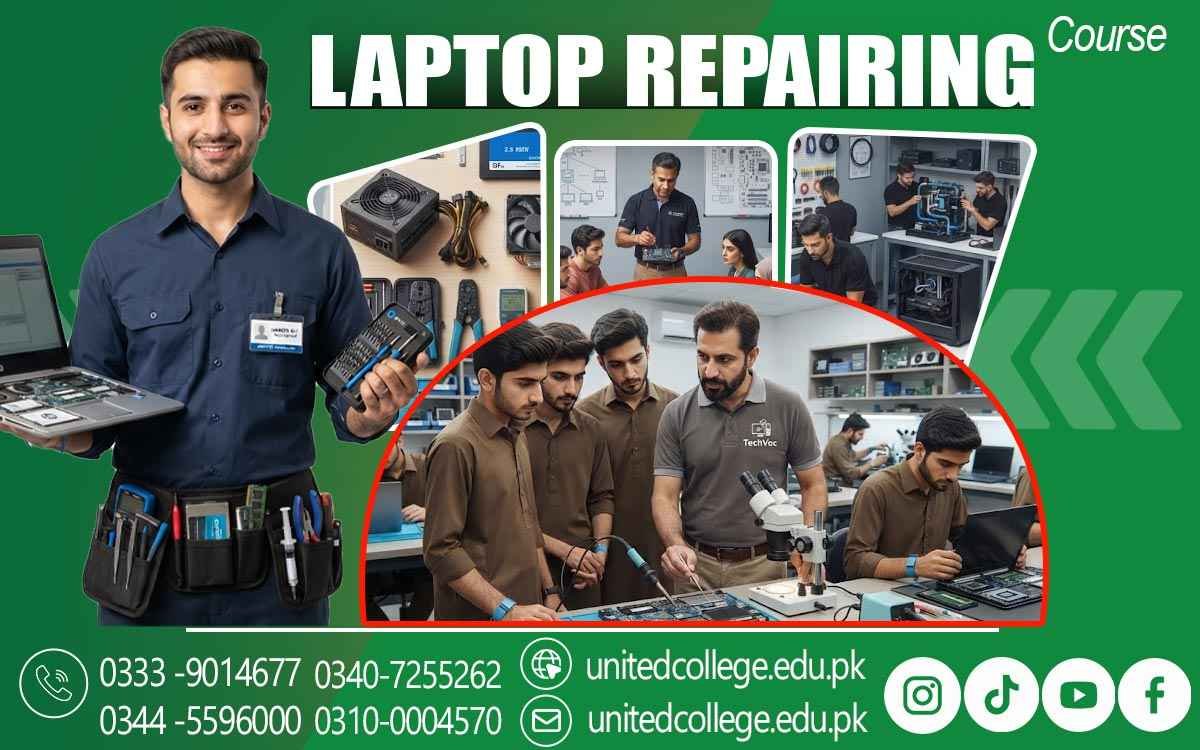

Laptop Repairing Course in Narowal – Learn Modern Repair Skills
When Your Laptop Stops Working, Knowing the Cause Matters
A laptop can suddenly stop charging just before an important task, become unusually hot after a short period of use, show a black screen, run painfully slowly, or refuse to turn on at all. For many users, the first reaction is simply to take it to a repair shop without knowing what might be wrong. But when you understand how a laptop works, even a confusing fault can become a problem that can be examined step by step. This is where practical technical knowledge becomes valuable.
A Laptop Repairing Course in Narowal can introduce learners to laptop hardware components, troubleshooting methods, maintenance, software setup, safe repair practices, and hands-on fault-finding. For students, beginners, computer enthusiasts, and people interested in developing a technical skill, learning laptop repair can provide a practical way to understand the devices they use every day.
Why Laptop Repair Skills Matter in Everyday Computer Use
Laptops are used for study, office work, communication, online activities, business tasks, and many other everyday needs, so even a small technical problem can become frustrating. A laptop that does not charge may have an issue related to the charger, charging port, battery, or internal power circuit, while a system that becomes slow may involve storage, RAM, software, overheating, or several factors at the same time. Learning laptop repair skills helps students understand that these symptoms should be investigated rather than treated through guesswork. A laptop repair course can introduce learners to a systematic approach in which they first observe the problem, ask relevant questions, inspect the device, and then test possible causes.
This approach can be useful for people in Narowal who want to understand computer and laptop repair for personal use or technical work. Instead of learning only how to replace a part, students can learn why a component may cause a particular symptom and how other parts of the system can affect its performance. This practical understanding can make routine maintenance, hardware troubleshooting, and basic diagnostics easier to approach.
What Learners Can Expect From Laptop Repair Training in Narowal
A structured laptop repair course in Narowal can cover both hardware and software areas because modern laptop problems are not always caused by physical components. Learners can begin by identifying laptop hardware components and understanding their functions before moving toward disassembly, inspection, replacement, testing, and troubleshooting. Practical training may include working with RAM, storage drives, batteries, keyboards, screens, cooling components, charging connections, and other parts that can require inspection or replacement. Students can also learn operating system installation, Windows installation, device drivers, and basic software troubleshooting. The purpose of this training is not simply to memorize repair steps but to understand how a technician approaches a problem.
For example, if a laptop fails to start, a learner needs to consider power, battery, charger, internal connections, display, motherboard, and other possible causes rather than immediately assuming that one particular component has failed. United College of Technology offers the Laptop Repairing Course in Narowal for learners who want to develop this type of practical knowledge through structured learning. As students move through different repair exercises, they can gradually become more familiar with the tools, components, and diagnostic methods used in everyday laptop servicing.
Understanding Laptop Hardware Components Before Repairing Them
A technician cannot repair a component effectively without first understanding what that component does. Laptop hardware is designed differently from desktop hardware because many parts are compact and closely arranged inside a relatively small body. Learners can study important components such as the motherboard, processor, RAM, storage drive, battery, cooling fan, display, keyboard, touchpad, speakers, wireless hardware, ports, and charging circuits. The motherboard is the main circuit board that connects many of these components, while the processor handles instructions and calculations. RAM provides temporary working memory, and storage devices keep files and the operating system. Students can learn about traditional hard drives as well as SSDs and understand why an SSD upgrade can change storage performance without changing the entire laptop.
They can also examine how batteries supply power when the laptop is not connected to an electrical outlet and how charging systems replenish that battery. Understanding each part makes laptop diagnostics more meaningful because learners can connect a symptom with possible hardware causes. For example, a damaged screen may produce display problems, while a faulty keyboard may affect only specific keys. A laptop technician course can therefore build knowledge from component identification toward practical diagnosis and repair.
Practicing Laptop Disassembly, Assembly, and Safe Handling
Opening a laptop requires more care than simply removing a few screws because internal components are compact, cables can be delicate, and different models may use different layouts. During a practical laptop repair course, learners can be introduced to safe disassembly methods and learn how to organize screws, identify connectors, disconnect the battery when appropriate, and remove components carefully. They can practice accessing RAM or storage, inspecting cooling systems, checking cables, and reassembling the device correctly. Safe handling is an important part of this process because forcing a connector, damaging a cable, or using an unsuitable tool can create additional problems.
Students can learn to work on a clean surface, keep track of removed parts, use suitable laptop repair tools, and avoid unnecessary pressure on delicate components. They can also learn why power should be properly disconnected before working on internal hardware and why static electricity precautions may be necessary when handling electronic parts. With repeated hands-on exercises, learners can become more comfortable with the internal structure of different laptops. The aim is not simply to take a laptop apart but to understand what is being removed, why it needs to be removed, how it should be handled, and how to return the system to working condition safely.
Diagnosing Common Laptop Hardware Problems Step by Step
One of the most important skills in laptop repair is learning how to identify the possible cause of a problem without replacing parts unnecessarily. Laptop troubleshooting can involve symptoms such as failure to power on, a black screen, unexpected shutdowns, slow performance, overheating, charging problems, battery issues, missing storage, keyboard faults, or malfunctioning ports. A single symptom can have several possible causes, which means proper diagnosis requires careful checking. For instance, if a laptop does not turn on, the technician may need to examine the charger, charging connection, battery, power-related components, and motherboard before deciding what needs attention. If a laptop powers on but produces no visible display, the screen, display cable, graphics-related hardware, memory, or other components may need to be considered.
Through hardware troubleshooting exercises, learners can practice observing symptoms, checking obvious causes first, testing connections, and narrowing down the possibilities. Laptop diagnostics is therefore more about logical problem-solving than simply replacing components. Students can also learn the importance of recording what they observe before making changes. This helps prevent confusion and makes it easier to understand whether a repair has actually solved the original problem. Developing this method can gradually strengthen laptop technician skills and make repair work more organized.
Working With Motherboards, RAM, Storage, Screens, and Batteries
Laptop hardware repair often involves components that can be inspected, replaced, or tested depending on the model and the nature of the fault. RAM and storage replacement are common examples of upgrade or repair work. Learners can study how to identify compatible RAM, remove an existing module, install another module correctly, and check whether the system recognizes it. SSD installation can similarly involve selecting a suitable drive, installing it properly, and preparing the operating system or storage environment afterward. Students can also learn about laptop screen replacement, keyboard repair, battery replacement, and other component-level tasks.
More advanced training may introduce motherboard components and basic laptop motherboard repair concepts, helping learners understand that the motherboard contains numerous small circuits, connectors, chips, and power-related sections. However, motherboard-level repair requires greater precision and should not be treated as the same task as replacing RAM or an SSD. Learners need to understand the difference between replacing a removable component and diagnosing a fault on the main circuit board. By studying these areas gradually, students can develop a clearer idea of which problems may be suitable for basic repair and which require more specialized tools, knowledge, or experience. This distinction is an important part of responsible laptop repair training.
Solving Charging, Power, Battery, and Overheating Issues
Power-related problems are among the most common reasons a laptop may suddenly become unusable. A device might fail to charge, show that it is plugged in but not charging, lose battery power unusually quickly, shut down unexpectedly, or refuse to turn on. During a laptop technician course, learners can study the possible causes of these symptoms and understand the difference between an external charger issue, battery problem, charging-port fault, and deeper internal power problem. Safe testing methods are especially important when dealing with electrical components. Overheating is another area that deserves attention because laptops have limited internal space for moving and removing heat.
Dust buildup, blocked vents, a malfunctioning fan, dried thermal material, or heavy system activity can contribute to high temperatures, although the exact cause needs to be checked rather than assumed. Learners can study cooling components, inspect vents and fans, and understand why proper airflow matters. They can also learn basic laptop maintenance practices that help keep the system clean and reduce avoidable issues. These lessons show why repair work is not always about fixing something after it fails. Preventive maintenance and early inspection can also help users recognize warning signs before a minor issue becomes more difficult to investigate.
Using Software Troubleshooting, Windows Installation, and Drivers
Laptop repair is not limited to opening the device and replacing physical components. Many problems are connected with the operating system, drivers, settings, or installed software, which is why a complete repair approach includes basic software troubleshooting. Learners can study Windows installation and understand the general process of preparing a laptop for a fresh operating system setup. They can also learn how device drivers allow Windows to communicate with hardware such as sound devices, graphics hardware, network adapters, touchpads, and other components. If a device is physically connected but does not function correctly, checking the driver or system configuration can sometimes be an important diagnostic step.
Students can also become familiar with common software-related symptoms, such as startup problems, missing device functionality, system errors, or unusual performance after a change. Understanding the difference between a software fault and a hardware fault can prevent unnecessary component replacement. For example, a non-working sound device does not automatically mean that the physical sound hardware is damaged. The driver, operating system settings, or another software issue may need to be checked first. Combining laptop software troubleshooting with hardware knowledge gives learners a broader understanding of computer and laptop repair and helps them approach technical problems more systematically.
Developing Practical Laptop Repair Skills Through Hands-On Training
The strongest part of technical learning is often the opportunity to practice what has been studied. A learner may understand the purpose of a battery, SSD, motherboard, or cooling fan from theory, but handling the actual component provides a different kind of understanding. Hands-on technical training can allow students to practice disassembly, component identification, cleaning, replacement, installation, Windows setup, driver checking, and fault-finding under guidance. At United College of Technology, the Laptop Repairing Course in Narowal can serve as a structured learning option for people who want to build practical laptop repair skills and understand common servicing tasks. Learners can gradually develop familiarity with laptop repair tools and diagnostic methods while working through different types of technical problems. These skills may be useful for personal computer servicing, maintenance work, repair-shop environments, or other technical settings where laptops need inspection and support.
However, practical ability develops over time. Completing a course does not automatically make someone an expert technician, because real improvement comes through repeated practice, exposure to different laptop models, careful troubleshooting, and continued learning. Technology also changes, so learners who want to remain capable in this field can continue studying newer hardware, storage technologies, operating systems, diagnostic tools, and repair techniques. For someone in Narowal who enjoys understanding how laptops work and wants to develop a practical technical skill, structured laptop repair training can provide a useful starting point for building knowledge through consistent practice.
Frequently Asked Questions (FAQs)
A Laptop Repairing Course in Narowal teaches learners how to understand laptop hardware, identify common faults, perform basic repairs, replace components, troubleshoot software issues, and maintain laptops safely.
Learners can study laptop hardware components, motherboard parts, RAM, storage drives, batteries, keyboards, screens, charging systems, cooling, Windows installation, drivers, troubleshooting, and preventive maintenance.
Yes. Beginners can start by learning the purpose of different laptop components and gradually move toward disassembly, installation, troubleshooting, and practical repair exercises.
Yes. Training can cover practical areas such as RAM and storage replacement, SSD installation, keyboard and screen-related issues, battery problems, charging faults, cooling concerns, and basic hardware diagnostics.
Learners can be introduced to motherboard components and basic motherboard troubleshooting. More advanced motherboard-level repair requires additional practice, specialized tools, and technical experience.
Admission Open: Start Your Professional Journey Today!
Join United College of Technology and build a career with practical training, recognized certifications, and Gulf job support. Seats are limited.
Apply Now via WhatsAppContact Information
- Address: Rawalpindi: F-272 Main New Katarian Stop, Old IJP Road | Lahore Campus: Lahore, Pakistan
- Phone/WhatsApp: 0340-7255262 / 0333-9014677 / 0301-5044340 / 0310-0004570 / 051-8770756
- Website: unitedcollege.edu.pk
















Leave a Comment