



Laptop Repairing Course in Sadiqabad – Learn Repair Skills Today
When a Laptop Suddenly Becomes a Problem
A laptop can become a serious headache at the worst possible moment. It may refuse to turn on before an important task, stop charging even when the adapter is connected, become unusually slow, show a blank display, overheat during normal use, or suddenly shut down without warning. For students, office workers, shop owners, and everyday computer users in Sadiqabad, these problems can interrupt study, communication, business work, and routine activities. The good thing is that many laptop faults can be understood through proper observation, testing, and practical knowledge instead of simply guessing what went wrong.
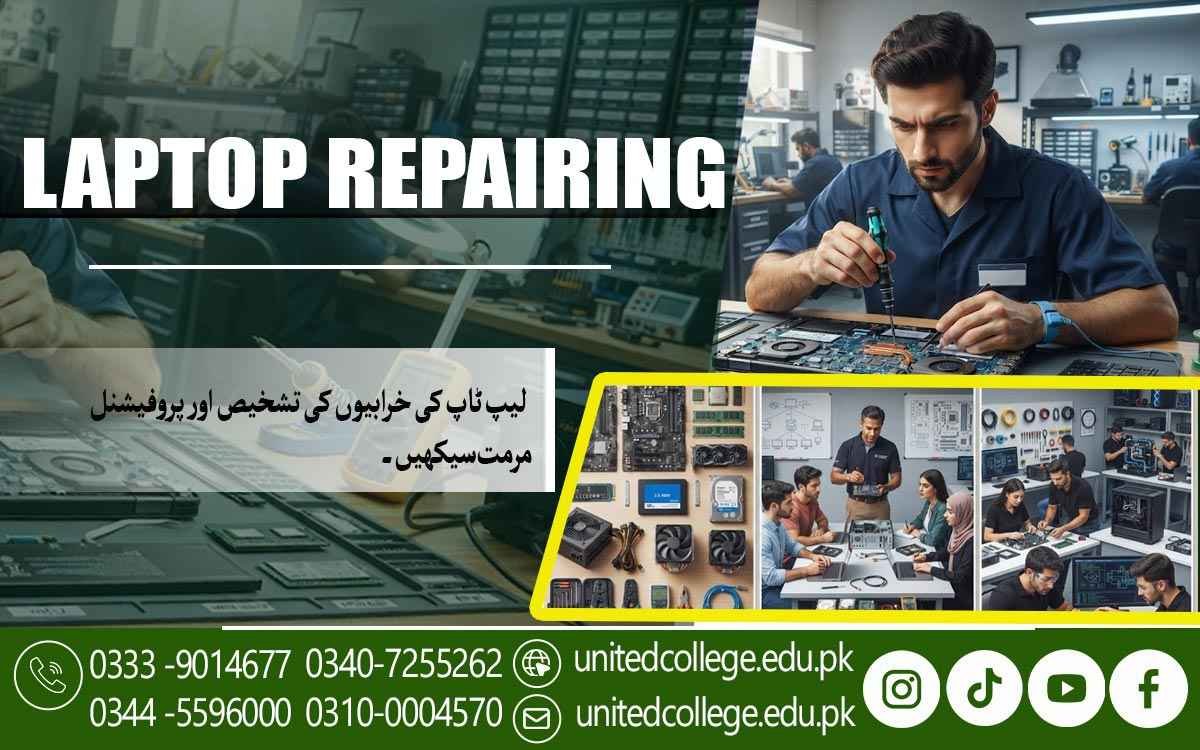
This is where learning laptop repair skills becomes useful. A Laptop Repairing Course in Sadiqabad can introduce learners to the hardware, software, tools, and troubleshooting methods used to understand common laptop problems. Rather than learning only through theory, students can gradually understand how different components work together, how faults are identified, and why careful handling matters during repair work. For beginners who enjoy working with computers, this type of practical learning can turn everyday laptop problems into opportunities to develop useful technical knowledge.
Learning What Is Hidden Inside a Laptop
Before attempting any repair, a learner needs to understand what is actually inside a laptop and what role each component performs. A laptop may look like one compact machine from the outside, but internally it contains several connected parts, including the motherboard, processor, RAM, storage drive, battery, cooling system, display assembly, keyboard, touchpad, speakers, wireless components, charging circuit, and various connectors. Through a laptop repair course, learners can study these laptop components and understand why a problem in one area may affect another part of the system.
Students can also learn how different laptop models may have different layouts and component arrangements, which makes careful identification important before opening a device. In Sadiqabad, where laptops are used by students, offices, educational institutions, shops, and small businesses, understanding these internal components can provide a practical foundation for troubleshooting. Instead of treating every fault as the same problem, learners begin to observe symptoms, identify possible causes, and select an appropriate method for checking the machine.
Finding Hardware Faults Through Careful Troubleshooting
Laptop hardware repair is not simply about replacing a part whenever something stops working. A good repair process begins with fault diagnosis, observation, and testing. Learners can study how to approach common laptop hardware problems such as power issues, battery problems, charging faults, faulty keyboards, touchpad issues, damaged ports, display problems, and unexpected shutdowns. Motherboard troubleshooting can also be introduced by helping students understand visible signs of damage, connectors, power-related sections, and the importance of systematic checking. If a laptop does not turn on, for example, a technician should not immediately assume that the motherboard is damaged.
The adapter, charging connection, battery, power button, and other relevant areas may need to be checked first. Similarly, a laptop that switches off unexpectedly may have a battery, overheating, power, or hardware-related issue that requires proper investigation. This step-by-step approach is an important part of practical laptop repair training because it teaches learners to look for evidence rather than make random changes. Students can become familiar with common fault patterns while also learning that different symptoms can sometimes have similar causes. Such careful troubleshooting can be especially useful for beginners in Sadiqabad who want to develop laptop technician training skills without relying entirely on guesswork.
Working With Charging, Battery, and Power Problems
Few laptop problems are more frustrating than connecting a charger and discovering that the battery is not charging. Charging problems can result from different causes, including an unsuitable adapter, a damaged charging port, battery condition, connector issues, or faults within the laptop's power-related circuitry. A practical laptop repair course can help learners understand how to inspect these situations in an organized way and distinguish between simple connection problems and faults that require deeper technical attention. Battery problems can also appear in different forms. A battery may drain quickly, fail to hold a charge, stop being detected, or cause the laptop to shut down when external power is removed.
Learners can study safe testing practices and understand why batteries and electrical components should be handled carefully. Power issues also require patience because repeatedly switching a faulty device on without understanding the problem may not solve anything. Students can learn how to inspect the adapter and charging path, check relevant connections, observe indicators, and follow a logical diagnostic sequence. This practical understanding allows learners to approach power and charging faults with greater clarity while developing the careful habits needed for laptop hardware repair.
Replacing RAM, SSDs, and Other Storage Components
Performance problems often make users think that their entire laptop has become outdated or damaged, but sometimes the issue is connected to RAM or storage. RAM helps a computer handle active tasks, while an SSD or hard drive stores the operating system, applications, and files. In a laptop repair course, learners can study RAM installation, SSD installation, hard drive replacement, and the basic differences between common storage technologies. They can also learn how to identify compatible components and why compatibility should be checked before installing a replacement part. For example, not every RAM module or storage drive will be suitable for every laptop model.
A repair technician needs to understand specifications, connectors, physical size, and system support before replacing hardware. Students can also learn how to handle components carefully and avoid unnecessary pressure or damage during installation. In Sadiqabad, students and office users may rely on laptops for assignments, documents, online work, and business activities, making storage and performance-related knowledge practically relevant. Learning how to inspect slow performance, storage errors, upgrade requirements, and related hardware can help beginners develop a more complete understanding of laptop troubleshooting rather than focusing only on visible physical damage.
Fixing Screens, Keyboards, Touchpads, and Ports
A cracked screen, unresponsive keyboard, faulty touchpad, or damaged USB port can make an otherwise working laptop difficult to use. These problems require a different type of practical attention because the affected components are often connected through delicate cables, connectors, hinges, or small internal parts. A Laptop Repairing Course in Sadiqabad can introduce learners to common procedures related to laptop screen replacement, keyboard repair, touchpad inspection, and port-related troubleshooting. Screen problems may involve a damaged panel, display cable, connector, or another related component, so learners need to understand how to identify the likely source before replacing anything.
Keyboard faults can range from individual keys not responding to larger connection problems, while touchpad issues may involve hardware, cable, or software-related causes. Ports also need careful inspection because loose connections, physical damage, or internal faults can affect charging, USB devices, headphones, or external displays. During practical work, students can learn why laptops should be opened carefully and why screws, cables, clips, and small parts should be organized rather than handled casually. These repair tasks can help learners build confidence with physical laptop components while developing the patience required for detailed technical work.
Understanding Windows, Drivers, and BIOS-Related Issues
Not every laptop problem requires opening the machine. Some faults are caused by software, incorrect settings, missing drivers, corrupted files, or operating system problems. This is why laptop software troubleshooting is an important part of technical learning. Students can study operating system installation, Windows troubleshooting, driver installation, basic system settings, and BIOS settings in a practical context. BIOS is the built-in system software that helps a computer start and recognize important hardware before the operating system loads, so understanding its basic role can help learners investigate certain startup and hardware-recognition issues.
A laptop may have a perfectly functional screen, RAM, or storage drive but still fail to operate normally because of software configuration or driver problems. Learners can practice identifying symptoms and deciding whether a fault appears to be hardware-related or software-related before taking further action. They can also learn about system updates, device drivers, boot-related problems, and common Windows issues in a controlled learning environment. For beginners in Sadiqabad, this combination of hardware and software knowledge is useful because real laptop troubleshooting often requires looking at the complete system rather than treating hardware and software as completely separate areas.
Controlling Overheating Through Cleaning and Maintenance
A laptop that becomes unusually hot, produces excessive fan noise, slows down during demanding tasks, or shuts down unexpectedly may be experiencing a cooling or maintenance problem. Overheating is not something a technician should simply ignore because excessive heat can affect system stability and may place additional stress on internal components. During laptop repair training, learners can study the role of cooling fans, air vents, heat-transfer components, and proper airflow while also learning safe cleaning practices. Dust can collect around ventilation areas and cooling components, reducing the system's ability to move heat away from important parts.
However, cleaning a laptop requires care because internal components and connectors can be delicate. Learners can understand how to inspect the cooling system, identify signs of overheating, clean appropriate areas safely, and recognize situations where a deeper inspection may be necessary. Laptop maintenance also includes sensible handling, keeping vents unobstructed, checking system behavior, and paying attention to unusual sounds or temperature changes. For laptop users in Sadiqabad, these habits can be useful because regular maintenance may help them notice developing problems before they become more disruptive.
Building Practical Skills With Tools and Step-by-Step Repair Methods
Knowing what a laptop component does is only one part of becoming comfortable with repair work; learners also need to understand how tools are used and how a repair should be approached safely. Laptop repair tools may include precision screwdrivers, testing equipment, cleaning tools, pry tools, measuring devices, and other equipment used for inspection and maintenance. Students can learn why the correct tool should be selected for a particular task and why forcing a screw, connector, cable, or cover can create additional damage. Practical laptop repair training can also introduce a step-by-step method: first listen to the user's description of the problem, then inspect the laptop, identify symptoms, consider possible causes, perform suitable checks, and only then decide whether a component needs adjustment, repair, or replacement.
Accuracy is especially important because a small mistake can damage a connector or make a simple problem more complicated. Patience matters too, particularly when dealing with tiny screws, delicate cables, or faults that do not have an obvious cause. United College of Technology offers this course as a learning environment where students can develop laptop repair knowledge alongside practical technical skills. For learners in Sadiqabad, this kind of structured approach can make technical learning easier to understand because they can connect concepts with real repair situations instead of memorizing information without knowing how it is applied.
Developing Confidence Through Real Laptop Troubleshooting
The most useful part of learning laptop repair is gradually becoming able to approach an unfamiliar problem without immediately feeling lost. A laptop may present a familiar symptom but have a different underlying cause, which is why systematic troubleshooting is more valuable than memorizing a fixed solution for every fault. Through a Laptop Repairing Course in Sadiqabad, learners can bring together knowledge of laptop components, motherboard troubleshooting, charging and battery problems, RAM and SSD installation, screen and keyboard replacement, Windows troubleshooting, BIOS settings, overheating, maintenance, and repair tools.
This is particularly relevant for beginners, computer enthusiasts, students, and people interested in developing computer and laptop technician skills in Sadiqabad. The learning process can also encourage useful habits such as documenting observations, keeping components organized, checking work carefully, and avoiding unnecessary replacements. Laptop repair is a field where every device can present a slightly different challenge, so continued practice and careful observation remain important. By learning how to think through faults step by step, students can develop a stronger technical foundation and become more comfortable understanding the laptops they use, study, maintain, or work with in everyday situations.
Frequently Asked Questions (FAQs)
Students can learn laptop hardware components, troubleshooting, charging and battery problems, motherboard issues, screen and keyboard repair, storage upgrades, Windows troubleshooting, BIOS settings, and basic laptop maintenance.
Yes. The course can be useful for beginners who want to understand laptop repair from the fundamentals and gradually develop practical troubleshooting and repair skills.
Training may cover components and problems related to RAM, SSDs, hard drives, batteries, keyboards, screens, touchpads, charging ports, cooling systems, and other internal laptop parts.
Yes. Learners can study operating system installation, Windows troubleshooting, driver installation, BIOS settings, and other common software-related laptop issues.
Yes. Practical training can introduce learners to commonly used laptop repair and diagnostic tools and explain how to handle them safely and correctly.
Admission Open: Start Your Professional Journey Today!
Join United College of Technology and build a career with practical training, recognized certifications, and Gulf job support. Seats are limited.
Apply Now via WhatsAppContact Information
- Address: Rawalpindi: F-272 Main New Katarian Stop, Old IJP Road | Lahore Campus: Lahore, Pakistan
- Phone/WhatsApp: 0340-7255262 / 0333-9014677 / 0301-5044340 / 0310-0004570 / 051-8770756
- Website: unitedcollege.edu.pk
















Leave a Comment