


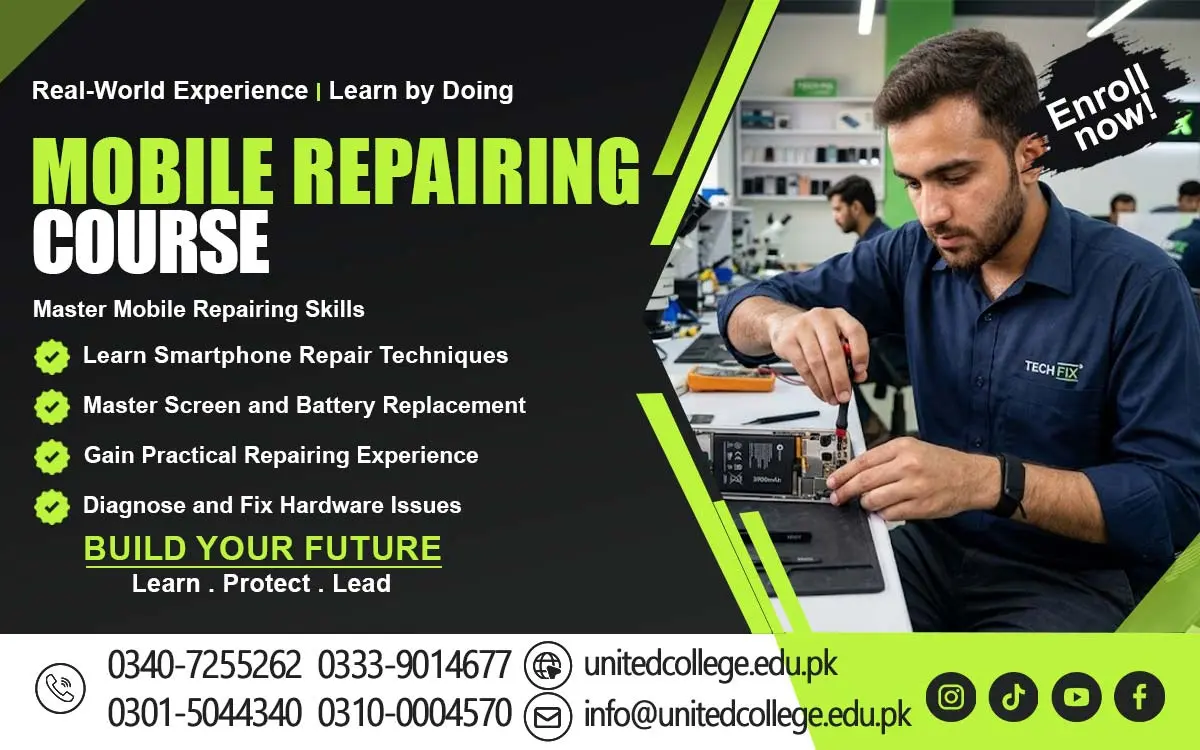

Mobile Repairing Course in Lower Dir for Digital Device Technology
Exploring Modern Mobile Phone Technology
Modern smartphones combine electronic hardware, software, communication systems, and digital features in a compact device. They allow users to make calls, send messages, browse the internet, capture photographs, and use different applications. New smartphone models may include improved processors, advanced cameras, biometric security, and faster connectivity options. Understanding these features helps learners become familiar with the technology used in everyday mobile devices.
Students can explore how hardware and software work together to support smartphone functions. The processor handles many operations, memory supports applications and data storage, and communication components help the device connect with mobile networks and wireless services. The operating system manages different functions and provides an interface for users. Learning about these systems helps students understand why a problem in one area may affect the performance of the entire device.
The Mobile Repairing Course in Lower Dir introduces learners to important concepts related to modern smartphone technology. Students can develop an understanding of how mobile devices operate and why their components require proper maintenance. They can also explore how smartphone designs differ between manufacturers and models. This knowledge provides a foundation for studying mobile phone faults, diagnostic methods, and technical servicing procedures.
Learning the Functions of Internal Phone Components
A smartphone contains several internal components that work together to provide its main functions. These include the motherboard, battery, processor, memory, cameras, speakers, microphones, and various connectors. Each component performs a specific task, and a fault in one part can affect the phone's overall operation. Understanding the purpose of these components is an important step in learning mobile phone maintenance.
The motherboard connects different electronic parts and supports communication between important systems. The battery supplies power, while the charging connector allows the device to receive energy from a suitable power source. Cameras capture images, speakers produce sound, and microphones receive audio. Flexible cables and connectors link various modules, allowing signals and power to move between different parts of the phone. Students can learn how these components contribute to normal smartphone operation.
Through the Mobile Repairing Course in Lower Dir, learners can study the basic functions of internal phone components and recognize common signs of damage. They can understand why technicians inspect a device carefully before opening it or replacing any part. Learning to distinguish between different components can also help students follow diagnostic procedures more effectively. This foundation is useful for developing further knowledge of smartphone hardware and maintenance.
Understanding Battery Circuits and Power Management
Battery circuits and power management systems help smartphones operate safely and efficiently. The battery supplies energy, while internal circuits regulate and distribute power to different components. When a power-related part does not function correctly, the device may fail to start, shut down unexpectedly, or experience charging difficulties. Understanding these systems helps learners recognize the possible causes of common mobile phone problems.
Students can explore the relationship between batteries, charging ports, power management components, and charging accessories. They can learn that slow charging or rapid battery drainage may have several causes, including battery deterioration, faulty accessories, software activity, or internal hardware problems. Proper diagnosis involves examining the symptoms and performing suitable checks instead of immediately assuming that the battery needs replacement.
The Mobile Repairing Course in Lower Dir can introduce learners to the fundamentals of battery and power fault diagnosis. Students can study safe inspection methods and understand why damaged or swollen batteries require special care. Lithium-ion batteries should never be punctured, crushed, or exposed to excessive heat. Through suitable instruction and practical training, learners can develop a better understanding of power-related faults and recognize when advanced testing is necessary.
Examining Screen, Buttons, and Connector Problems
Screens, physical buttons, and connectors are important parts of a smartphone because they support user interaction and connect different functions. A damaged display may show lines, flicker, or remain completely black. Buttons may become unresponsive because of wear, dirt, physical damage, or internal connection problems. Charging and audio connectors can also develop faults that affect the device's normal operation.
Students can learn to recognize the symptoms associated with these problems and understand why careful inspection is necessary. A touchscreen that does not respond may have a damaged display assembly or a software-related issue. Similarly, a phone that fails to charge may have a faulty charging cable, damaged port, or internal circuit problem. Technicians need to consider different possibilities before deciding whether a component should be cleaned, tested, or replaced.
Within the Mobile Repairing Course in Lower Dir, learners can explore the basic inspection of screens, buttons, and connectors. They can understand why delicate cables and small connectors should be handled carefully during servicing. Students can also learn the importance of checking the relevant functions after maintenance. These concepts help build a foundation for responsible hardware troubleshooting and mobile phone care.
Studying Software Configuration and Troubleshooting
Smartphone software controls many of the features people use daily. Operating system settings, applications, storage, and system updates all influence device performance. Software-related problems may cause applications to crash, phones to freeze, settings to behave unexpectedly, or certain features to stop working. Learning how to recognize these issues helps students understand an important part of mobile phone troubleshooting.
Students can study basic troubleshooting procedures such as restarting a device, checking available storage, reviewing application settings, and understanding software updates. They can also learn about application compatibility and the importance of using appropriate software for a particular phone model. Before performing procedures that could erase information, technicians should explain the risks and ensure that important data is backed up when possible.
The Mobile Repairing Course in Lower Dir can help learners understand common software configuration problems and suitable first steps for investigating them. Students can explore why technicians should distinguish between software errors and possible hardware faults. They can also learn that advanced procedures, such as firmware installation, require compatible files and careful preparation. This knowledge encourages a more systematic and responsible approach to smartphone software maintenance.
Identifying Common Mobile Network and Signal Faults
Mobile network and signal problems can prevent users from making calls, sending messages, or accessing mobile internet services. A smartphone may show weak reception, lose its network connection, or fail to recognize a SIM card. These issues can result from network coverage limitations, SIM card problems, incorrect settings, software faults, or damaged internal components. Identifying the possible cause is an important part of mobile device diagnosis.
Students can learn to perform basic checks, including inspecting the SIM card, reviewing network settings, restarting the device, and checking whether the problem occurs in a particular location. They can also understand that weak signals may result from the surrounding environment or the mobile network provider rather than a damaged phone. Comparing symptoms and checking simple possibilities can help technicians avoid unnecessary hardware work.
Through the Mobile Repairing Course in Lower Dir, learners can develop an understanding of common connectivity problems and their possible causes. They can study why network troubleshooting should begin with basic checks before moving to advanced inspection. Students can also learn about the importance of identifying whether a problem affects mobile data, calls, Wi-Fi, or several services at once. This approach supports more accurate troubleshooting and better understanding of smartphone communication systems.
Practicing Device Testing and Maintenance Procedures
Testing and maintenance help technicians understand the condition of a smartphone and identify problems that may need attention. Before servicing a device, it is useful to check its visible condition and note the symptoms reported by the owner. Depending on the problem, technicians may examine the display, touchscreen, battery performance, charging, cameras, speakers, microphone, and connectivity features. A structured process helps ensure that important details are not overlooked.
Students can learn why devices should be handled carefully during inspection and why suitable tools are important for different tasks. Routine maintenance may involve checking charging accessories, keeping device openings clear of debris using appropriate methods, and reviewing software performance. Any internal inspection should follow suitable safety precautions, particularly when dealing with batteries and delicate electronic components. Good working practices help reduce the risk of creating additional faults.
The Mobile Repairing Course in Lower Dir can introduce learners to basic testing and maintenance procedures used in mobile servicing. Students can understand the importance of checking relevant functions after a repair and confirming whether the reported issue has been addressed. They can also learn to record service details and communicate any remaining problems clearly. These habits encourage accuracy, responsibility, and consistent service quality.
Building Technical Knowledge for Mobile Service Work
Mobile servicing can be a useful field for people who enjoy working with electronics and solving technical problems. Smartphone users may need assistance with charging faults, display damage, software issues, network problems, and routine maintenance. People who develop appropriate technical knowledge and practical experience may explore opportunities in mobile phone shops, electronics stores, repair centers, or related service businesses.
Professional development requires more than learning how to identify faulty components. Technicians also need communication skills, patience, time management, and responsible handling of customer devices. Explaining a problem clearly, discussing possible service options, and keeping accurate records can improve the customer experience. Organizing tools and spare parts can also help technicians complete tasks more efficiently.
The Mobile Repairing Course in Lower Dir can provide a foundation for learners interested in developing their technical abilities. With further practice and experience, they may explore employment opportunities or consider establishing a small mobile servicing business when they have the necessary resources. Because smartphone technology changes regularly, continuing to learn about new devices and diagnostic methods is important. Combining technical understanding with safe work practices and good customer service can support future growth in this field.
Frequently Asked Questions (FAQs)
Students can learn about smartphone components, battery systems, display problems, software troubleshooting, network faults, and mobile phone maintenance procedures.
Components such as the motherboard, battery, processor, cameras, and connectors work together to support the phone's power, communication, display, and other functions.
Battery performance may be affected by battery deterioration, charging accessories, software activity, or faults in the phone's internal power circuits.
Common problems include cracked screens, unresponsive touch controls, faulty buttons, damaged charging ports, and loose internal connections.
Basic troubleshooting, such as checking storage, reviewing application settings, restarting the device, and installing suitable updates, may help resolve certain software-related issues.
Admission Open: Start Your Professional Journey Today!
Join United College of Technology and build a career with practical training, recognized certifications, and Gulf job support. Seats are limited.
Apply Now via WhatsAppContact Information
- Address: Rawalpindi: F-272 Main New Katarian Stop, Old IJP Road | Lahore Campus: Lahore, Pakistan
- Phone/WhatsApp: 0340-7255262 / 0333-9014677 / 0301-5044340 / 0310-0004570 / 051-8770756
- Website: unitedcollege.edu.pk
















Leave a Comment