


Computer Hardware Course in Sibi to Explore Modern PC Technology
A Fresh Path Towards Practical PC Knowledge
A computer may look like a simple machine from the outside, but many connected parts work together to make it useful. When a screen goes blank, a system refuses to start, or a device stops responding, understanding the equipment becomes important. The Computer Hardware Course in Sibi introduces learners to the technical side of computers and helps them understand how physical components support everyday digital activities. It is a useful subject for students, beginners, and individuals who want to develop practical computer knowledge.
Technology has become an important part of classrooms, offices, shops, and business environments. People use computers to prepare documents, manage records, communicate, and complete daily tasks. However, understanding the equipment behind these activities requires knowledge of its physical structure. Learning about computer hardware can help beginners recognize the importance of different components and understand how proper maintenance supports reliable computer use.
Uncover the Important Parts Behind a Computer's Performance
Every computer has an internal structure made up of components with different responsibilities. The motherboard connects the main parts and allows them to communicate. The processor handles instructions, while RAM temporarily stores information that the system needs when running programs. Together, these components support the computer's daily operations and influence how it performs different tasks.
Storage and power systems are equally important. A hard disk or SSD stores files, applications, and other information. The power supply provides electricity to the computer, while fans and heat sinks help prevent excessive heat. The Computer Hardware Course helps beginners understand these components, their functions, and the way they contribute to a computer's overall performance.
Experience the Process of Computer Building and Maintenance
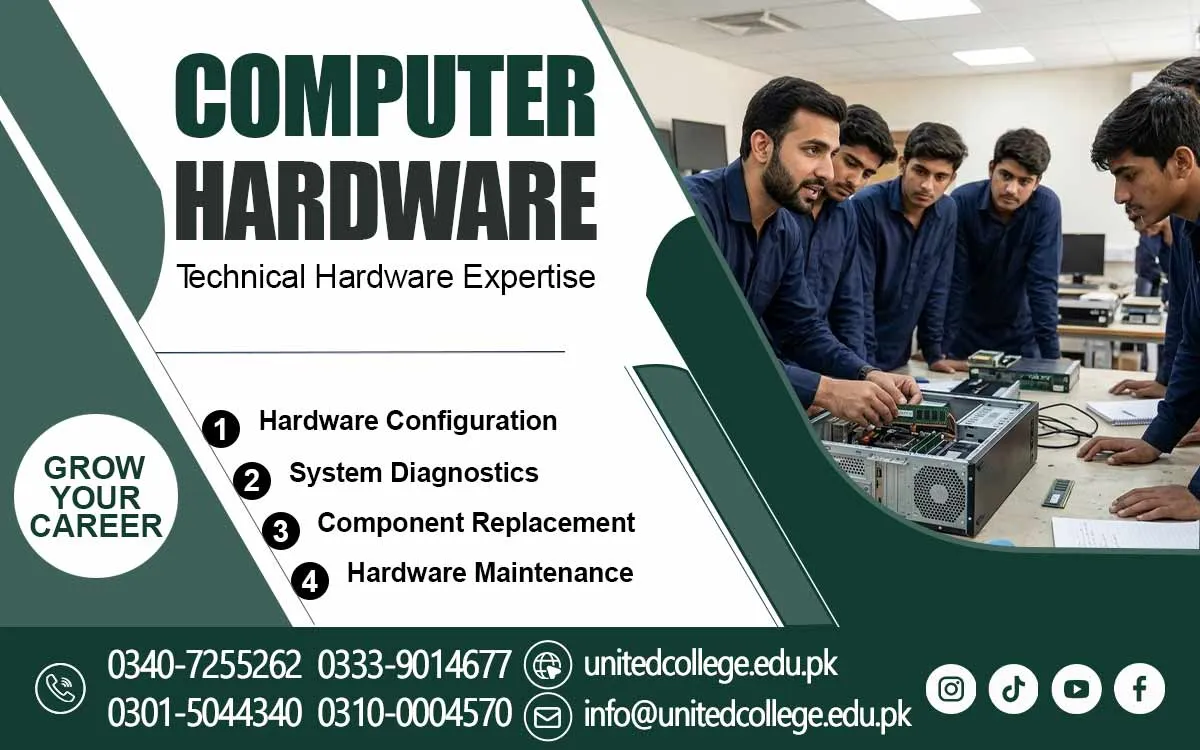
Computer assembly introduces learners to the physical arrangement of different components. It involves understanding where parts are positioned, how memory modules fit into their slots, and how storage devices connect to the motherboard. Beginners can also explore the purpose of ports, connectors, and power cables. This knowledge helps them understand how separate parts become one working computer system.
Maintenance requires a different kind of attention. Dust can collect around cooling fans, cables may become loose, and certain components may need inspection or replacement. Learners can explore basic cleaning methods, careful component removal, and simple connection checks. These activities introduce useful practices for understanding computer servicing and keeping equipment in suitable working condition.
Understand the Reasons Behind Common Computer Failures
A computer does not always stop working because of a major technical fault. Sometimes, a loose connection or an incorrectly attached cable can interrupt normal operation. Other situations may involve a damaged keyboard, an unresponsive monitor, unusual system noise, or a storage device that cannot be detected. Recognizing these signs is an important part of understanding computer problems. A Computer Hardware Course in Sibi helps beginners understand common hardware faults and develop basic troubleshooting skills.
Basic troubleshooting involves checking possible causes in a careful order. Learners can explore how to inspect external connections, identify visible damage, and understand signs of overheating or power-related issues. They should also learn that not every computer problem comes from hardware. A slow system, for example, may have a software-related cause. This difference helps beginners avoid unnecessary component replacements and develop better technical judgment.
Discover a New Learning Direction Through Technical Education in Sibi
For people in Sibi who want to explore technology beyond everyday computer use, hardware knowledge offers an interesting area of study. It helps learners understand the equipment behind digital work and introduces them to the practical side of computer systems. Students can develop familiarity with physical components while gaining a clearer understanding of how computers operate in different environments.
The Computer Hardware Course offered by United College of Technology is relevant to individuals interested in learning about computer components, maintenance, and basic repair techniques. Such technical knowledge can help beginners explore a subject that connects directly with everyday computer use. Interested students should contact the institute for accurate details about current course availability and training arrangements.
Develop Better Technical Judgment Through Repeated Practice
Working with computer equipment requires attention, patience, and a willingness to learn from mistakes. A beginner may need time to recognize different motherboard connections or understand why particular components are used. Observing these details regularly can improve familiarity with computer systems. It also helps learners become more comfortable with technical terms and equipment. Enrolling in a Computer Hardware Training can provide beginners with opportunities to develop practical knowledge and understand the proper handling of computer hardware.
Safe working habits should remain part of every learning activity. Internal components need protection from static electricity, and computers should be disconnected from their power source before internal inspection. Learners should avoid forcing connectors or touching sensitive circuits unnecessarily. With careful practice, they can improve their observation skills and become more confident when handling computer equipment.
Explore Practical Uses of Hardware Knowledge in Different Settings
Computer knowledge can be useful in many working environments. Schools and offices depend on functional computer systems, while computer shops and repair centers deal with different hardware-related needs. Understanding components and their basic functions can help individuals become familiar with routine equipment checks and simple maintenance activities in these settings.
This knowledge may also be useful for managing personal computers at home. People who understand hardware can make more informed decisions about storage upgrades, memory requirements, and device maintenance. Some learners may later explore areas such as technical support or computer servicing. However, handling professional repair tasks requires additional experience and continued development of practical abilities.
Turn Your Interest in Technology Into Lasting Technical Knowledge
Understanding computer hardware can change the way people approach everyday technology. Instead of seeing a computer as one complete machine, learners begin to recognize the separate parts responsible for its operation. They can understand how these components connect, why maintenance matters, and how different faults may affect system performance.
The Computer Hardware Course can provide a starting point for individuals in Sibi who want to explore this field and strengthen their technical understanding. Learning through observation, regular practice, and careful handling can gradually improve their abilities. With a strong foundation in computer hardware, beginners can continue exploring technical subjects and develop a more informed relationship with modern technology.
Frequently Asked Questions (FAQs)
BIOS is a basic program that helps a computer check its essential hardware and begin the startup process when switched on.
Ports allow users to connect external devices such as printers, USB drives, headphones, and other accessories to a computer.
Desktop computers usually have larger, separate components, while laptops use compact parts designed to fit inside a portable body.
Yes, some components can be upgraded depending on the computer model, available connections, and hardware compatibility.
Good airflow helps prevent excessive heat, supports stable operation, and reduces the risk of temperature-related hardware problems.
A graphics card processes visual information and helps display images, videos, animations, and graphics on the screen.
Admission Open: Start Your Professional Journey Today!
Join United College of Technology and build a career with practical training, recognized certifications, and Gulf job support. Seats are limited.
Apply Now via WhatsAppContact Information
- Address: Rawalpindi: F-272 Main New Katarian Stop, Old IJP Road | Lahore Campus: Lahore, Pakistan
- Phone/WhatsApp: 0340-7255262 / 0333-9014677 / 0301-5044340 / 0310-0004570 / 051-8770756
- Website: unitedcollege.edu.pk
















Leave a Comment